40
Software Operation
Editing Jobs
A. CorelDRAW Page Size Setting
Please ensure the laser engraver is set as the Default Printer before following the next steps.
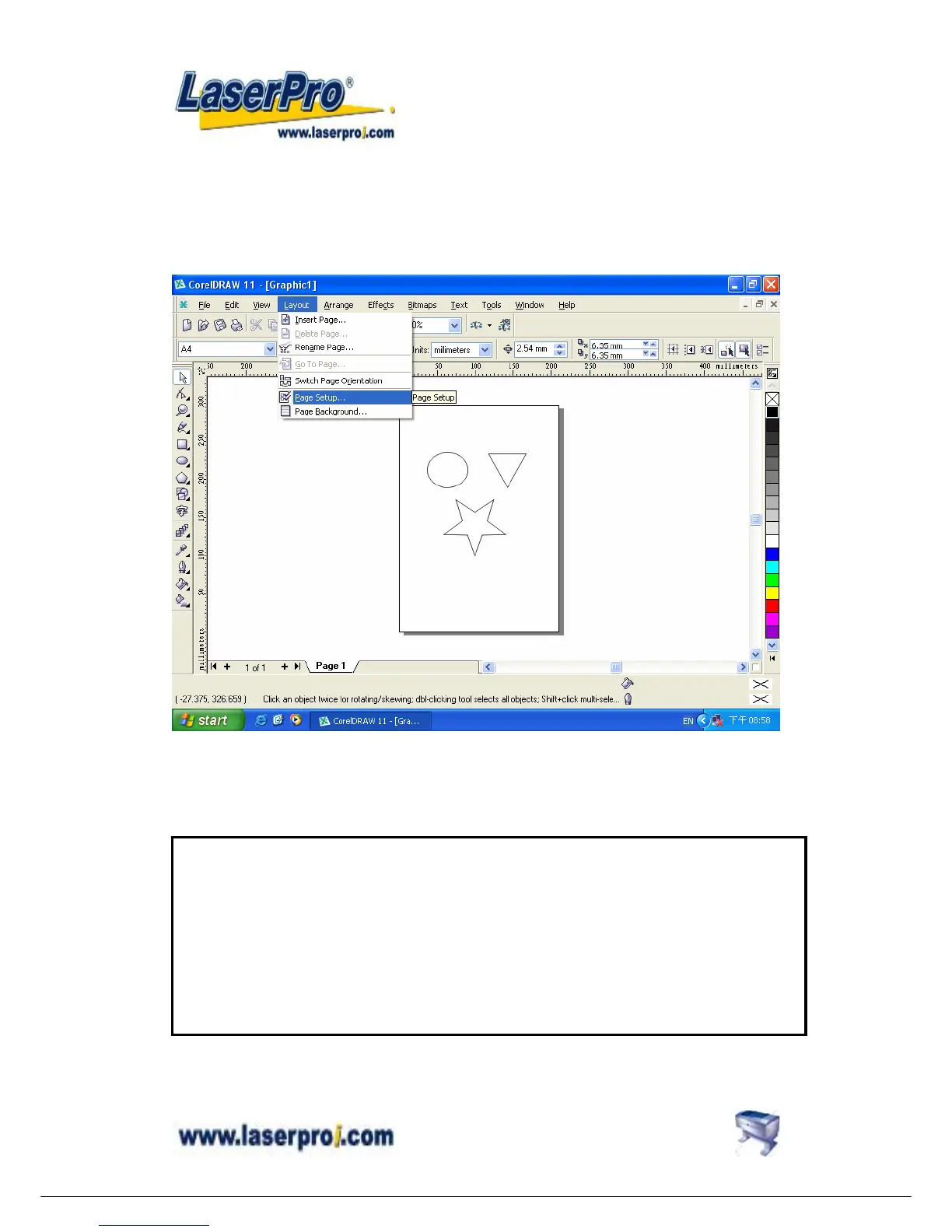
Step1: Click Layout → Page Setup
Step2: Set From Printer
Step3: Click the page size to be the same as the printer’s paper size.
(Ensure the Normal Paper and Layout options are checked.)
Step4: Click OK to complete the page size setting.
Notice
Pre: In some instances, the LCD panel shows a message of “Graph was clipped” or the laser engraver is
engraving at some strange location in some unpredictable way. The result engraved artwork is scrapped.
Post: This is caused by the mismatch of Printer’s paper size and the CorelDraw’s page size. To matches
these two size, please following the proceeding instructions.


 To Next Page