56
Note:
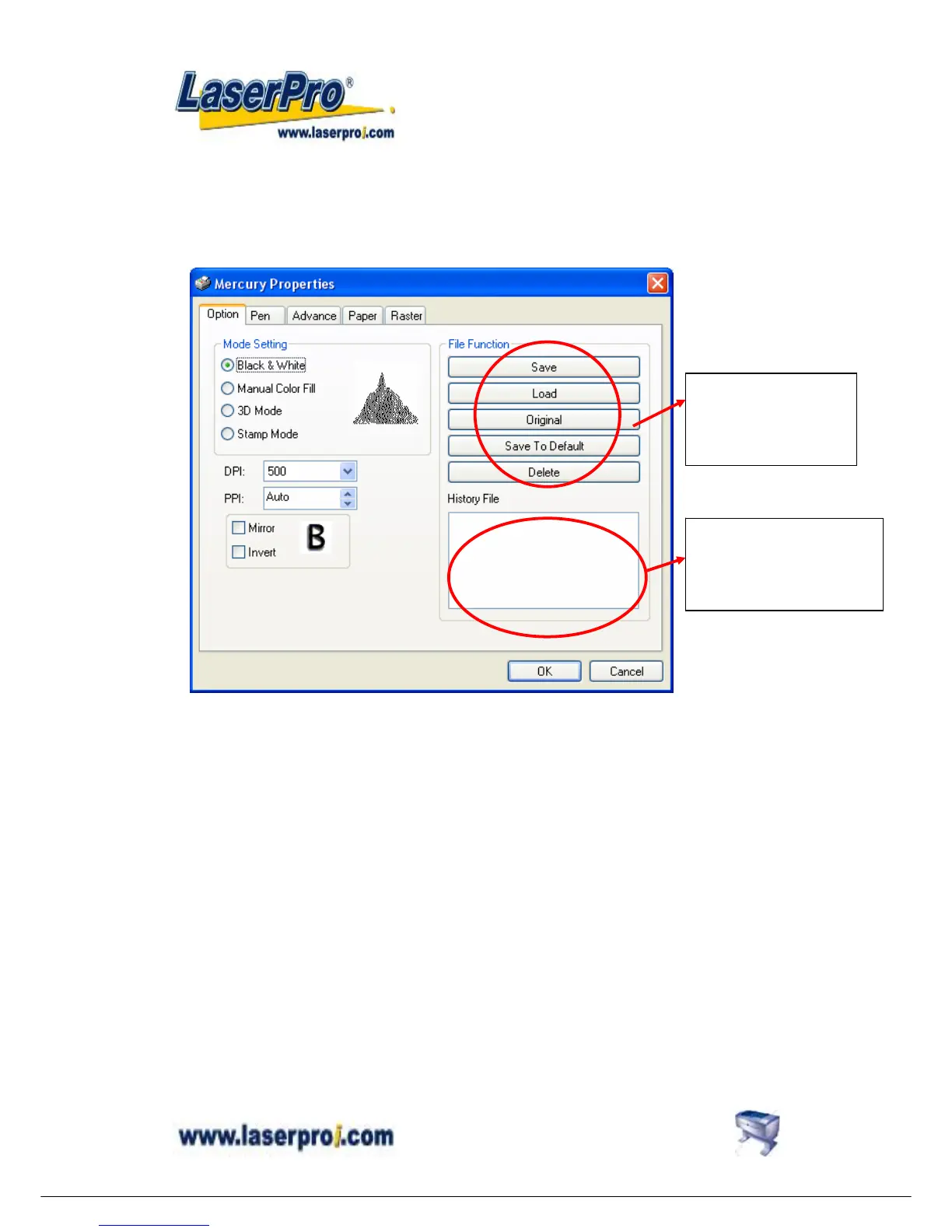
1. These editing options can be saved in image files such as CoreI Draw graphics
with printer driver parameters setting inside or can be saved a s the default
settings in Mercury driver for future files.
2. Please make sure your ID to log in the computer is set to “Administrator ” level,
therefore OS of 2000/XP can allow you to save parameter settings.
File parameter setting
save, delete or load
function.
Review and select the saved
file parameter setting here.


 To Next Page