Proline Kryomats
YAUE0007 / 2/26/2009 Starting up 51
7.6 Special settings
7.6.1 Defining the type of start mode
Usually it is desirable that the thermostat carries on operating again after an interruption in the voltage
supply. However, if for safety reasons you do not wish this, you can insert an intervening manual
activation step.
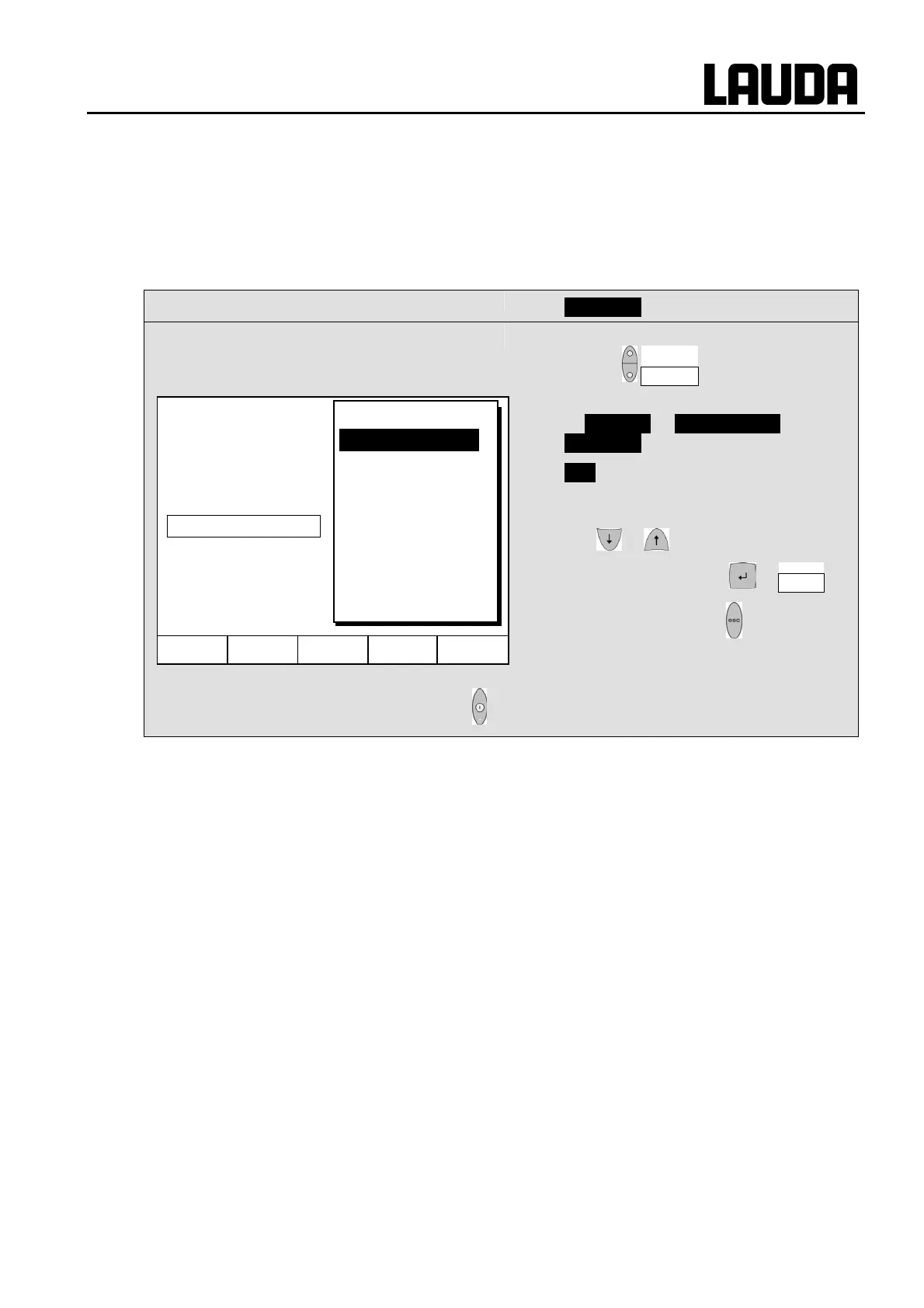
Command
− Auto start
− Open the device parameter menu via the
soft key Menu .
− With the cursor keys continue to:
Æ Settings Æ Basic settings Æ
Auto start .
− On is currently active.
− If the standby mode is to be activated
after a mains interruption, activate "Off"
with or .
− Accept the change with or End ,
− or quit the window with without making
changes.
)
− When the mains voltage has been restored after an interruption, you can quit
the standby mode with .
Hel
Menu End T
set
T
fix
Off
On
Display
Sounds Master
Sounds Command
Language
Master Mode
Autostart
Current consumpt.


 To Next Page
 Loading...