LAUNCH X-431 V+ User’s Manual — Knowledge of X-431 V+
13
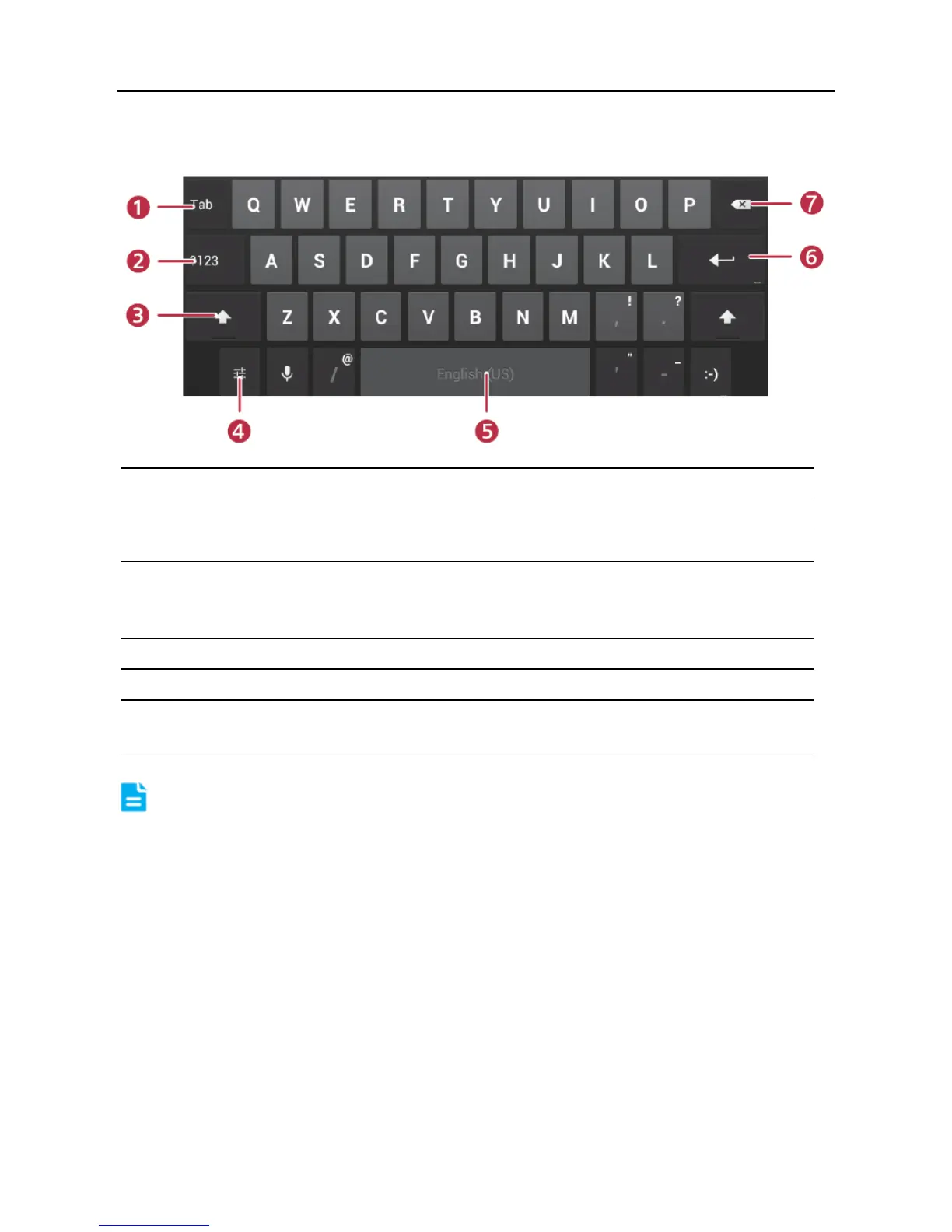
2.10.3 Android input method
1 To jump to next textbox.
2 To switch to numeric & symbol keyboard.
3 To toggle between upper case and lower case.
4 To bring up an input options menu. Input languages and Android
keyboard settings such as auto-capitalization and sound on
keypress are available.
5 To enter a space.
6 Line feed.
7 > To delete the character before the cursor.
> Long-press this key to delete all characters before the cursor.
Note: For different input box, keyboard layout may vary. The figure shown as
above is provided for reference purpose.



 To Next Page