LAUNCH X-431 V+ User’s Manual — Others
46
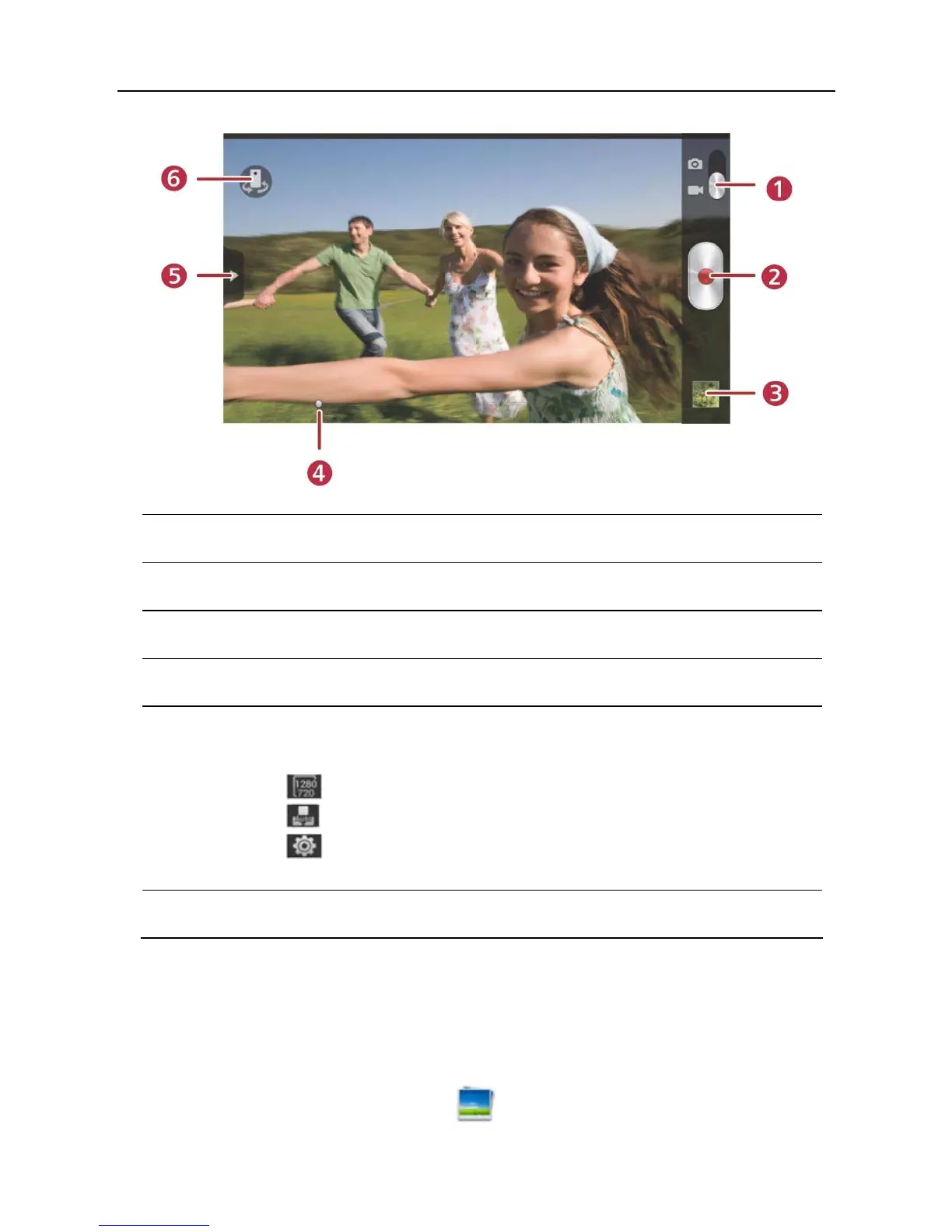
1 Drag the slider to toggle between camera and video mode.
2 Tap it to start recording a video.
3 Tap it to play back your video.
4 Slide to right or left to zoom in/out the screen.
5 Slide it to open settings menu, the following settings are
available:
>
: To select a video size.
>
: To set white balance.
>
: To make some video settings, including Review,
Preferred save location.
6 Tap to toggle between front camera and rear camera.
5.5 Gallery
This option is used to manage pictures and video files.
5.5.1 Open gallery
Enter the main menu screen, tap to open gallery, the system starts



 To Next Page