LAUNCH X-431 V+ User’s Manual — Vehicle Diagnosis
17
start searching available Bluetooth device, tap the desired connector to pair and
match.
By default, the Bluetooth name is 98374*****00 (where ***** stands for 5 digits.).
Note: In case no Bluetooth setting is done before diagnostic software is
launched, you can also configure it while using the software. For details on
Bluetooth connection, please refer to “Chapter 4.6 Start diagnosing”.
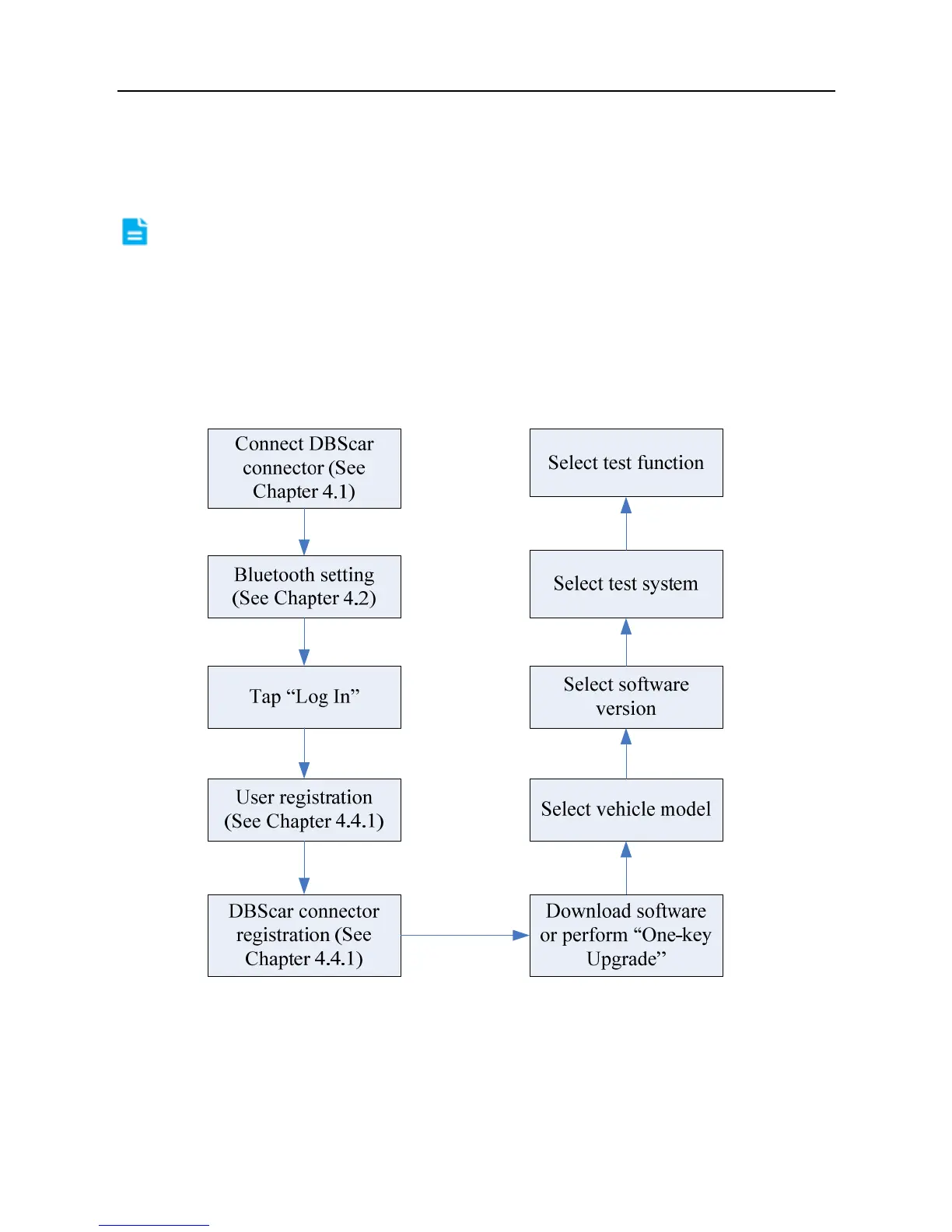
4.3 Diagnosis flowchart
For new users, please follow the operation chart shown in Fig. 4-2 to get familiar
with and start using X-431 V+.
Fig. 4-2
4.4 User and connector registration
4.4.1 User registration
Tap the program icon on the desktop to launch the application, a disclaimer page



 To Next Page