LAUNCH X-431 V+ User’s Manual — Others
45
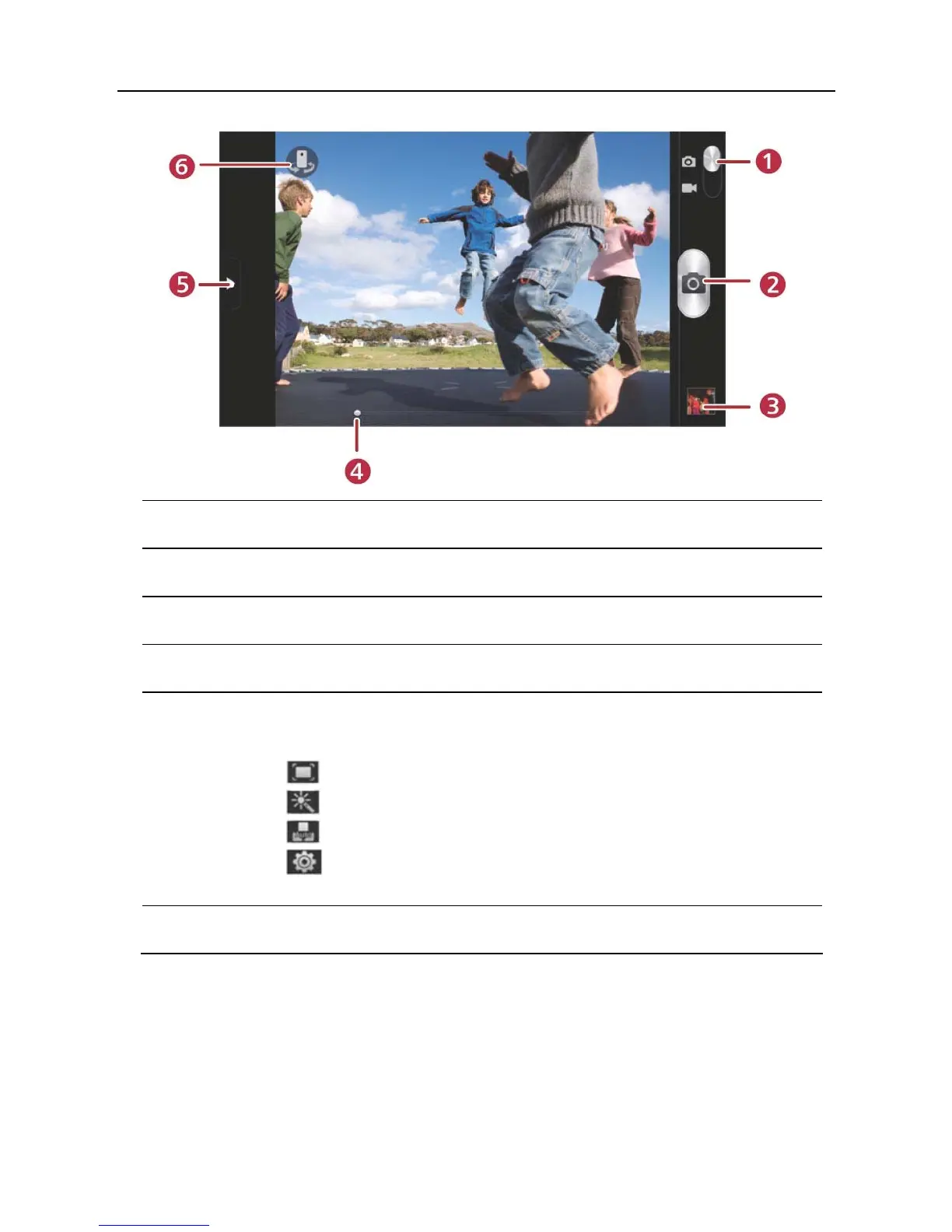
1 Drag the slider to toggle between camera and video mode.
2 Tap it to take a picture.
3 Tap it to browse your pictures.
4 Slide to right or left to zoom in/out the screen.
5 Slide it to open settings menu, the following settings are
available:
>
: To select a desired photographing mode.
>
: To select a filter.
>
: To set white balance.
>
: Set some photographing parameters, such as
Review, ISO etc.
6 Tap to toggle between front camera and rear camera.
5.4.2 How to record a video
In camera mode, drag the slider to camrecorder mode.



 To Next Page