25
LAUNCH
Warning: Resetting may cause data loss. Before doing so, please be careful to perform
this operation.
7.10 Clean Up
This option allows user to clear some cache les and free up the storage space.
7.11 Screen Capture
This option can set the Screen Capture icon to be shown or not on the screen.
7.12 About
This option displays the hardware configuration information of the tool and
license agreement.
7.13 Data
7.13.1 Diagnostic Record
This module stores the running parameters or waveform graphs the user
records.
7.13.2 Diagnostic Report
This module stores all diagnostic reports generated in the process of vehicle
diagnosis.
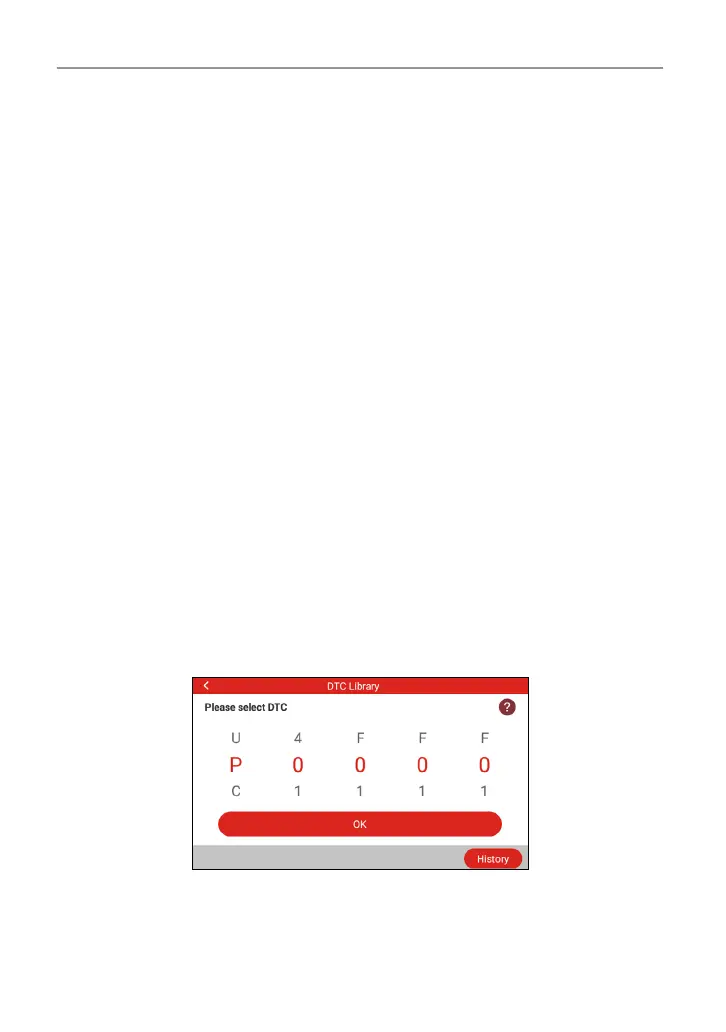
7.13.3 DTC Library
This function helps you to get the details of the DTC, which will greatly help
simplify the diagnostic process.
7.13.4 DLC (Data Link Connector) Location
This function helps you to nd the location of the vehicle’s DLC.




 To Next Page