Need help?
Do you have a question about the Leakomatic Pro1 and is the answer not in the manual?
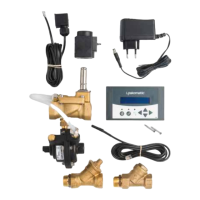
Lists and describes the components of the control unit.
Displays a diagram of the valve unit with key dimensions.
Outlines critical steps and warranty implications for installation.
Explains the fundamental operating mechanism of the Leakomatic system.
Defines flow types based on volume and time duration.
Introduces the three distinct leakage detection tests available.
Details Flow, Quick, and Tightness leakage detection methods.
Describes the system's capability to read water meters with pulse outputs.
Protects against major water damage from high flow or consumption.
Details how to connect the device to the Leakomatic Cloud service.
Step-by-step instructions for establishing a WiFi network connection.
Guide for setting up and activating a Leakomatic Cloud account.
Instructions for operating the device using Home, Away, and Pause modes.
Explains alarm functions, silencing, clearing, and warning types.
Lists specific alarms, their warnings, and detailed descriptions.
Describes the function and behavior of the blue LED flow indicator.
Guide on navigating menus using arrow buttons for settings.
Visual representation of the device's menu hierarchy and options.
Covers basic settings like startup mode, sound, language, and time.
Configuration options for PIN protection and changing the PIN code.
Settings for WiFi connectivity and Cloud PIN management.
Controls valve behavior and alarm responses.
Configuration for AUX inputs, pulse units, and calibration.
Settings for AUX outputs and relay control for various tests.
Details the information displayed on the device's main screen.
Provides a list of past system activities and alarms.
Displays sensor data, AUX inputs, and valve status information.
Comprehensive guide to device settings and their configurations.
Detailed configuration options and alarms for the Flow Test.
Detailed configuration options and alarms for the Quick Test.
Detailed configuration options and alarms for the Tightness Test.
Configuration parameters for Volume Test M1 on AUX1 input.
Configuration parameters for Volume Test M2 on AUX2 input.
Settings for installation, security, and network connectivity.
Configuration options for valve handling during alarms.
Settings for AUX inputs, pulse units, calibration, and analog inputs.
Settings for AUX outputs and relay control for test functions.
Instructions on how to restart the device's screen.
Steps to restore the device to its original factory default settings.
Instructions for changing the device's backup batteries.
Recommended yearly maintenance tasks for the Leakomatic system.
Provides specifications for the control and valve units.
Manufacturer, product details, and compliance standards information.
Form for recording installation details and validation of device function.
 General
| Brand | Leakomatic |
|---|---|
| Model | Pro1 |
| Category | Security Sensors |
| Language | English |


 To Next Page