C
B
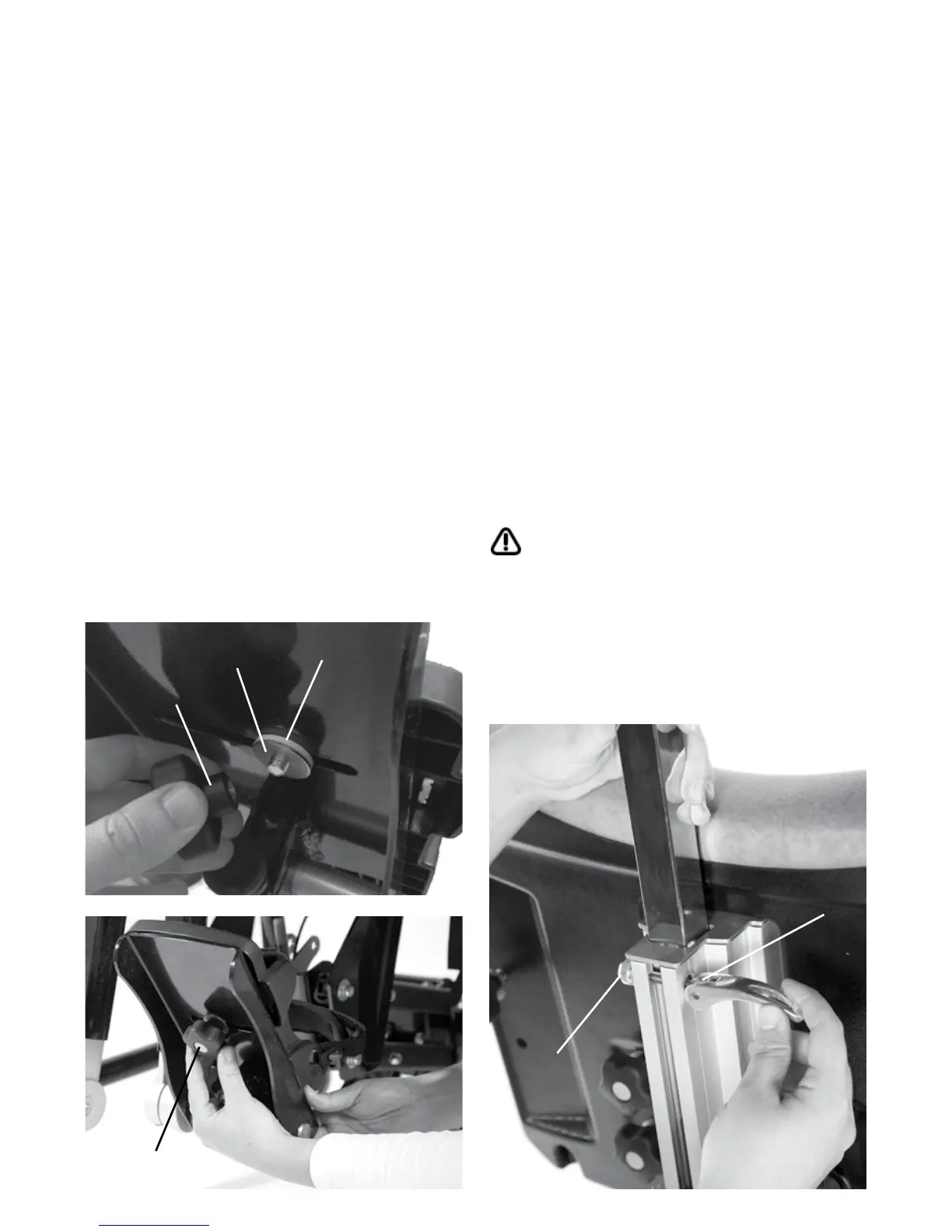
To attach and height adjust, slide the square
tubing into the top of the central spine on
the backrest. To lock the head support push
the locking lever down until it touches the
metal spine (b). To remove simply reverse
this process. The extended headrest, the
contoured head support and the Whitmyer
Pro-Series range of headsupports can also
be attached to the frame as detailed above.
After use locking lever may need to be fine
tuned to ensure secure locking. To do this
lift up the lever and turn the nut (c) while
holding the lever in a fixed position. Push the
lever back down to check if it locks the tube
securely. Repeat the process as necessary.
Always use caution when making
this adjustment, as fingers could
become trapped in the receiving tube
while positioning.
7.5 How to attach the
headsupport & extended
headrest bracket in Supine
7.4 Attaching the Sandals
Place the sandal so that the attachment bolt
goes through the slot in the footplate. To
secure, on the underside of the footplate
place the rubber washer (a), followed by
the metal washer (b) and then the knob (c)
onto the attachment bolt. To position the
sandals simply loosen the knob (c) under the
footplate, select the position you require and
re-fasten the knob.
2
1
C
A
B
C


 To Next Page