A
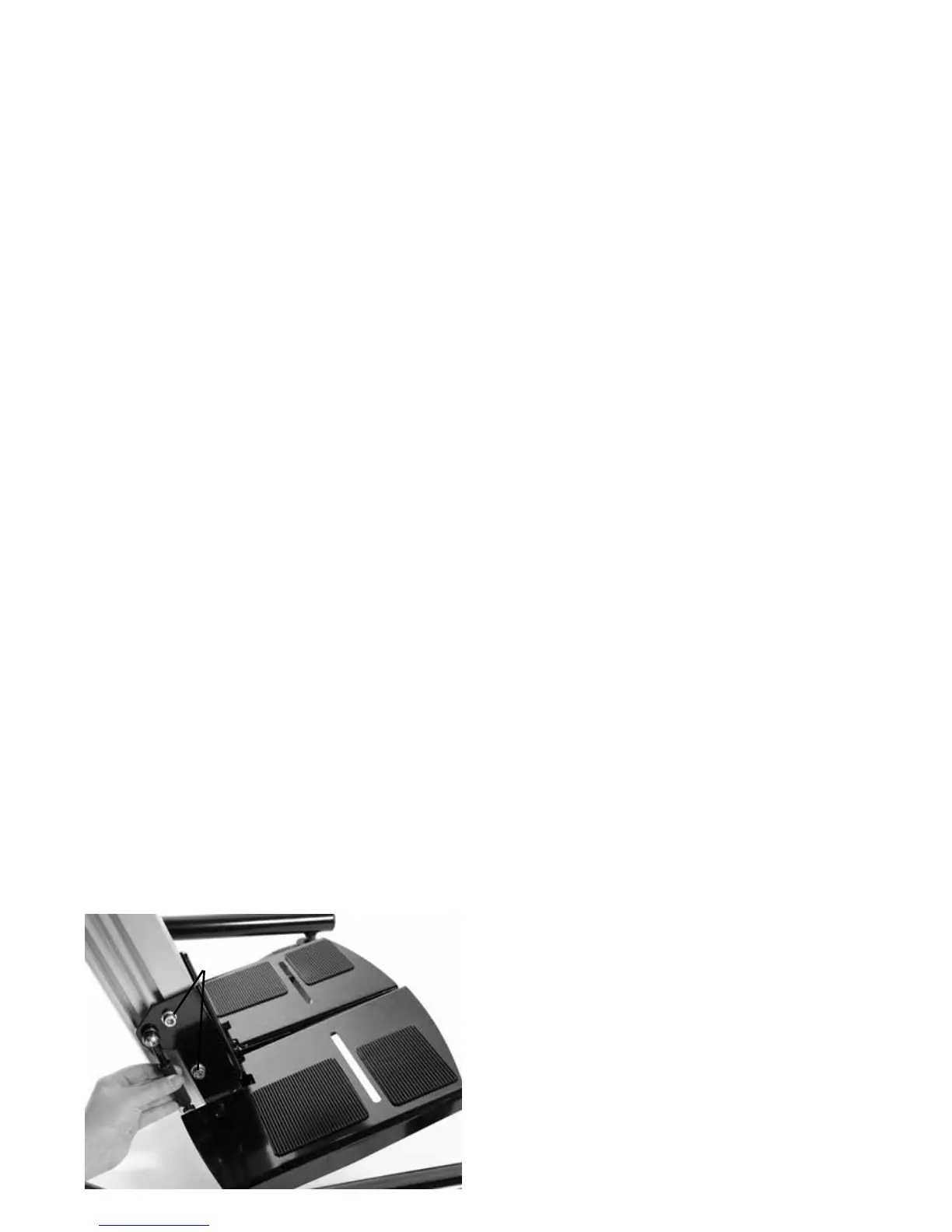
To remove the footplate loosen the bolts
which attach the footplate to the bottom of
the spine (a). Slide the footplate downwards
and remove.
To attach a footplate, loosen the bolts at
either side of the footplate (a) and slide
upwards on to spine. Ensure the slider
plate is firmly inserted into groove in spine.
Tighten the bolts once the footplate is in
the required position.
7.8 How to attach and
remove basic / flip-away /
3D footplates


 To Next Page