The knee brackets come as standard with
knee supports; these should always be
used when the user is in supine but can also
be used for prone standing for additional
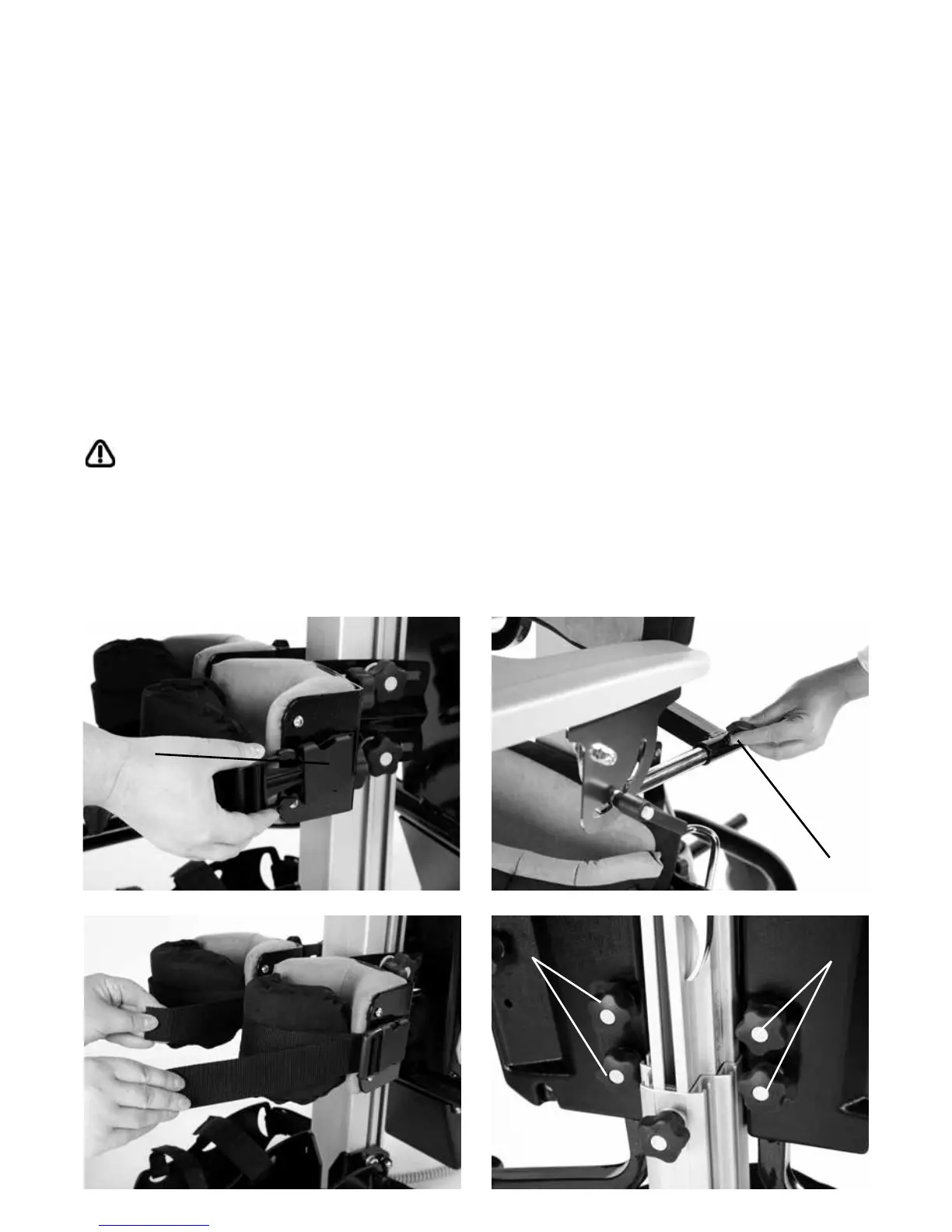
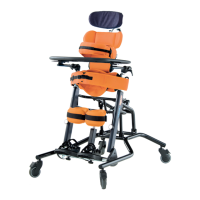
support and security. To fasten the pad insert
the plastic clip into the buckle on the side of
the main knee support. Then grab the straps
ends and pull firmly away from the user,
which will secure the pad around the users
leg. To remove the pad simply squeeze the
tabs on the top and bottom of the plastic clip
and the pad will pop off (c).
Always check with your therapist as to
the correct tensioning of the straps for
your child as the kneecap is a sensitive
area and too much force could
cause injury.
10.6 The Front Knee
Supports
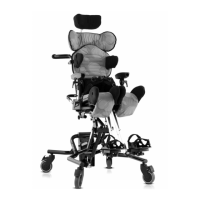
The Tray is attached to and removed from
the frame by the metal brackets located
below the chest pad. To attach the tray slide
the metal bars into the receiving tubes to
the required depth and secure by tightening
the knobs (a) on rather side. There are limit
poppers in the end of the tray tubes to show
the maximum depth adjustment allowed.
These may need to be depressed to
remove the tray.
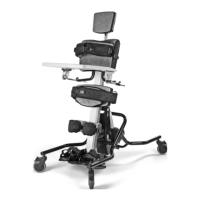
To adjust the height loosen the four knobs
(b), set the tray to the required position and
then retighten the knobs securely.
10.7 Activity Tray
Adjustment – Supine
A
C
BB


 To Next Page