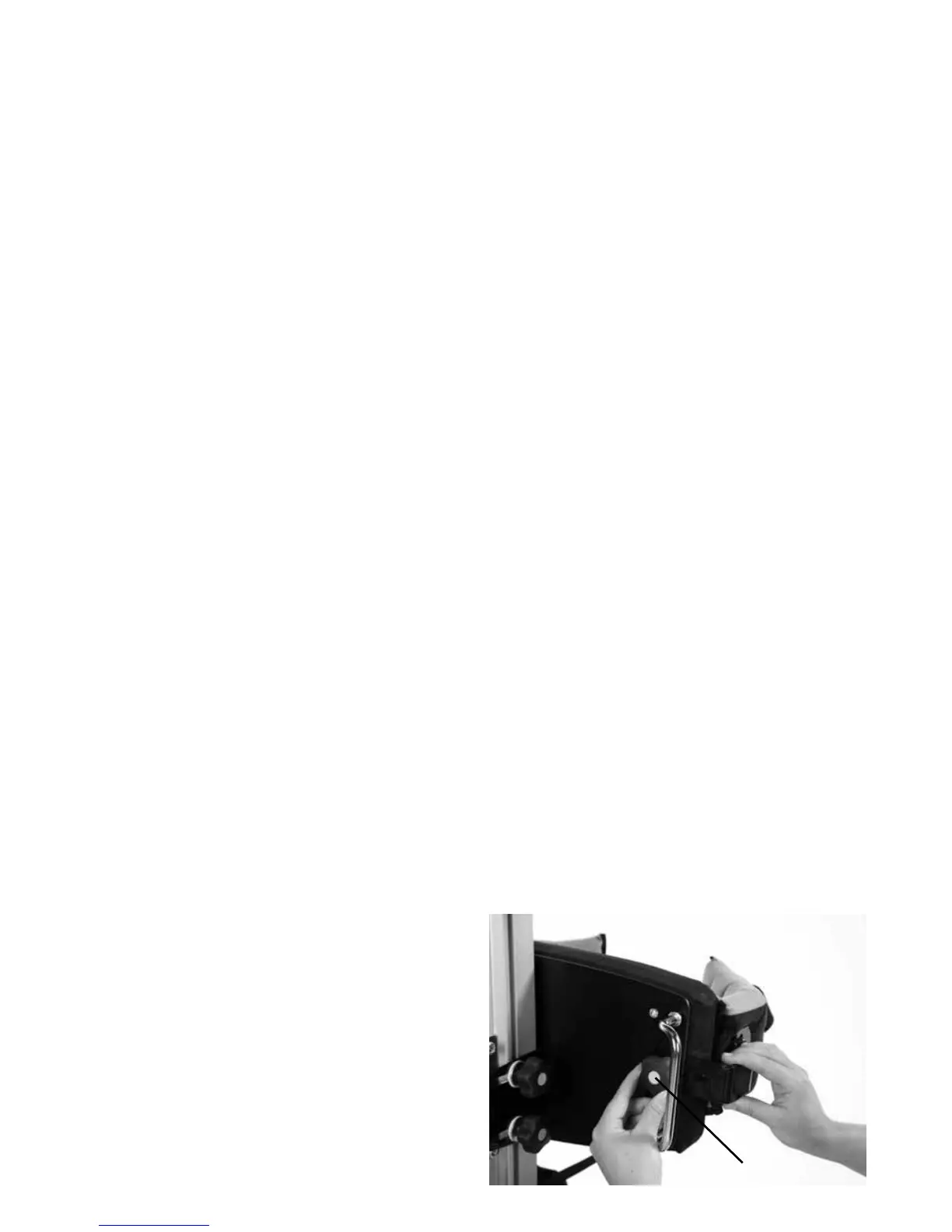
To attach the flexible guides, loosen the
plastic knob (a) at the back of the pad and
slide the metal bracket into the slot. Then
when set to the desired height retighten the
plastic knob. Repeat on the other side.
7.7 How to attach
Flexible Guides
A
If headsupport is needed in prone standing
the Leckey Interface Frame (LIF) can be
used with Horizon Stander. The LIF is
attached to and removed from the frame by
the metal brackets located below the chest
pad. To attach, slide the metal bars into the
receiving tubes to the required depth
and secure by tightening the knobs on
either side.
Please refer to the specific user manual on
the Leckey Interface Frame to safely position
the frame and its accessories.
This frame will also accommodate the
Whitmyer pro-series range of headsupports.
7.6 How to attach the
headsupport in prone


 To Next Page