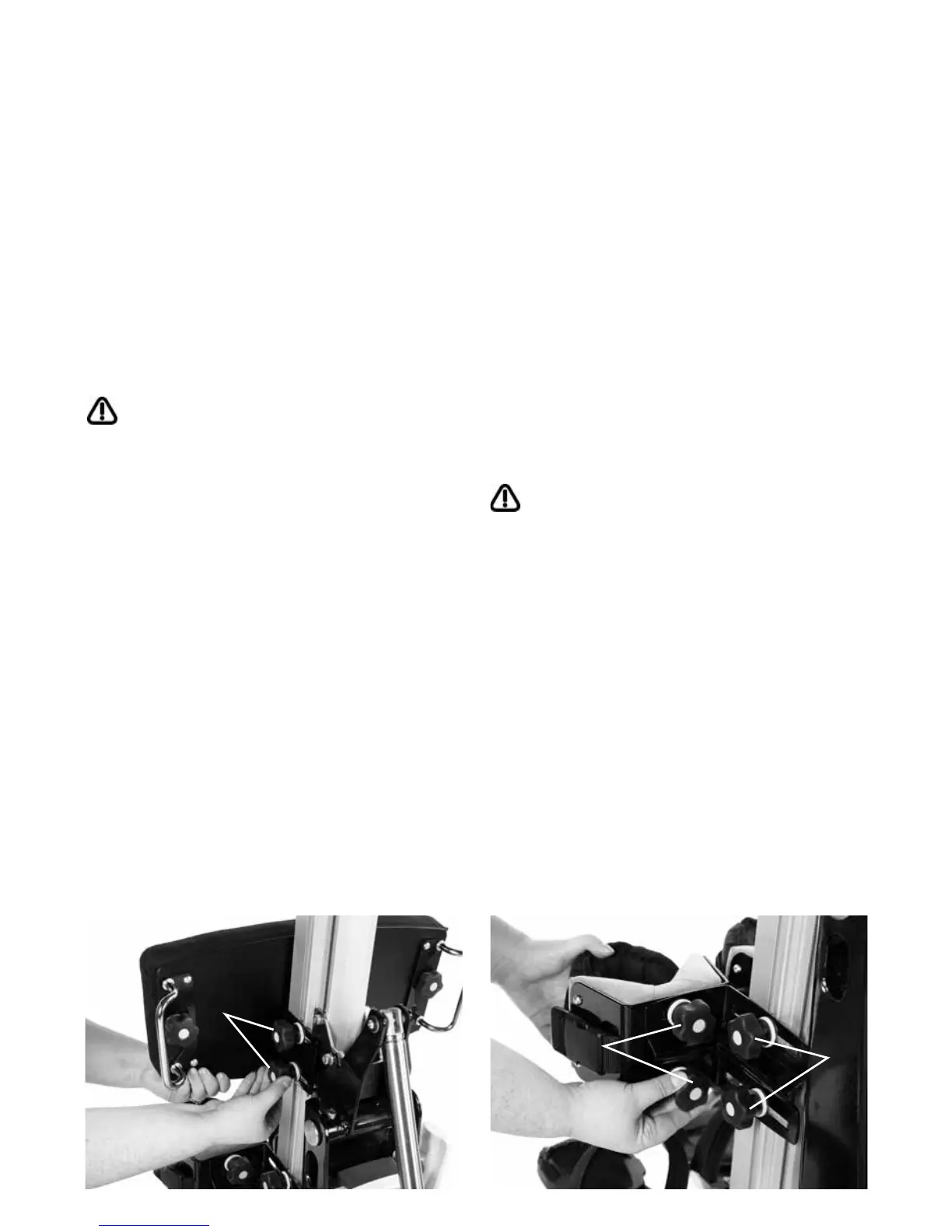
The hip pad can be height, depth and
angle adjusted for optimum pelvic position.
The height of the pad is set to the equivalent
distance between the user’s pelvis and their
feet. To adjust the hip pad loosen the four
knobs (a) on either side of the central spine
at the back of the pad and slide the pad
into the required position. Once the required
position is obtained the knobs should be
re-tightened securely.
Always check the pads are secure before
placing the user in the product.
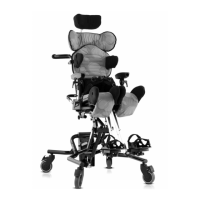
The height and depth of the knee supports
can be positioned independently by
adjusting the mounting plate. To adjust
the plate loosen the two knobs (a) and slide
the plate and knee support to the required
position and then retighten the knobs
securely. Repeat the process for the
other plate.
To alter the width of the knee supports
and also if required achieve some rotation
loosen the knobs (b) and slide the pad to
the required position and then retighten the
knobs.
Always use caution when making this
adjustment, as fingers could become
trapped in the slot while positioning.
8.2 Adjusting the Hip Pad 8.3 Adjusting the Knee
Supports
B
A
A


 To Next Page