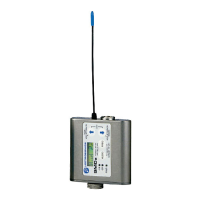
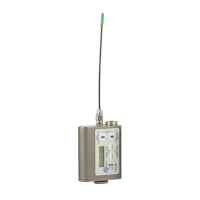
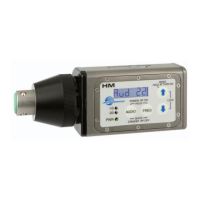
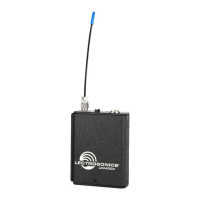
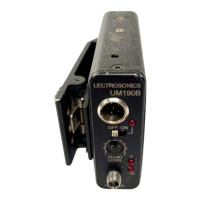
Super-Minature Belt Pack Transmitter
Rio Rancho, NM
3
Table of Contents
Introduction .............................................................................2
General Technical Description ..............................................4
Servo Bias Input....................................................................4
NoPre-Emphasis/De-Emphasis ...........................................4
LowFrequencyRoll-Off ........................................................4
Input Limiter ..........................................................................4
SignalEncodingandPilotTone ............................................5
Microprocessor Control .........................................................5
Compatibility Modes ..............................................................5
Control Panel ........................................................................5
Wide-BandDeviation ............................................................5
VariablePowerOutput ..........................................................5
BatteryOptionsandOperatingTime ....................................5
Frequency Blocks ..................................................................5
Circulator/Isolator ..................................................................5
Controls and Functions .........................................................6
LCD Screen ..........................................................................6
PowerLED ............................................................................6
Audio Input Jack ....................................................................6
AUDIOButton .......................................................................6
FREQButton .........................................................................6
Up/DownArrows ...................................................................6
Antenna .................................................................................6
Setup Screens .........................................................................7
Audio Screen .......................................................................7
Frequency Screen .................................................................7
Lock/UnlockScreen ..............................................................7
RemoteControlOperation ....................................................7
Battery Installation .................................................................8
Operating Instructions ...........................................................8
Power Up and Boot Sequence ..............................................8
Power Down ..........................................................................8
Standby Mode .......................................................................9
SelectingtheCompatibilityModeandOutputPower .............9
SettingTransmitterOperatingFrequency ..............................9
Adjusting Audio Level (Gain) ...............................................10
Locking or Unlocking the Controls ......................................10
Attaching and Removing the Microphone ...........................11
5-Pin Input Jack Wiring ........................................................12
Installing the Connector: .....................................................12
Microphone Cable Termination for
Non-Lectrosonics Microphones ..........................................13
Microphone RF Bypassing ..................................................14
Line Level Signals ...............................................................14
Wiring Hookups for Different Sources ...............................15
CompatibleWiring ...............................................................15
SimpleWiringforServoBias ..............................................15
Optional RM Remote Control ..............................................16
Powering the RM on and off ................................................16
Setup Screens ....................................................................16
OperatingNotes ..................................................................17
RMQuickReference ...........................................................17
RM2 Remote Control ............................................................17
Troubleshooting ....................................................................18
RM Troubleshooting ............................................................19
Included Accessories ...........................................................20
Optional Accessories ...........................................................20
Whip Antennas .....................................................................21
Specifications and Features ................................................22
Service and Repair ...............................................................23
Returning Units for Repair ..................................................23



 To Next Page