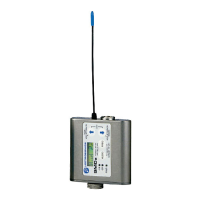
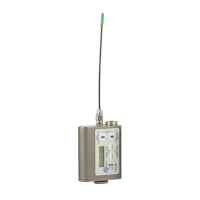
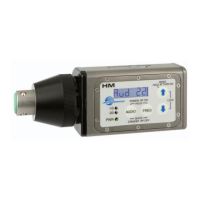
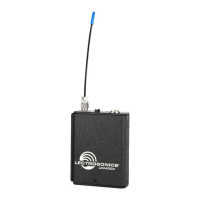
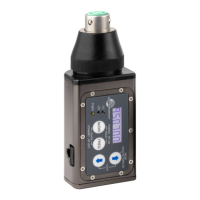
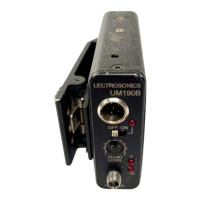
Super-Minature Belt Pack Transmitter
Rio Rancho, NM
7
Setup Screens
Audio Screen
The Audio screen is used to
adjust input gain from 0 to
+44 dB, and the low fre-
quencyroll-offfrom35to
150Hz.Repeatedlypress-
ingtheAUDIObutton
toggles back and forth
between the two displays.
PressandholdtheAUDIObuttonandusetheUpand
Down arrows to make adjustments.
Frequency Screen
The Frequency Screen
displays the operating
frequencyinMHzorasa
two-digithexadecimal
number that corresponds to
the equivalent Lectrosonics
Frequency Switch Setting.
Repeatedly pressing the
FREQbuttontogglesbetweenthetwodisplays.Press
andholdtheFREQbuttonandusetheUpandDown
arrows to select the frequency.
Lock/Unlock Screen
Simultaneously pressing
and holding both the Up and
Down arrow buttons during
normal operation starts the
Lock timer. The timer starts
at three and counts down to
zero.Whenthetimer
reacheszero,thetransmitter’scontrolsarelocked.
Withthecontrolslocked,theAUDIOandFREQbuttons
can still be used to display current settings. Any attempt
to change a setting by pressing either the Up or Down
arrowbuttonwillresultinanon-screenLoc reminder
that the controls are locked. Remove the batteries to
unlock the control panel.
Important: Once the transmitter is locked, it
cannot be unlocked or powered off using the
buttons. The only ways to unlock a locked
transmitter are to remove the battery or unlock it
via the RM remote control.
Remote Control Operation
Remote Control Screens
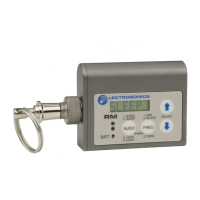
The transmitters can be
configured to respond to
signals from the RM remote
control unit or to ignore
them. This setting is ac-
cessed by holding down the
Down arrow button while
powering the transmitter on.
Use the arrow keys to tog- gle between “rc on” (remote
control on) and “rc oFF” (remote control off). The default
setting is “rc on.”
If a remote control signal is detected but the transmitter
is set to “rc oFF”, the message “rc oFF” will be dis-
playedbrieyonthetransmitter’sLCD,toconrmthata
valid signal was received, but that the transmitter is not
configured to respond to it.
Functions available from the remote control are:
• AudioLevel
• Frequency
• Lock/UnlockButtons
• Sleep/Wake(powersavingmode)
In sleep mode, the transmitter uses only 20% of the
normal amount of battery drain. Sleep mode can only be
invoked with the remote control, and can only be revoked
withtheremotecontrolorbyremovingthebattery.When
inthesleepmode,thePWRLEDblinksgreeneveryfew
seconds to indicate that the transmitter is asleep and not
turned off.
The RM is not included with SM Series transmitters.
Several “Dweedle tones” can also be downloaded from
the web site at:
http://www.lectrosonics.com/hybrid/rm/rm.html
The dweedle tones can be played back through an MP3
player, PDA, etc., and in most cases, will even work with
walkie talkies. The tones will not work through the loud-
speakers of a sound system because the reflections
and reverberation in the room will alter the tones.


 To Next Page