SMQV
LECTROSONICS, INC.
8
Power Up and Boot Sequence
1) Ensurethatgoodbatteriesareinstalledintheunit.
2)SimultaneouslypressandholdtheAUDIOand
FREQbuttonsuntilthePowerOnBootSequenceis
initiated.Astheunitturnson,theModulationLEDs
andPWRLEDallglowred,thengreen,andthen
reverttonormaloperation,TheLEDsglowaccord-
ing to the audio level present at the Audio Input Jack
andthePWRLEDglowsgreen(withgoodbatteries).
The LCD displays a bootup sequence which con-
sists of four screens:
Company Name: Lectro
Frequency Block (bXX) and
Firmware Version (rX.X): b21r1.1 (typ)
Power Level Pr 250
Compatibility Mode: CP 400 (typ)
Audio: Aud 12 (typ)
Power Down
Initial Power Off
Timer Screen
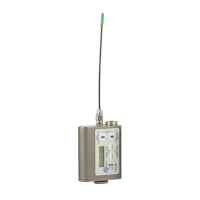
1) SimultaneouslypressandholdtheAUDIOand
FREQbuttonswhileobservingthattheword“Off”
appears in the LCD along with a counter.
2) Whenthecounterreaches“0”,theunitturnsoff.
Note:IftheAUDIOandFREQbuttonsare
released before the LCD goes blank at the end of
the countdown, the unit will not turn off. Instead, it
willstayenergizedandthedisplaywillreturntothe
previous screen.
Operating Instructions
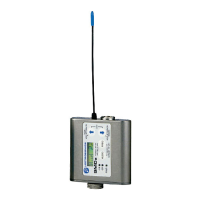
AUDIO
Button
FREQ
Button
Modulation LEDs
PWR LED
TheSMQVtransmitterispoweredbytwoAAbatteries.
Werecommendusinglithiumbatteriesforlongestlife.
Lithium batteries provide over 7.5 hours of operation at
room temperature.
Note:Standardzinc-carbonbatteriesmarked
“heavy-duty” or “long-lasting” are not adequate.
The battery status circuitry is designed for the voltage
drop over the life of lithium batteries.
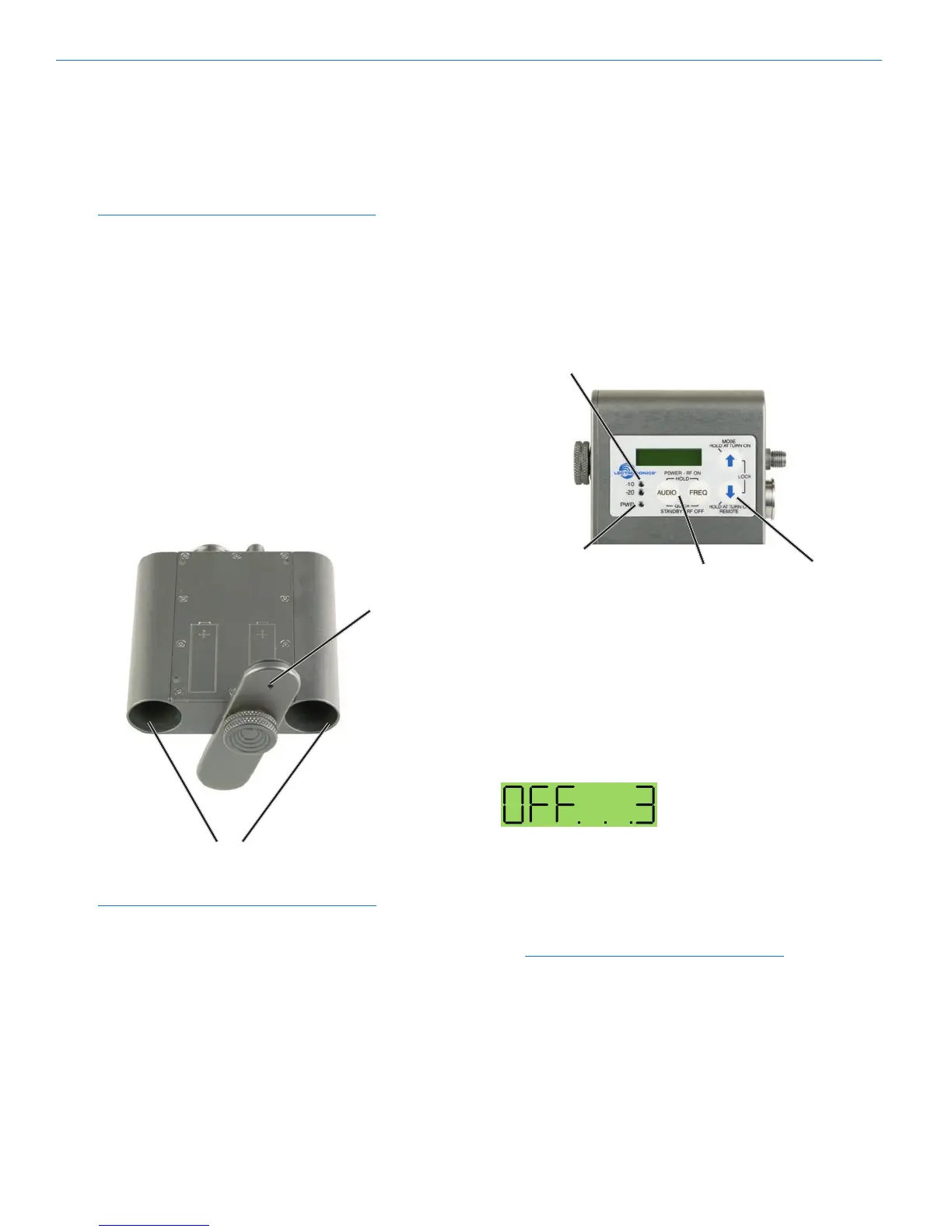
To install new batteries:
1. Turn the Battery Cover Plate Thumbscrew counter-
clockwise, a few turns until the door will rotate.
2. Insert the new batteries into the housing. The posi-
tive (+) battery terminal goes into the transmitter
first.
3. Align the Battery Cover Plate and tighten the Bat-
tery Cover Plate Thumbscrew.
NOTE:Thermware“remembers”thepower
status when a battery fails, so the transmitter will
be turned on automatically when the battery is
replaced and the previous settings will be enabled.
Two battery
compartments
(SMQV)
Kevlar
covered vent
Battery Installation


 To Next Page