3.Operating and Programming
10
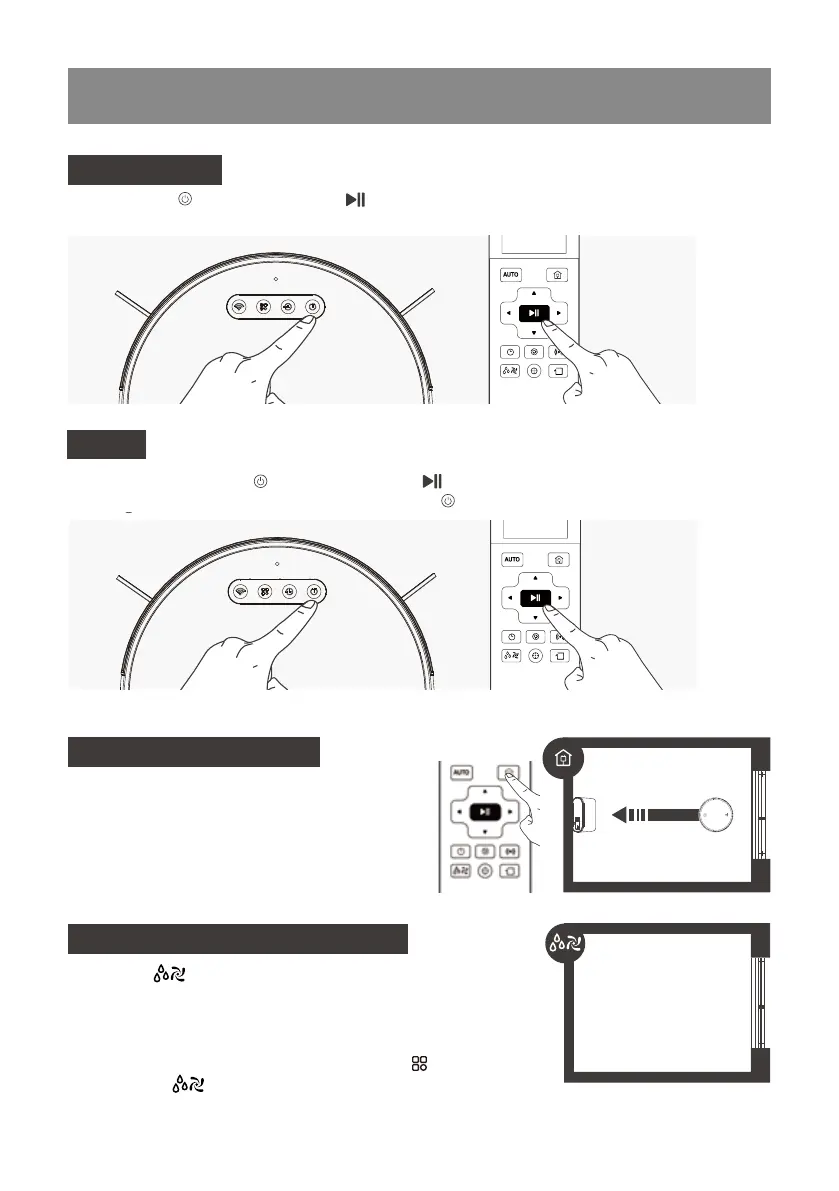
Pause robot by pressing the button on robot or the button on the Remote Control,The robot will
enters sleep mode after standby for 10 minutes, and the button.
Pause
* when the Robot is Pause, the robot can be moved forward or left or right by remote control as needed.
Press the button on Robot or the Button on the Remote Control. robot starts to work immediately in
Cleaning Mode.
Start Cleaning
Return to Charger Mode
When battery power gets low, Robot automatically
switches to Return to Charger Mode and returns to
the Charging Dock to recharge itself. Alternatively
double click on the Start/Pause button on the robot
to startthe Return to Charger Mode.
Through the button on the remote control, you can adjust the
suction power of the robot and the amount of water in the mopping
mode. There are three level adjustment: L-Low M-Medium H-High,
The default level is Medium. Sort by HLNH,You can also adjust the
water volume in the mopping mode via the robot's button or the
remote control button.
Suction and water volume control
L N H
Smal Medium High



 To Next Page