16 PIR II User manual - NE41 19003-00 v1.2
11 Radio test alarm
To check the connection with the paired radio unit
PIR II regularly sends a Radio Test alarm.
There is no LED indication when a Radio Test alarm
is sent.
12 Start-up
At start-up the Operation LED (D2) blinks green for
45 seconds, where-aer it goes xed green for 1
second and then turns o.
However, if battery is low the Operation LED (D2)
blinks red instead of green during the 45 second
start up.
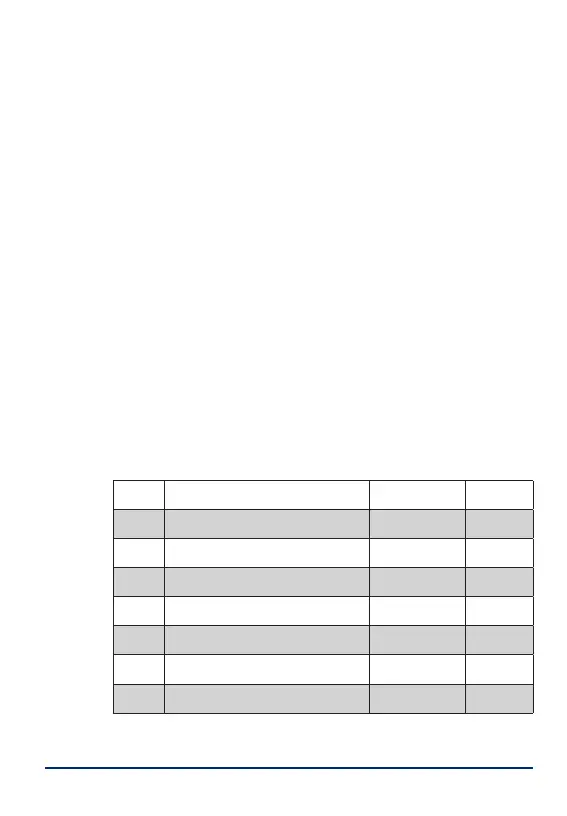
13 DIP switch settings
The settings and functions for the DIP switches are
explained below.
DIP#
Function ON OFF
1
Conguration setting PC Local
2
Power save mode Power save Static
3
IDA function Yes No
4
IDA, exit alarm delay Long Short
5
IR detection sensitivity Low High
6
Operation LED aer alarm Yes No
7
Detection LED aer movement Yes No
8
Disable OFF button/Alarm delay Yes/No delay No/15 s
Table 5. DIP switches (1-8) on PCB.


 To Next Page
 Loading...