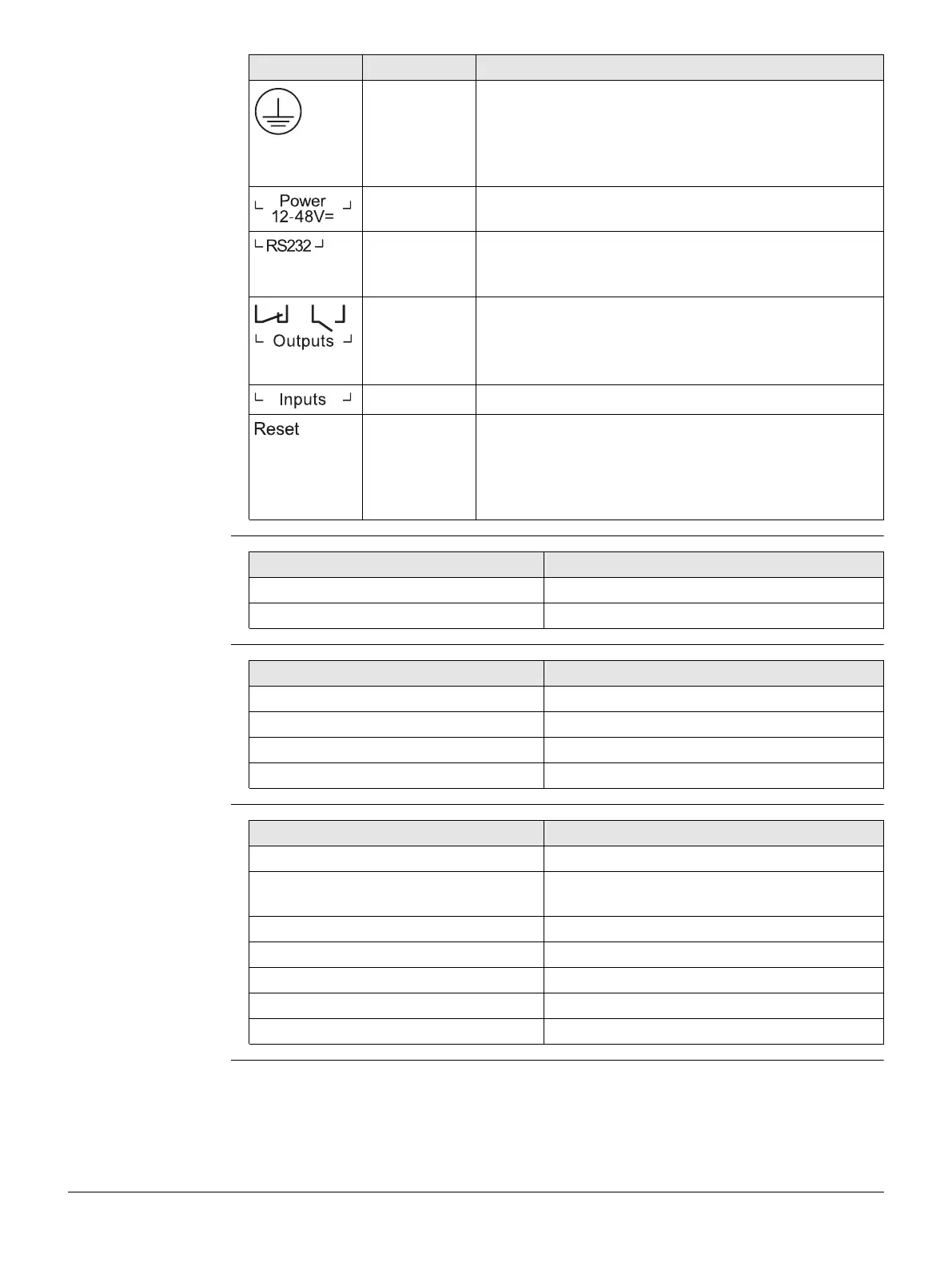
Leica ComGate10, Technical Data
37
Specification of USB
port
Specification of
LAN/WAN port
Specification of
RS232 port
Top Earth protection connector. Connected to the ground
of the power supply V GND. If used, connect a yellow-
green marked cable with at least 6 mm
2
copper area.
Avoid corrosion and protect the screws against loos-
ening.
Top Power supply 12–48 V DC (Pin 1/Pin 2). Additional
power supply (redundancy) 12–48 V DC (Pin 3/Pin 4).
Top Non-isolated serial RS232 interface (Pin 5 to Pin 7).
Can be used for serial device server or other serial
based communication applications.
Top Galvanic isolated digital outputs (Pin 8 to Pin 11).
Default position of circuit breaker:
• DO1: Open
• DO2: Closed
Top Galvanic isolated digital inputs (Pin 12 to Pin 15).
Top • To reboot press at least 3 s.
• To reset to factory settings press at least 35 s.
The start of the factory reset is confirmed by
all LEDs lighting up for a second. The button
can be released then again.
Port Panel Description
Feature Specification
Speed Low, Full and Hi-Speed
Current Max. 500 mA
Feature Specification
Isolation 1500 Vrms
Speed 10/100 Mbps
Mode Half- and Full-Duplex
Crossover Automatic MDI/MDI-X
Feature Specification
Protocol 3-wire RS-232 (TXD, RXD, GND)
Baud rate 300, 1200, 2400, 4800, 9600, 19200,
38400, 57600, 115200
Data bits 7 bit, 8 bit
Parity none, odd, even
Stop bits 1, 2
Software flow control None, XON/XOFF
Hardware flow control None



 To Next Page