6. Instrument setup– AdjustIng the dIAphrAgms
6. Startup
6.1 Adjusting the diaphragms
for the incident light illuminator
The following procedure is provided for incident light-bright
field illumination.
• Select an objective with moderate magnication (10x–
20x) and adjust the image.
• Activatetheincidentlightaxisifnecessary.
• SwitchontheBF(=brighteld)orSmithreector.
• Placeaspecimenonthestage.
•Bringthespecimenintofocusandadjustthelightinten-
sity.
Adjusting the field diaphragm
• Closetheilluminatedelddiaphragmuntiltheedgeofthe
diaphragm appears in the specimen plane.
•Ifthelimitsoftheelddiaphragmarenotinthecenterof
the field of view, move the position of the field diaphragm
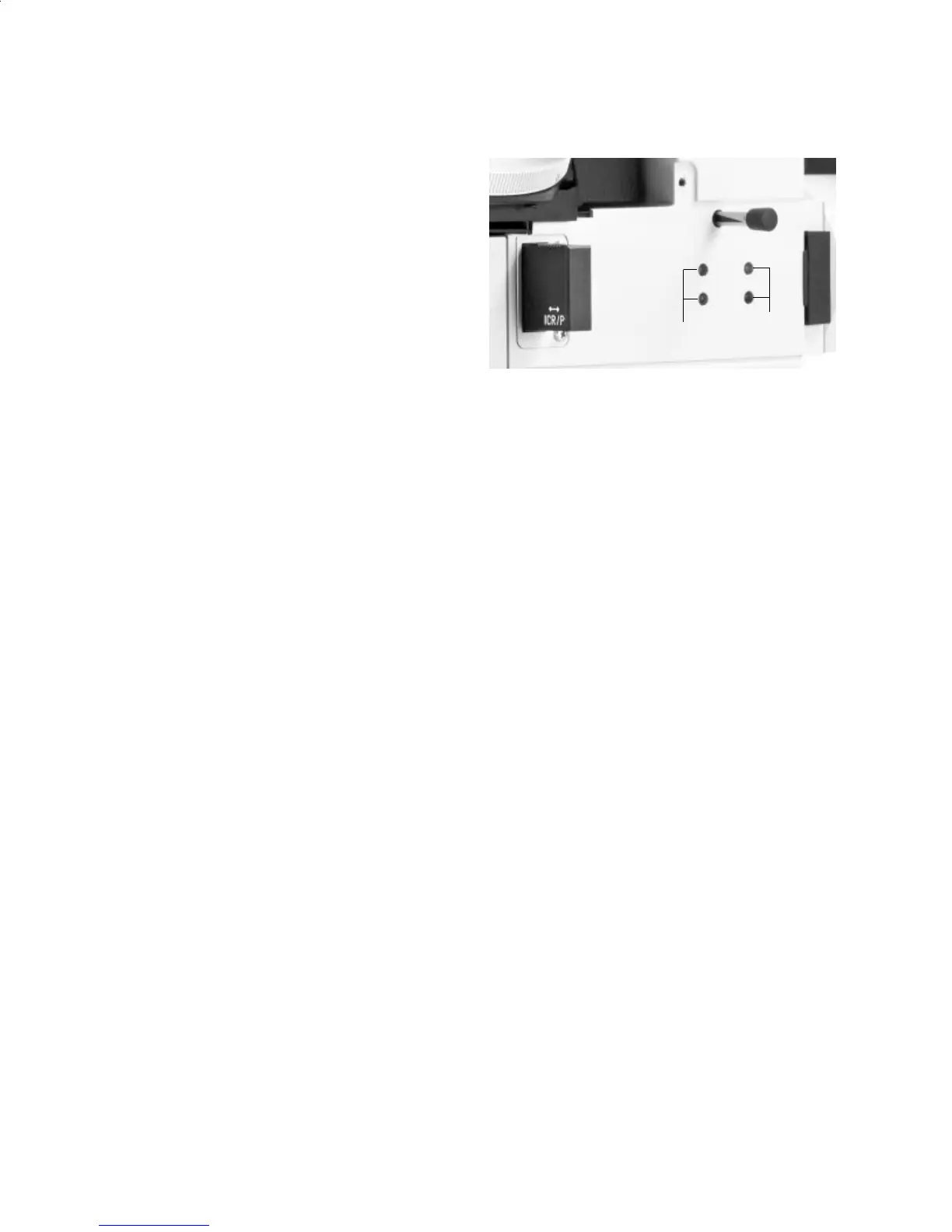
to the center with the two centering screws (Fig. 52.1) on
the right side of the stand using a 3 mm Allen key. When
centering, observe the position of the field diaphragm
through the eyepieces.
•Openthelightelddiaphragmuntilitjustdisappearsfrom
the field of view.
•Thissettingoftheelddiaphragmremainsthesameforall
objectives.
It is necessary to readjust the field diaphragm only when
using eyepieces with different field numbers or when
changing the magnification using a magnification chang-
er, and for photography and TV imaging. Narrowing the
field diaphragm normally improves the contrast.
2
1
Fig. 52: Adjusting the diaphragms (incident light)
1 Adjusting screws for moving the field diaphragm
2 Adjusting screws for moving the aperture diaphragm
Adjusting the Aperture Diaphragm
• Useaatspecimenwithgoodreectiveproperties,anda
glass plate (specimen carrier) if necessary.
• Removeoneeyepiece (the right one, for example).
• Close the aperture diaphragm until the edge of the dia-
phragm appears in the exit pupil of the objective (aper-
ture diaphragm plane).
• Iftheimagedoesnotappearinthemiddleoftheeldof
view, the aperture diaphragm must be moved into the exit
pupil using the centering screws (Fig. 52.2).
• Opentheaperturediaphragmuntilthespecimentappears
in good contrast.
33


 To Next Page