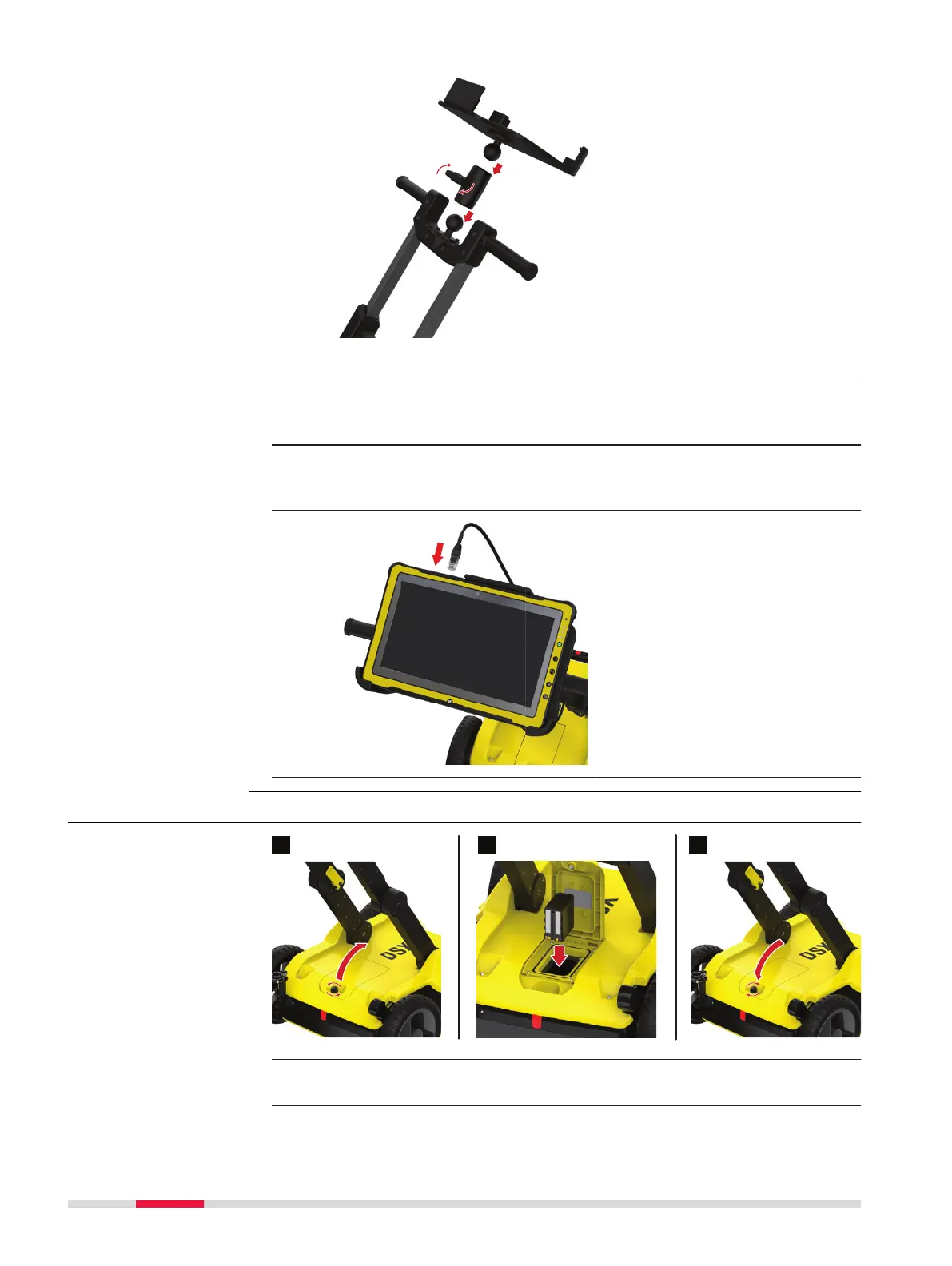
1. Mount the two RAM balls to attach the tablet to the handle:
•
One to the handle top
•
The other to the tablet cradle
2. Use the double socket arm to hold the two RAM balls:
Adjust the tablet cradle until optimal inclination and then tighten the
screw on the double socket arm.
3.
Plug in the DSX LAN cable to the
tablet.
3.3 Inserting the Battery
1. To open the battery compartment, loosen the screw on the battery
compartment.
Insert the battery
22 Setup



 To Next Page