6.4.1 GNSS Antennas
Performing a scan project
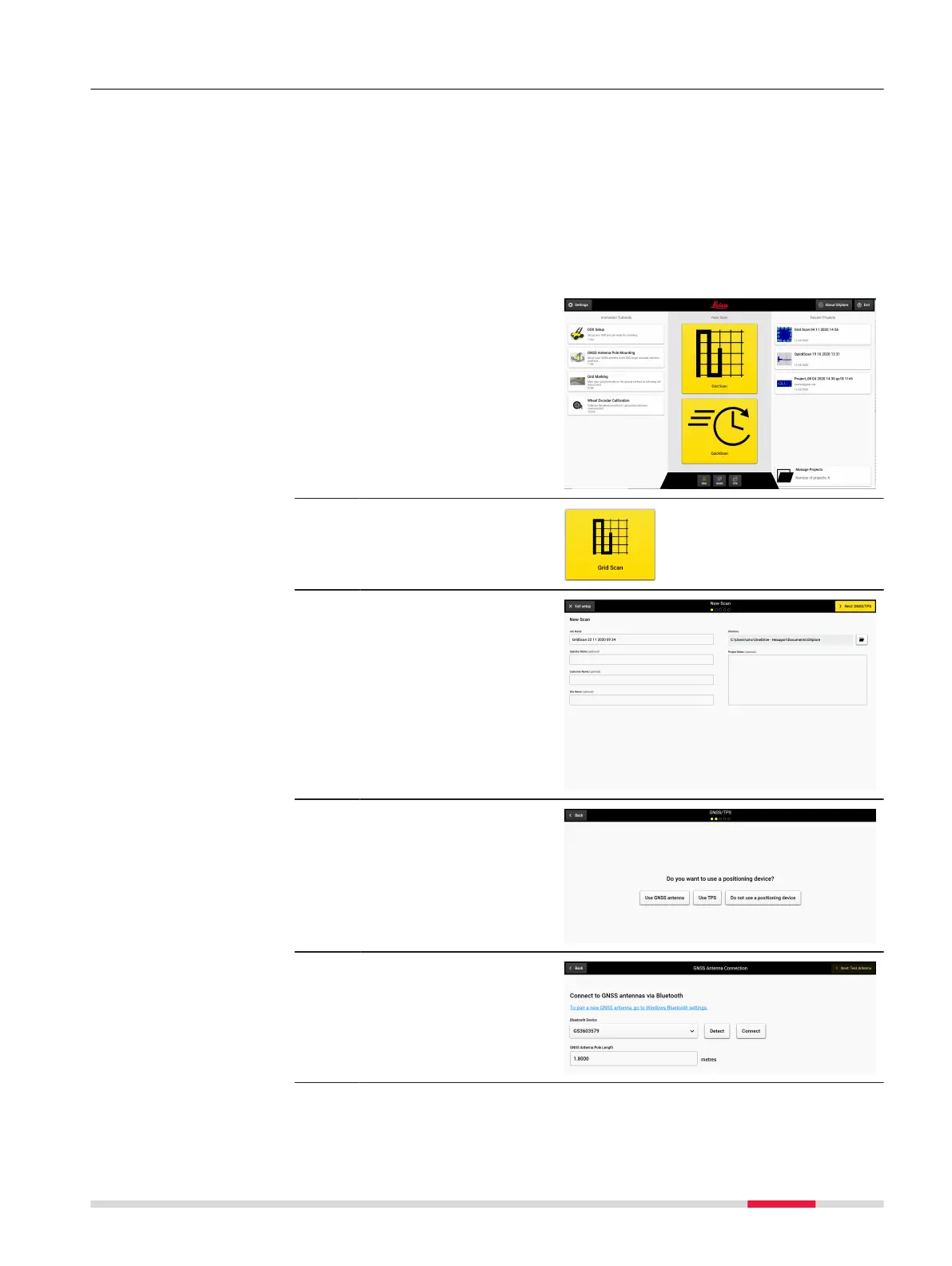
This step-by-step procedure describes how to perform a scan from scratch.
This chapter gives information on how to:
•
Set up a project, new scan
•
Perform scanning
•
Check and follow-up of scans
•
Export the project output
Set up a project, new scan
1. Open DXplore software.
2. Tap button Grid Scan
to start a scan.
3. Enter project informa-
tion.
4. Select Use GNSS
antenna.
5. Choose the antenna
you wish to connect
with, and tap Connect.
Ensure the pole height
is correct.
Step-by-step
Procedures for Working with the DSX 59



 To Next Page