EasyManua.ls Logo

Leica DSX - GNSS Antenna Connection Steps

Leica DSX
82 pages
Print Icon
To Next Page IconTo Next Page
To Previous Page IconTo Previous Page
Loading...
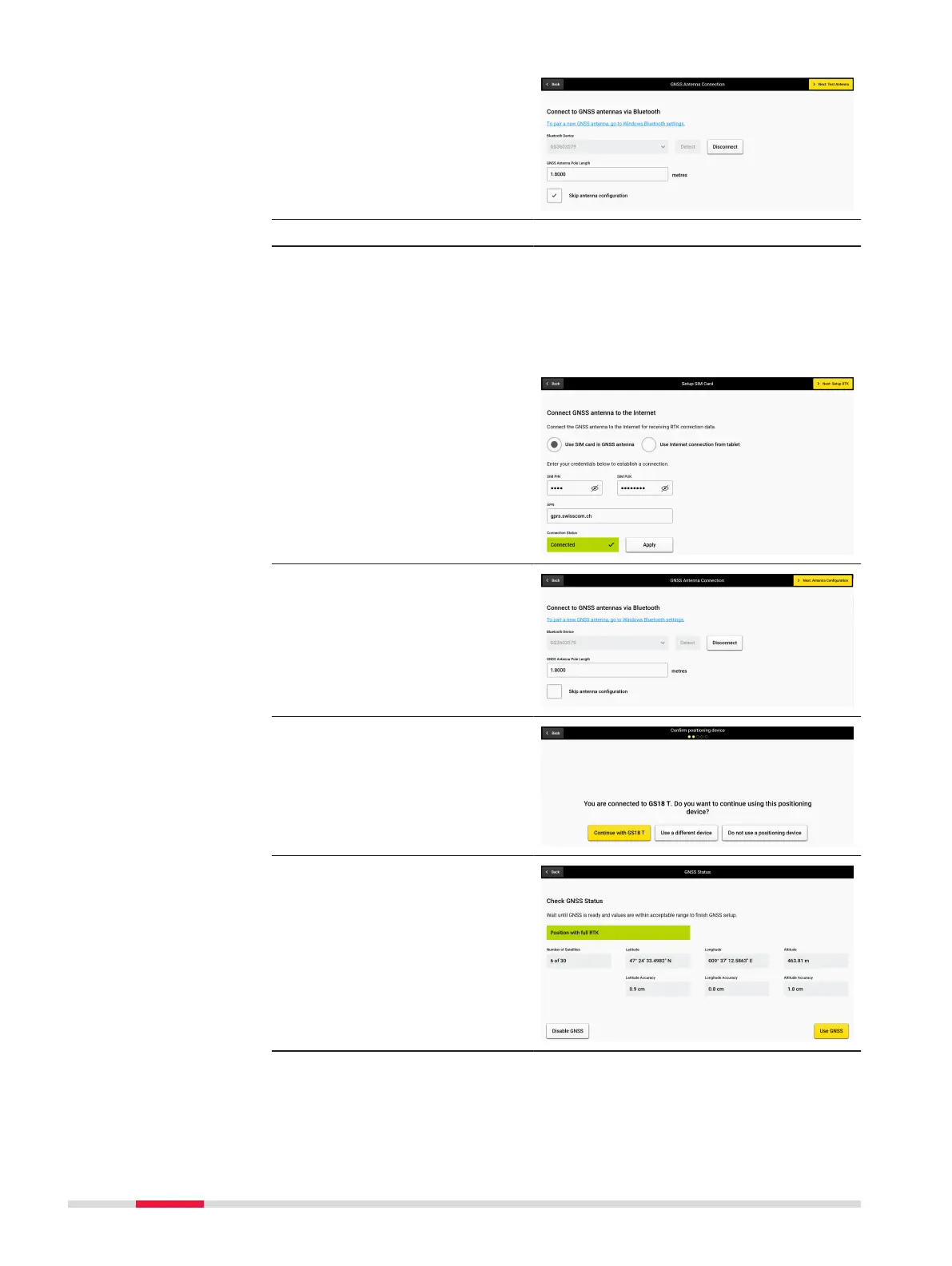
6. If using an antenna
already setup, check
Skip antenna cong-
uration and tap on
Test Antenna.
OR
7. If using an antenna
with a GPS module, for
example GS18 T, GS16
or Zenith40, you may
want to proceed with
one of two options:
a)
Use SIM card in
GNSS antenna.
SIM card APN and
PIN will need to be
entered on screen.
b)
Use Internet con-
nection from tab-
let
Do NOT check Skip
antenna congura-
tion, and press Next
button for such anten-
nas, to make your
selection.
8. Once connected, select
Continue with.
9. Review Check GNSS
Status and tap Use
GNSS antenna to con-
tinue.
60 Procedures for Working with the DSX

Other manuals for Leica DSX