EasyManua.ls Logo

Leica DSX - Coordinate Systems and Grid Definition with GNSS

Leica DSX
82 pages
Print Icon
To Next Page IconTo Next Page
To Previous Page IconTo Previous Page
Loading...
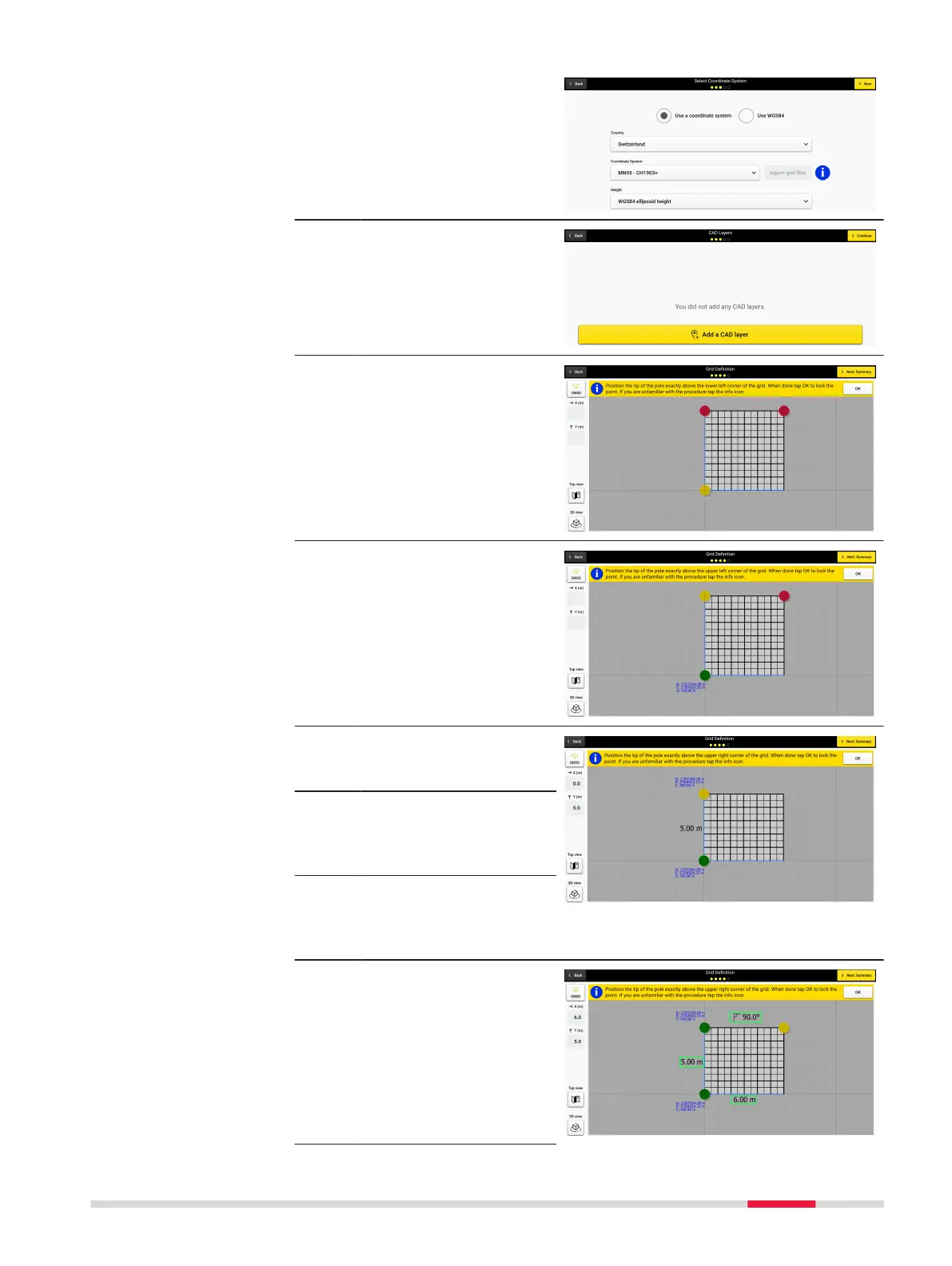
10. Select Use a coordin-
ate system. Select the
coordinate system and
tap Next to continue.
11. You have the option to
add a CAD Layer at this
time. Then you can
move to the grid deni-
tion screen.
12. On the grid denition
screen, set the initial
position by moving the
cart to the desired
starting point.
13. Select OK to set the
starting position,
observe that the point
turns green when set.
14. Move the cart to set
the second point for
the scan area.
Enure the distance the
cart is moved is incre-
mental in distances of
50 cm (18 inches).
15. Tap OK to set the
second point for the
scan area. The point
turns green once set.
16. Move the cart to set
the third point for the
scan area. Tap OK to
set the third point for
the scan area. The
point turns green once
set.
Procedures for Working with the DSX 61

Other manuals for Leica DSX