2. Insert the battery facing downwards. The rough surface of the bat-
tery points towards the up-down direction.
3. Close the battery compartment and tighten the screw.
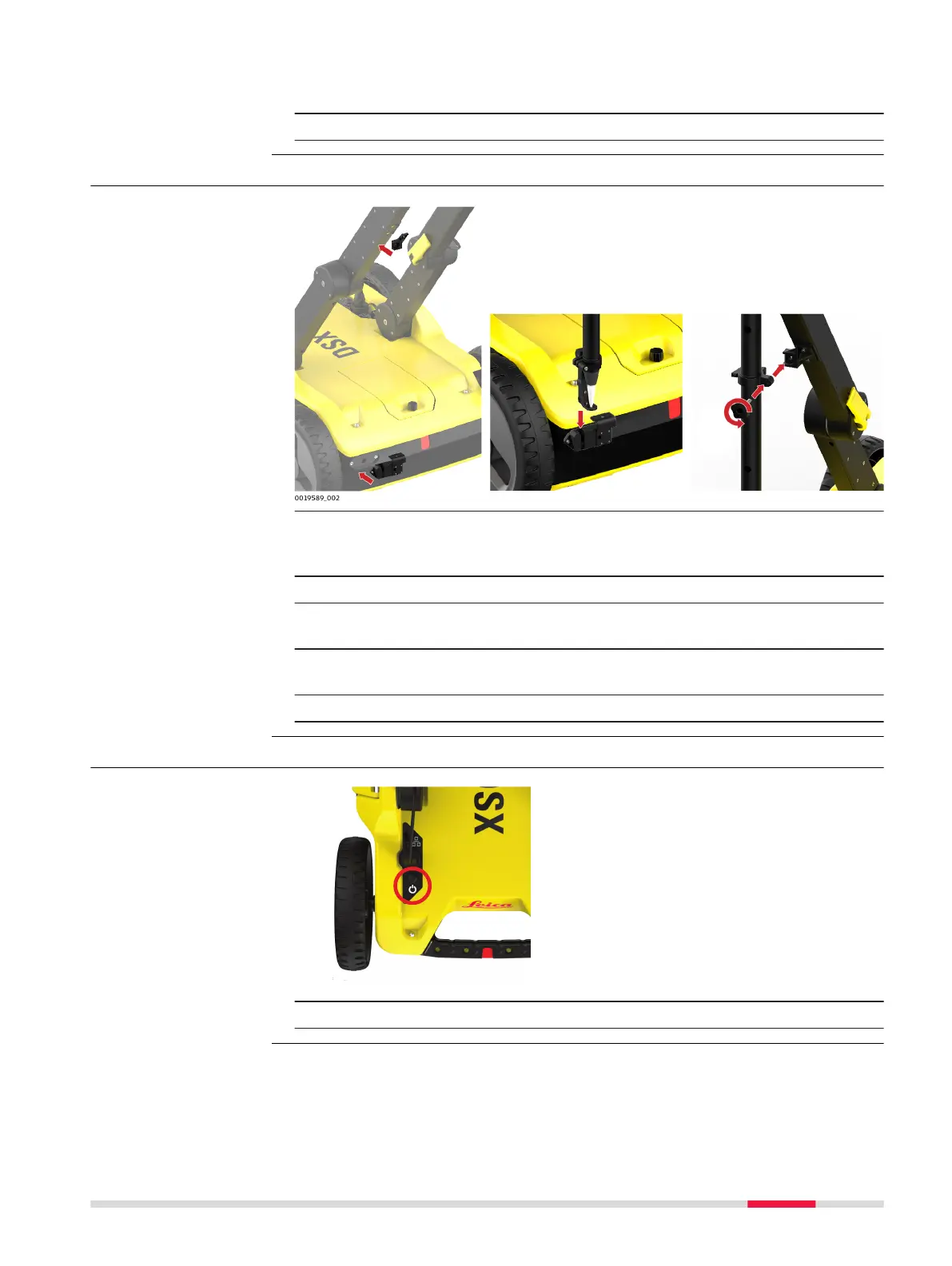
3.4 Mounting the Pole Support (Surveyor Kit Only)
1. Mount the two brackets:
•
One to the left handle
•
The other to the upper chassis
2. Attach the two clamps to the pole.
3. Make sure the clamps align, so they can both t into the brackets.
Tighten the screws of the clamps, so they are stable on the pole.
4. Place the lower clamp in the housing bracket, and then t the upper
clamp in the handle bracket.
5. Tighten the screw of the handle bracket.
3.5 Switching the DSX ON/OFF
1. Press the ON/OFF key on the DSX.
Step-by-step
Switch the DSX device
ON/OFF
Setup 23



 To Next Page