6 Procedures for Working with the DSX
6.1 Performing a Quick Scan
The Quick Scan allows for a brief inspection of the desired site without per-
forming a full scan. This procedure can be used as a means of guidance to
quickly validate location of a particular utility and nd optimal orientation to
position the grid. It is recommended that multiple parallel scan lines are per-
formed to achieve optimal detection results.
☞
The Quick Scan is not intended to replace the standard Grid Scan
but can be used to identify where the operator can setup and com-
plete a Grid Scan for optimum detection results. Refer to 6.3 Map-
ping Utilities without Using a Positioning System and 6.4 Mapping
Utilities Using a Positioning System for instructions on completing the
Grid Scan.
No Positioning Device
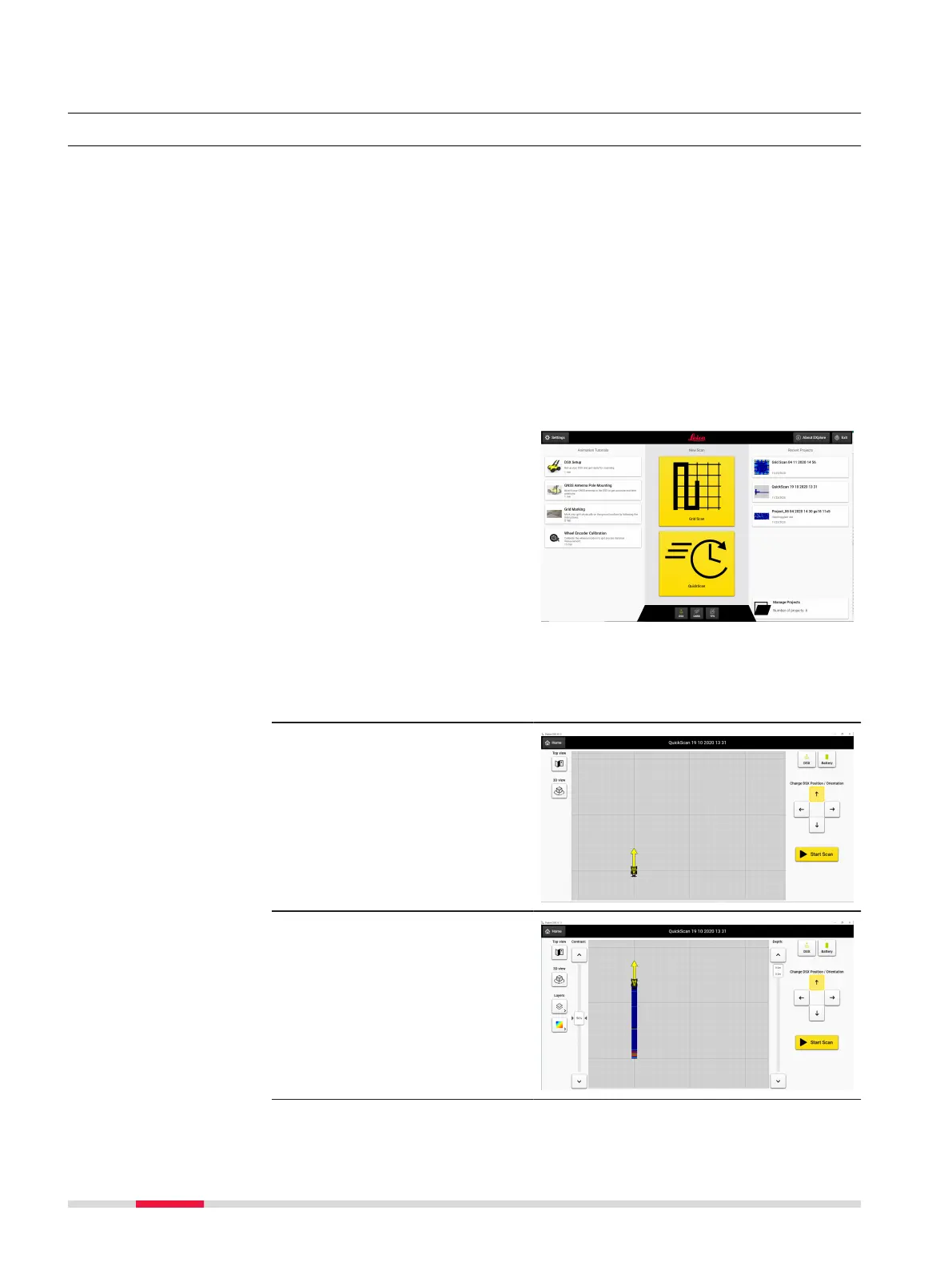
1. Click on the Quick
Scan icon displayed in
the middle section of
the Home Screen in
DXplore.
If no GPS/TPS device is
connected to DXplore,
GoogleMaps service or
a DXF/DWG le can be
used as a background
layer. Position the cart
before starting a Quick
Scan or choose the No
positioning option to
start the scan.
2. Use the arrows to posi-
tion the DSX at the
desired starting point
of the Quick Scan.
Press Start Scan to
begin the scan.
3. Move the DSX to the
desired end point of
the scan and press
Stop Scan.
☞
Maximum length of the
scan is 15 m (49’ 2.5”).
Step-by-step
44 Procedures for Working with the DSX



 To Next Page