The antenna conguration must be using the controller software provided be
the antenna manufacturer.
☞
At a minimum, the following NMEA parameters are required to be
congured with the manufacturer software in order for DXplore to
successfully receive the positioning data:
•
GGA or GNS
•
GST
•
RMC or ZDA
All the above messages need to be congured with the same fre-
quency.
•
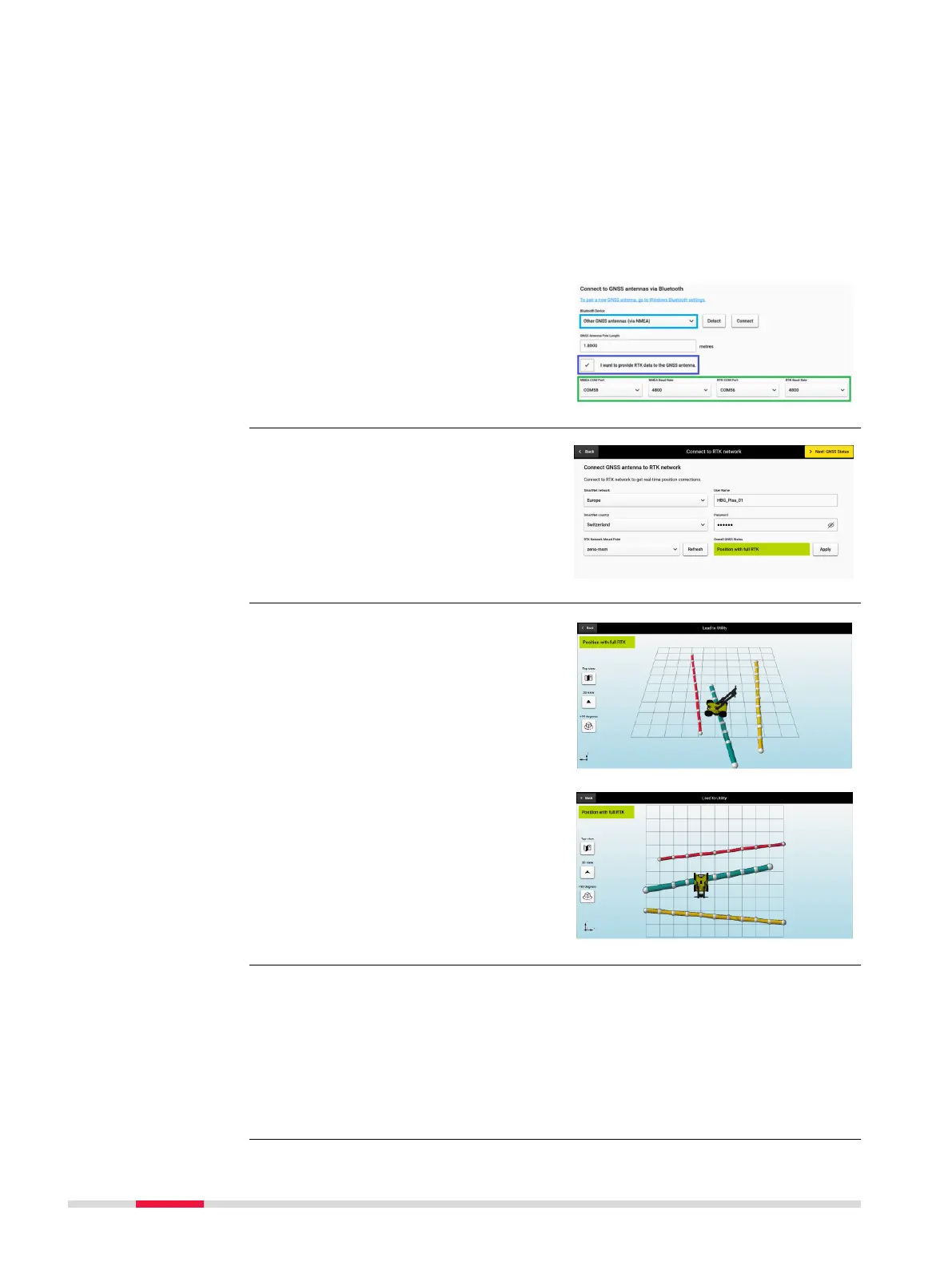
Once the NMEA conguration
from the controller software UI
has been successfully com-
pleted, the users can proceed to
connect the antenna in DXplore
as shown on the right.
DXplore supports communication
with Leica GNSS antennas and con-
guration of real-time correction
services. Set up the RTK prole using
the Connect to RTK network.
☞
Using Lead to Utility
requires that the project
was acquired with posi-
tioning and that DSX/
DXplore is currently con-
nected to a positioning
device.
Select Lead to Utility after aquisi-
tion and detecting utilites and
DXplore will guide you to the detec-
ted utilities using the positions and
orientation of the DSX.
☞
Projects that are scanned with positioning systems have the option
export the output (POI’s and detected utilities) in absolute heights.
DXplore supports the following geoid corrections:
•
WGS84 ellipsoid height
•
Reference ellipsoid height
•
Orthometric height, if the geoid correction le of the region is available
and selected or imported
Integration of real-
time correction ser-
vice for GNSS anten-
nas
Lead to utility
Support geoid correc-
tions and export in
orthometric height
58 Procedures for Working with the DSX



 To Next Page