Antenna
model
DXplore direct connection DXplore NMEA connection
Geomax
Zenith35pro
(Setup from
controller
software UI)
(Setup from
controller
software UI)
(Setup from
controller
software UI)
(Setup from
controller
software UI)
Geomax
Zenith16
(Default) - (Setup from
controller
software UI)
-
NMEA com-
patible
antennas
- - (Setup from
controller
software UI)
(Setup from
controller
software UI)
Initial connection to a GNSS antenna from the table directly supported
in DXplore
☞
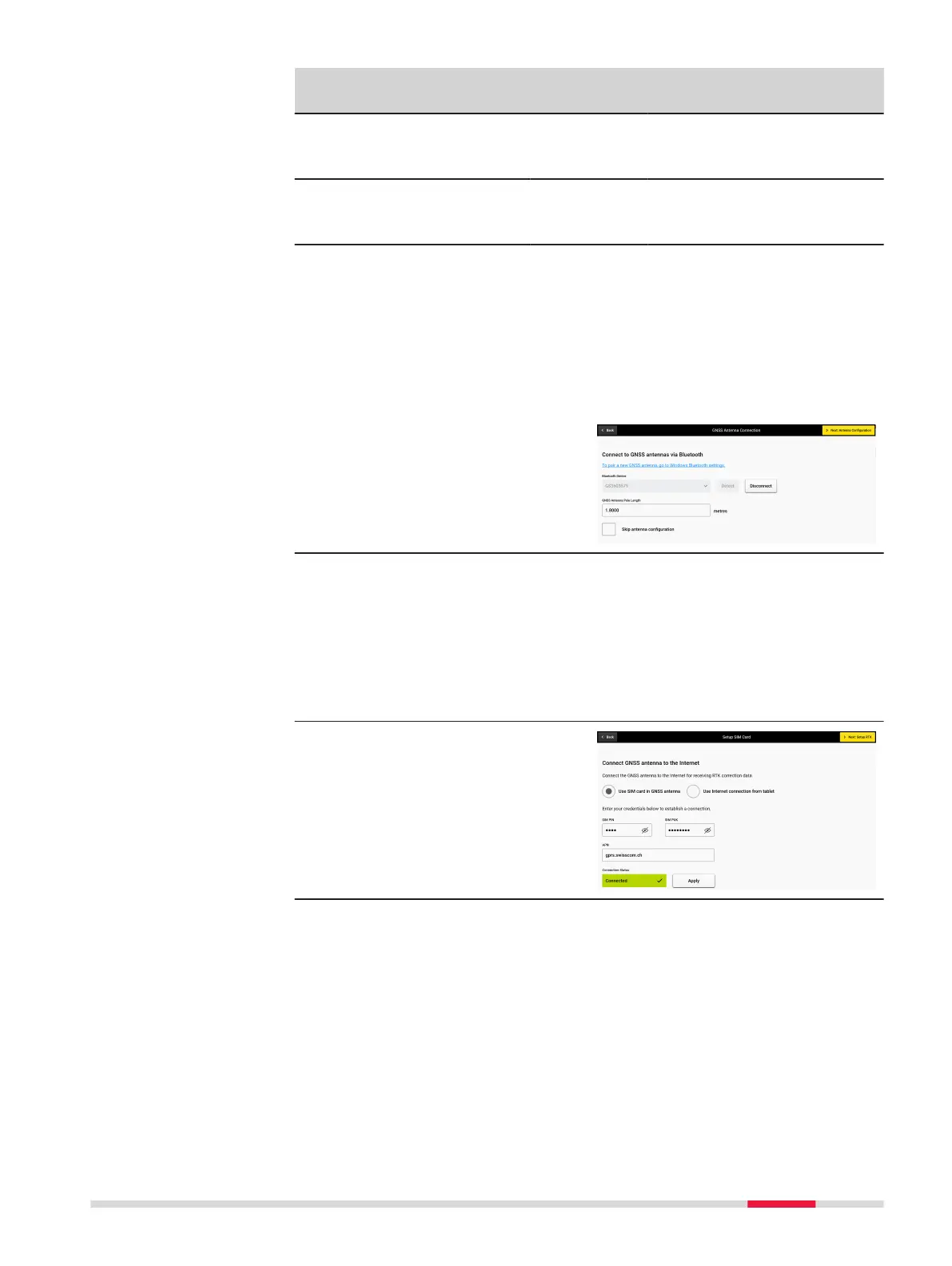
To pair a new GNSS antenna, go to Windows Bluetooth settings.
•
To connect to an antenna dir-
ectly, pair it via Bluetooth and
then press the Detect button.
Once the device name shows up
on the list, select it and press
Connect.
☞
For GS18 T, GS16 and
Zenith40 antennas, leaving
the Skip antenna cong-
uration box unchecked,
will present two options:
Use SIM card in GNSS
antenna or Use Internet
connection from tablet.
•
If a SIM card is installed in the
antenna, enter the respective
SIM card information requested
on screen and press Apply
before moving to the next
screen.
•
If you prefer to use the Internet
connection from the tablet, click
Use Internet connection from
tablet and proceed to the next
screen.
Initial connection to a GNSS antenna from the table via NMEA connec-
tion
The antenna models, that are not supported with a direct connection to
DXplore (refer to the table) can be used with DXplore if they are compatible
with the NMEA protocol and are listed in the table in the columns with the
heading DXplore NMEA connection.
Procedures for Working with the DSX
57



 To Next Page