Leica IC90 E User Manual Get Set! 21
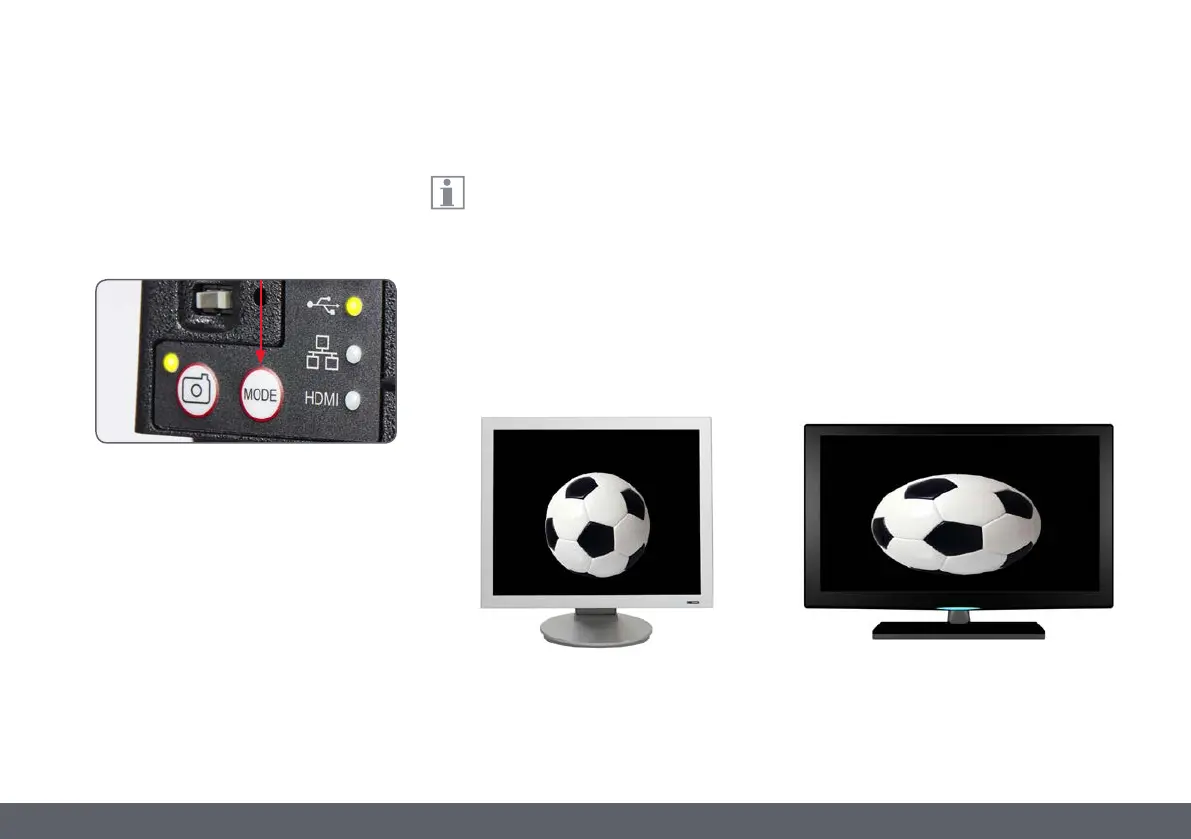
5. If a mode other than USB is lit green, press
the mode switch and wait until both the
status LED and the USB mode panel stop
flashing.
6. You are ready to launch the Leica software.
Follow the software instructions to adjust
and capture an image.
7. While in USB mode, you can connect the
provided HDMI cable from the camera to
an HD monitor or HD projector to share the
image.
Note the image resolution on the HD
projector or monitor is limited to the
live image resolution setting in the software.
If an aspect ratio of 4:3 is choosen in the soft-
ware, the image on the HDMI monitor will be
distorted as shown below. This is due to the fact
that the HDMI montior interprets every signal
as having an 16:9 aspect ratio.
USB Mode – Capturing and Adjusting Images Using a Computer (Continued)
4:3 aspect ratio 4:3 aspect ratio image on a screen set to an
aspect ratio of 16:9


 To Next Page