Leica IC90 E User Manual Get Set! 25
Ethernet Mode – Capturing and Adjusting Images Using a Network
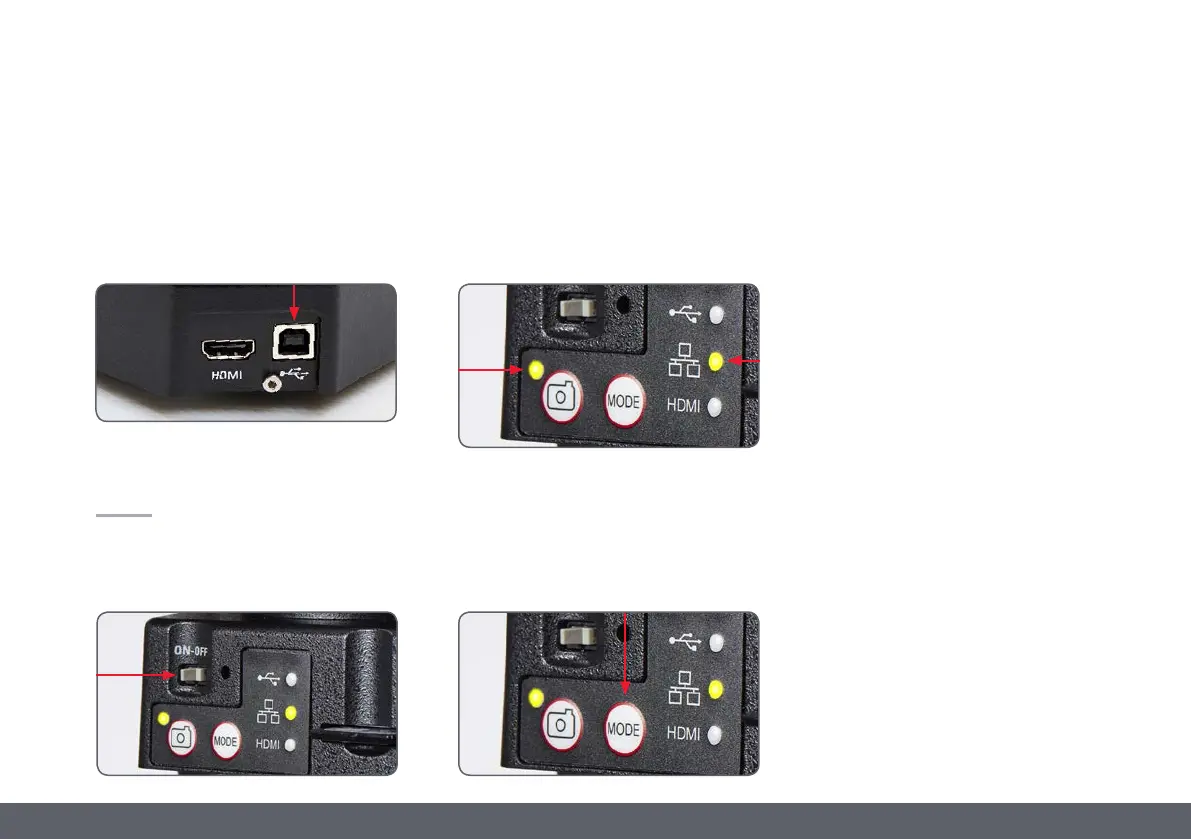
1. Connect one end of an Ethernet cable (part
of the stand alone kit) to the camera and
the other end of the cable to the Ethernet
connection in your facility.
2. Be sure the camera is connected to a power
source – see power source section on
page 43.
3. Click the switch labelled ON/OFF into the
ON position.
4. The status light will blink green. Wait until
the status light stopped flashing and one of
the mode button's is also green. This may
take approximately 30 seconds.
5. If a mode button other than Ethernet mode
is lit green, then press the mode button
and wait until both the status LED and the
Ethernet LED mode button stopped flash-
ing.
6. Follow the directions of your network
compatible device to connect to your facili-
ties network and select the camera.
7. Open the appropriate app on your mobile
device or appropriate software on your PC
for viewing, capturing, and adjusting the
camera image.


 To Next Page