Leica IC90 E User Manual Get Set! 24
Return to factory settings
Press and hold the pinhole switch for 5seconds.
Wait for the beep. The camera will now reset to
factory settings.
Adjusting Settings While in SD Mode
Setting a new white balance
Make sure that there is no sample in the
beam path and that a standard illumina-
tion is available when you reset the camera.
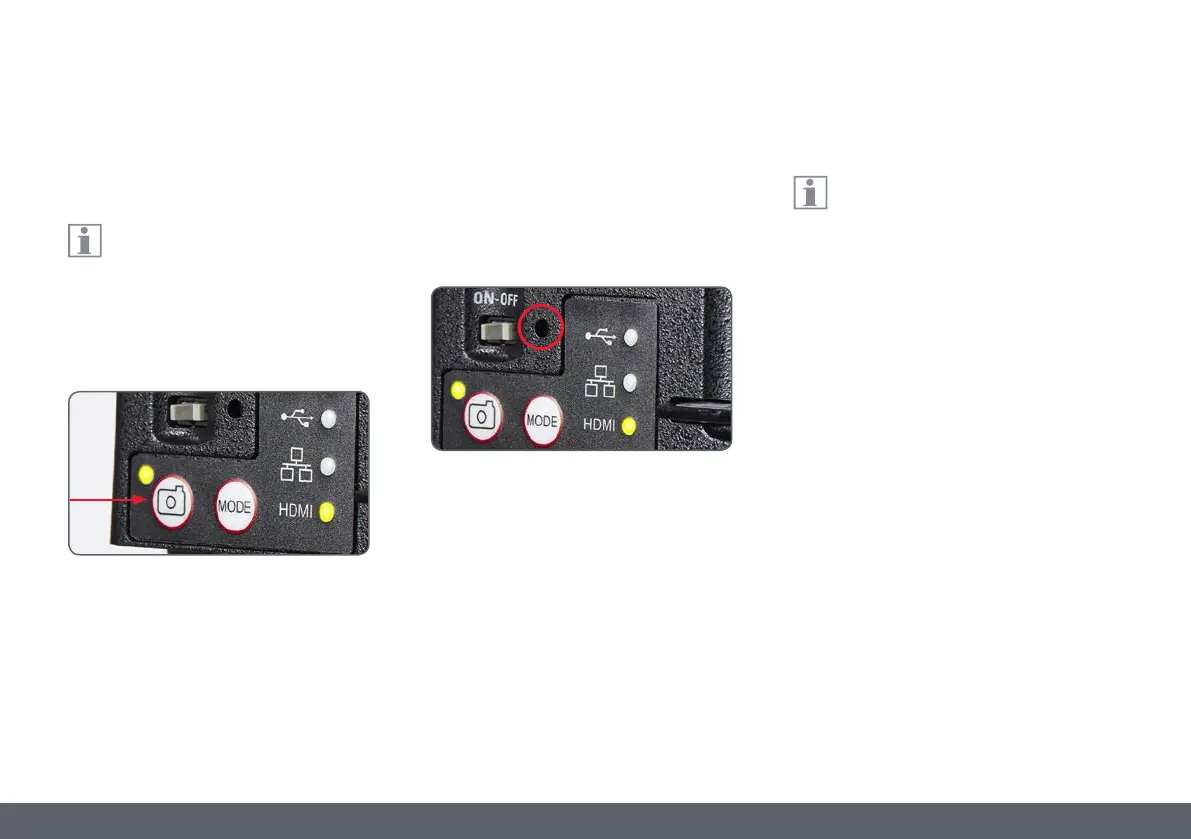
Press and hold the capture button for 5 seconds.
Wait for the beep. A new white balance is set.
It is recommended to set a new white
balance each time you change the type
or color temperature of the illumination. This is
especially needed when you work with halogen
light which can be turned from low intensity
yellow to a high intensity blue light. The new
white balance setting will generate a neutral
background for both illuminations.


 To Next Page