Leica IC90 E User Manual Get Set! 20
10× eyepieces have a fixed circular field
of view of 18 mm or more diameter.
The field of view of the IC90 E is rectangular
to ensure an even field on the digital image.
As a result, the image field of the camera is
smaller than the object field seen through the
eyepieces.
Installing and connecting
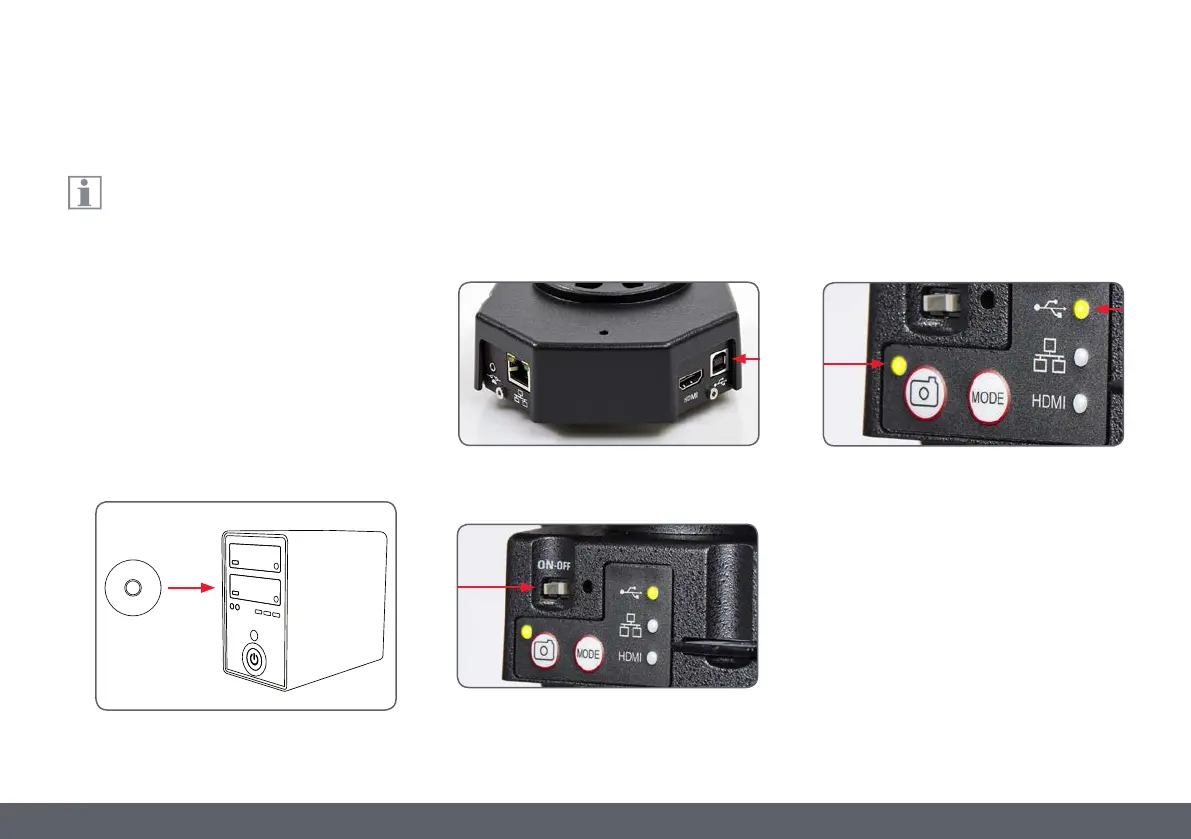
1. Insert the provided CD into your computer,
and follow the instructions to load the soft-
ware.
2. Insert the provided USB cable into the
camera’s USB port, and attach the other
end of the cable to a USB 2.0 port of your
computer.
3. Turn on the camera using the ON/OFF
switch.
4. The status light will blink green. Wait until
the status light stops flashing and one of
the mode panel buttons turns green. This
may take approximately 30 seconds.
USB Mode – Capturing and Adjusting Images Using a Computer


 To Next Page