Leica IC90 E User Manual The Camera Remote Control (Standalone Kit) 36
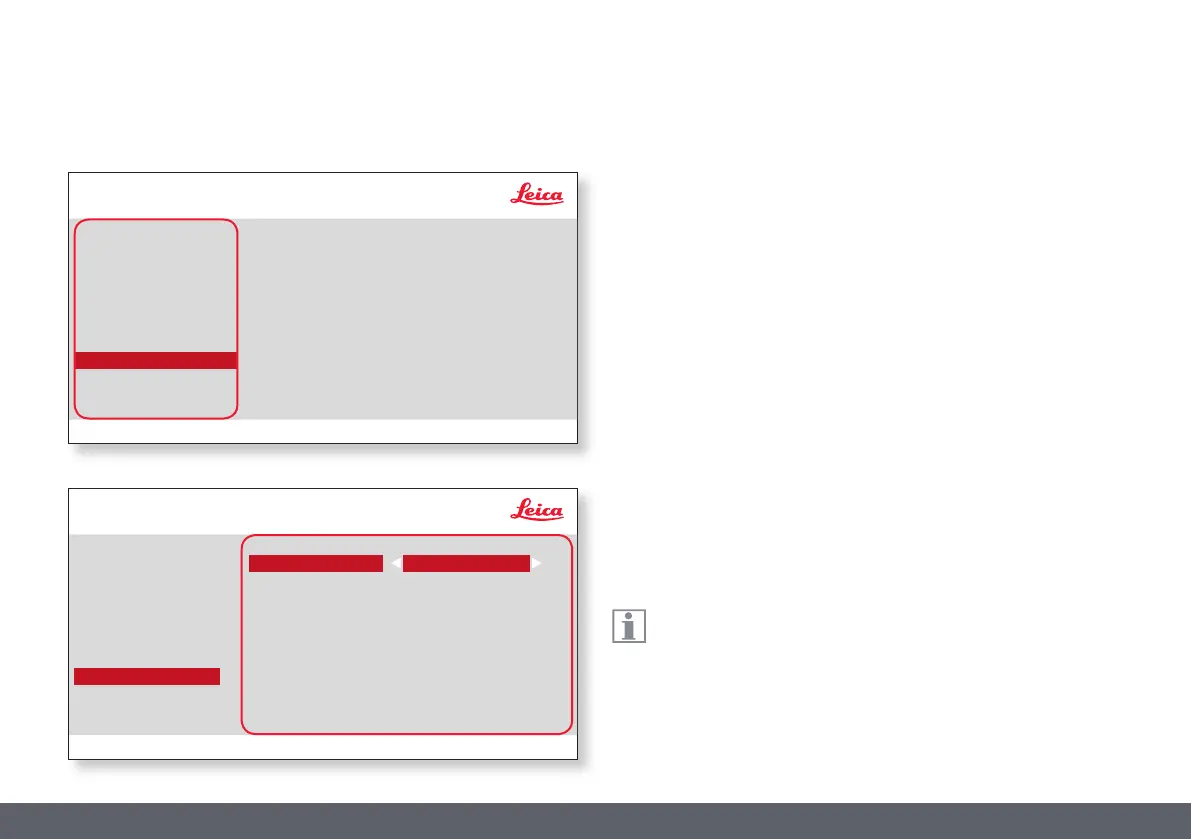
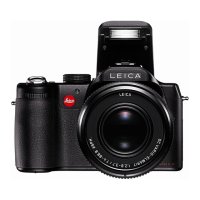
IP ADDRESS
You can choose if you want the IP address to be set automatically by your
network (Dynamic) or you can manually enter an IP address using the
onscreen keyboard (Static).
If you select "STATIC" for the IP address, you can select from the following
options using the onscreen keyboard:
O IP address
O IP subnet mask
O Gateway IP address
This menu allows you to customize parameters relevant to working
in Ethernet mode. Consult with your local IT expert for information
relating to your local network.
SETUP ETHERNET
Leica IC90 E User Manual The Camera Remote Control (Standalone Kit) 36
COLOR
EXPOSURE
RESOLUTION
SETUP CAMERA
SETUP USER
SETUP ETHERNET
IP ADDRESS MODE
IP ADDRESS
IP SUBNET MASK
DHCPDynamic)
Leica IC90 E
GATEWAY IP ADDRESS
COLOR
EXPOSURE
RESOLUTION
SETUP CAMERA
SETUP USER
SETUP ETHERNET
IP ADDRESS MODE
IP ADDRESS
IP SUBNET MASK
GATEWAY IP ADDRESS
STATIC
Leica IC90 E
010.000.000.002
255.255.255.000
010.000.000.001


 To Next Page