Leica IC90 E User Manual The Camera Remote Control (Standalone Kit) 37
SETUP ETHERNET (Continued)
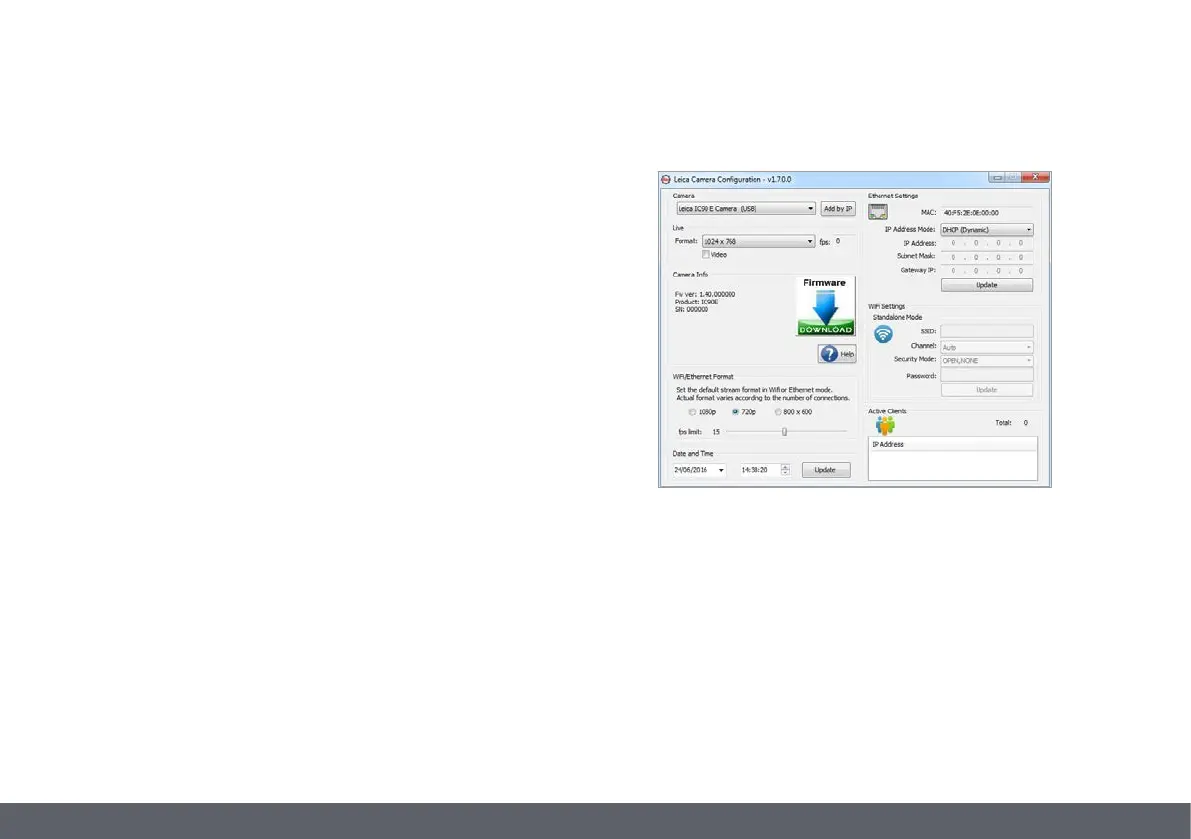
Camera configuration
1. Open camera configuration panel on your PC.
2. In the top right corner find the Ethernet setting section.
3. Find the dropdown menu labelled "IP ADDRESS MODE" and select
"STATIC".
4. Enter the IP address in the relevant boxes ("IP ADDRESS", "IP SUBNET
MASK", "GATEWAY IP ADDRESS").
5. Camera should be recognized.


 To Next Page