Leica ICC50 E or Leica ICC50 W User Manual Get Set! 27
In order to use this mode, you must
have an SD card (not provided) with free
memory on it. If the SD memory card is full, the
capture button LED will not light green and you
will not be able to capture any more images.
Attaching the power cable
1. Be sure the camera is connected to a power
source – see power source section on
page 24.
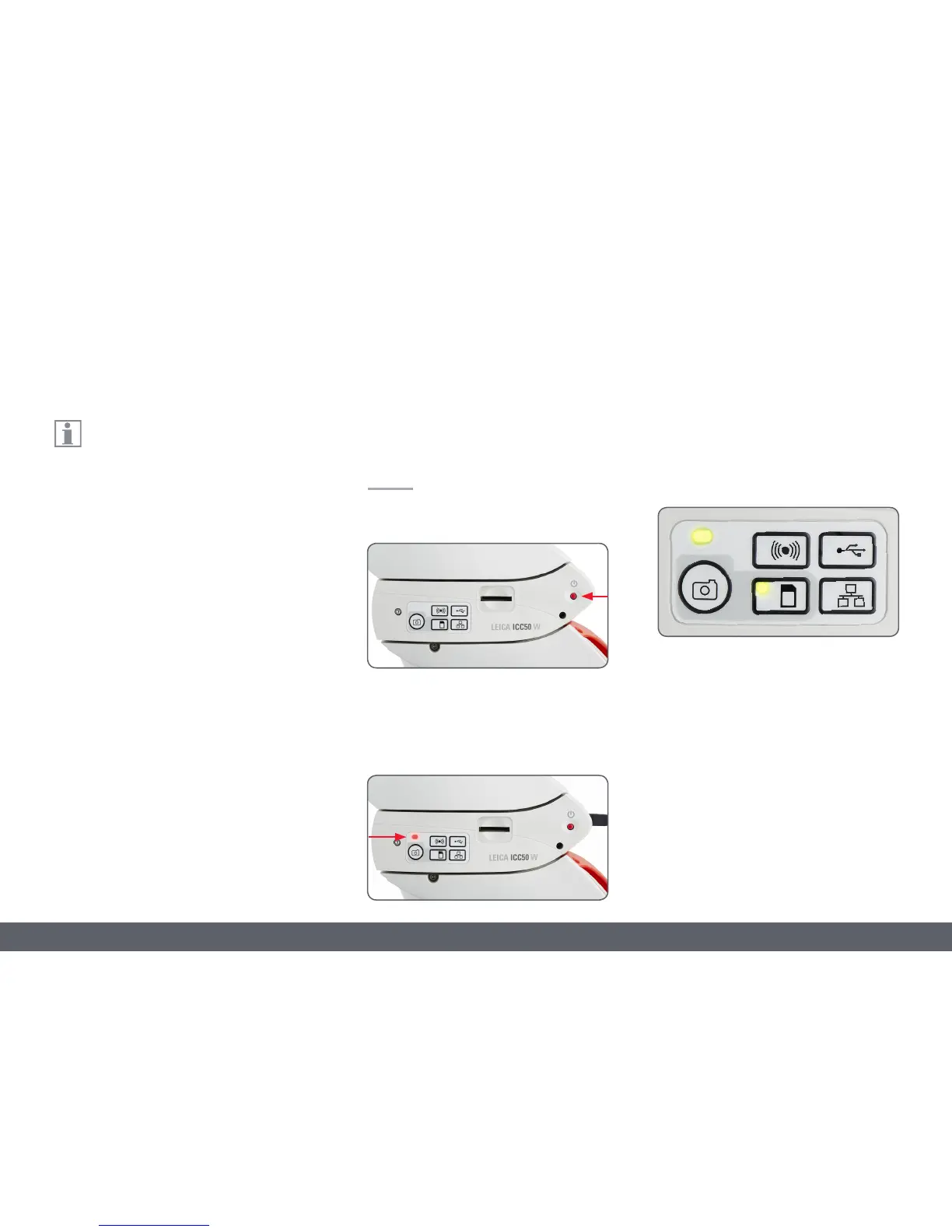
2. Press the red power button.
3. The status light will blink red. Wait until
the status light is green and one of the
mode button's is also green. This may take
approximately 30 seconds.
SD Mode – Capturing Images Without a Computer or Without a Wireless Device
4. If a mode button other than SD mode is lit
green, then press the SD mode button and
wait until both the status LED and the SD
mode button is green.



 To Next Page