Leica ICC50 E or Leica ICC50 W User Manual The Camera Remote Control (Optional) 39
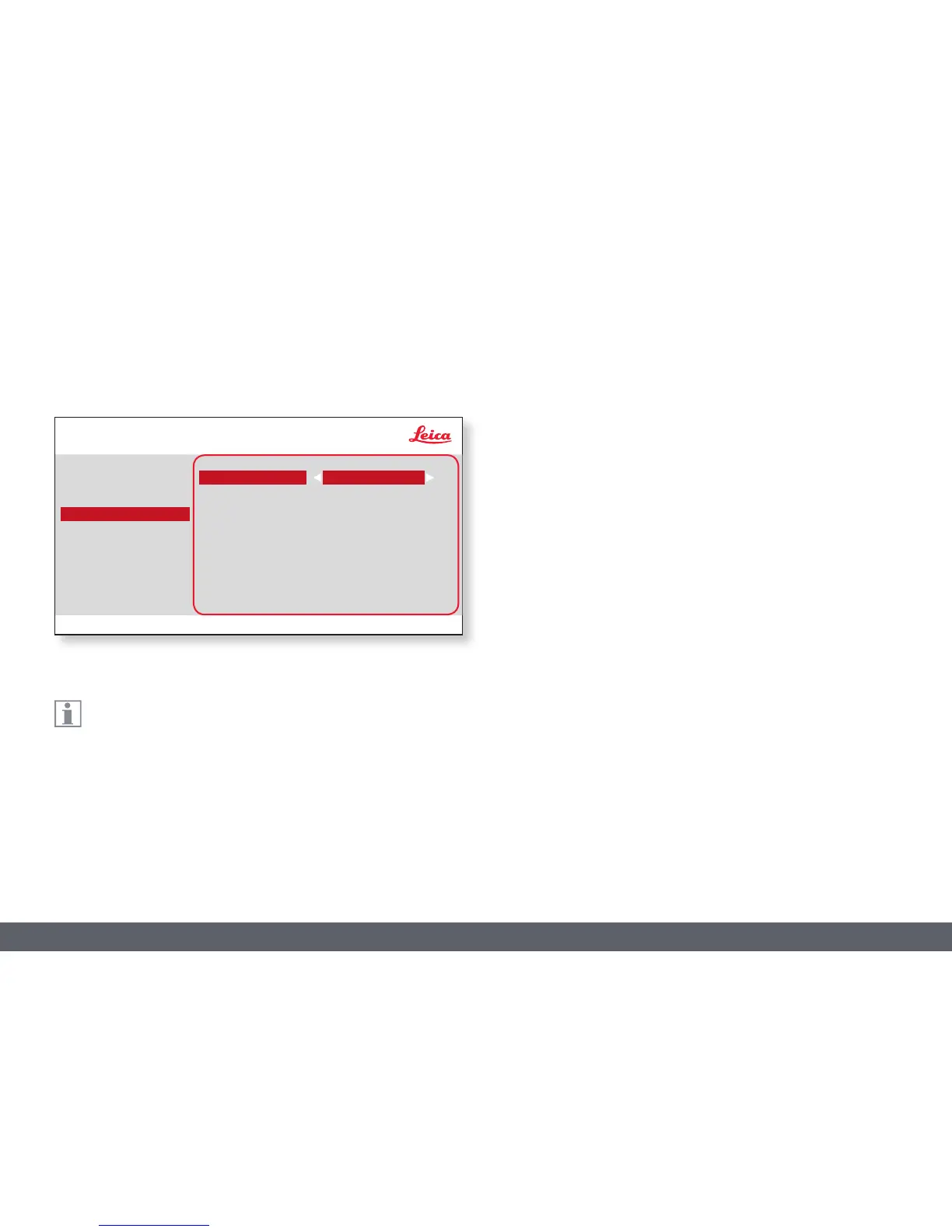
The "RESOLUTION" menu enables you to define the resolution for
the live image, still image capture and network stream individually.
This provides optimum results in every situation. Video capture on SD card
will always be 1,920 × 1,080 resolution.
LIVE (resolution of the live image)
Defines the resolution of the live image. After changing the live resolu-
tion, you will see a message on the HD screen that you can accept the new
resolution by pressing "OK" otherwise, the live resolution will return to the
previous setting.
CAPTURED (resolution of the captured image)
Defines the resolution of the captured image on the SD card.
NETWORK STREAM
Indicates the resolution of the live image when in WiFi or Ethernet mode.
RESOLUTION
COLOR
EXPOSURE
RESOLUTION
SETUP CAMERA
SETUP USER
SETUP ETHERNET
LIVE
CAPTURED
NETWORK STREAM
HD 1080i-50Hz
720p (16:9)
0.5MP (4:3)
* SETUP WIFI only for ICC50 W
SETUP WIFI*



 To Next Page