Leica ICC50 E or Leica ICC50 W User Manual The Camera Remote Control (Optional) 38
Automatic exposure
1. Press the
button on the remote control.
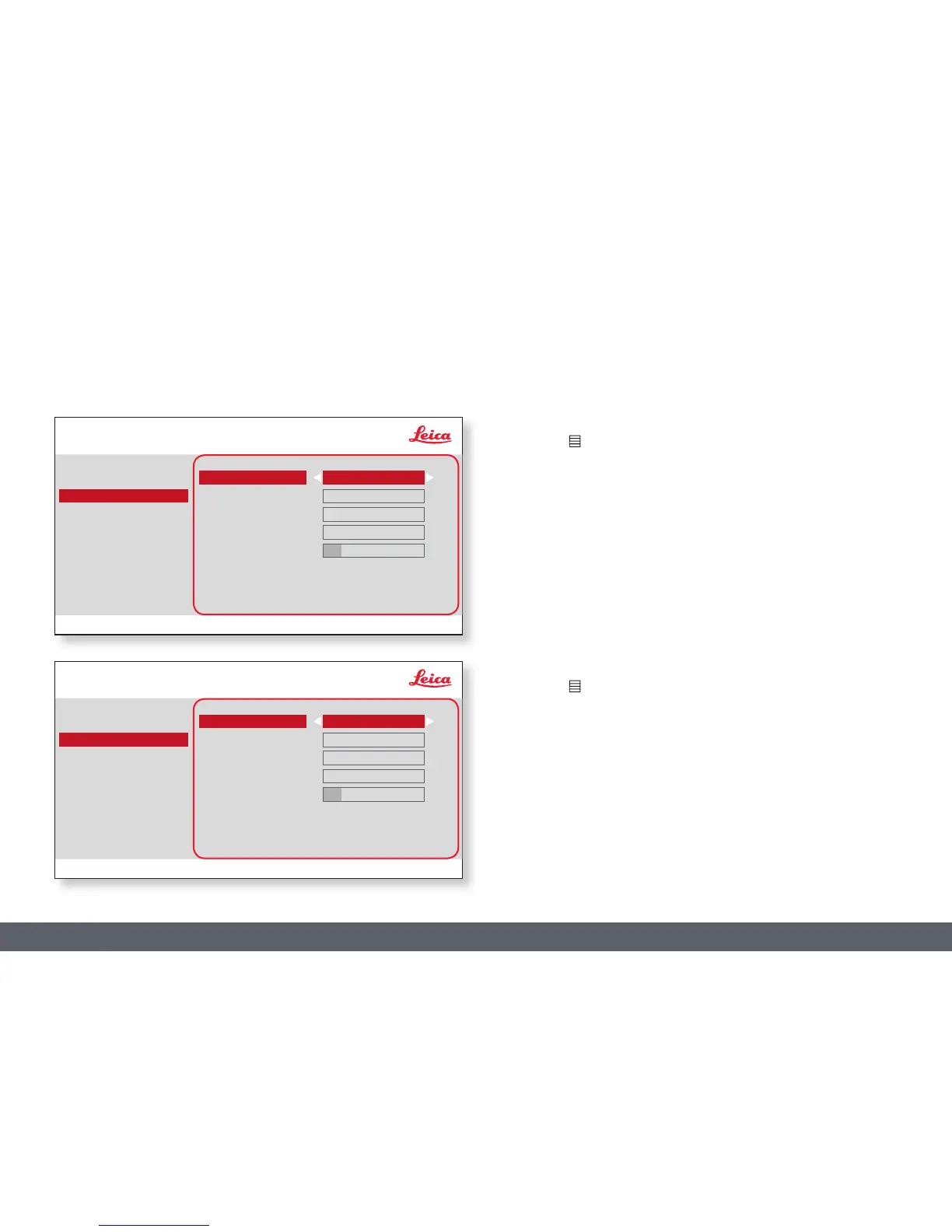
2. Call up the command for automatic exposure (see diagram at the left).
3. Set the value for "EXP MODE" to "AUTO".
4. Correct the values for "BRIGHTNESS" and "GAMMA" until you obtain
the desired results for the image.
Manual exposure
1. Press the
button on the remote control.
2. Call up the command for manual exposure (see diagram at the left).
3. Set the value for "EXP MODE" to "MANUAL".
4. Correct the values for "EXPOSURE", "GAIN" and "GAMMA" until you
obtain the desired results for the image.
EXPOSURE
COLOR
EXPOSURE
RESOLUTION
SETUP CAMERA
SETUP USER
SETUP ETHERNET
EXP MODE
EXPOSURE ms)
GAIN
BRIGHTNESS
GAMMA
AUTO
1
1
0
0.60
SETUP WIFI*
* SETUP WIFI only for ICC50 W
COLOR
EXPOSURE
RESOLUTION
SETUP CAMERA
SETUP USER
SETUP ETHERNET
EXP MODE
EXPOSURE ms)
GAIN
BRIGHTNESS
GAMMA
MANUAL
1
1
0
0.60
SETUP WIFI*



 To Next Page