EasyManua.ls Logo

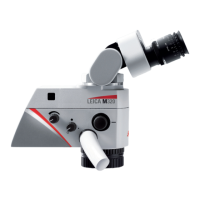
Leica M320 - User Manual

Leica M320
76 pages
Print Icon
To Next Page IconTo Next Page
Loading...
MEDICAL DIVISION
Leica M320
User Manual
10 718 878 - Version 02

Table of Contents

Questions and Answers

  • S
    Sarah GarciaAug 21, 2025
    How to focus Leica Microscope properly?
    • K
      kbarnettAug 21, 2025
      If the specimen appears out of focus when using your Leica Microscope, ensure that you focus accurately. You may also find it helpful to use an eyepiece with a crosshair reticle.
  • A
    Austin CrawfordSep 3, 2025
    Why doesn't the remote control work with my Leica M320 Microscope?
    • K
      Kristen TaylorSep 3, 2025
      If the remote control is not working with your Leica Microscope, first check the battery. Also, make sure you are pointing the remote control at the video camera and not at the screen.
  • M
    Melissa KaneSep 1, 2025
    What to do if photo from Leica M320 Microscope is too dark?
    • B
      blackluisSep 1, 2025
      If the photo taken with your Leica Microscope is too dark, try resetting the colors to improve the image brightness.
  • J
    John KingAug 30, 2025
    How to calibrate colors on Leica Microscope?
    • R
      Rhonda YoungAug 30, 2025
      If colors are not accurate on your Leica Microscope, perform a white balance to correct the color display.
  • K
    Kimberly CampbellAug 29, 2025
    What to do if there is no image on Leica M320 Microscope screen?
    • D
      Danielle AlexanderAug 29, 2025
      If you see no image on the screen of your Leica Microscope, begin by checking the cable connection and the screen itself to ensure they are functioning correctly.
  • R
    Rhonda AlexanderAug 27, 2025
    Why is there no light on my Leica M320 Microscope?
    • S
      Sara TurnerAug 27, 2025
      If there is no light on your Leica Microscope, you should first check or replace the lamp. Then, check the illumination control and illuminance. Also, inspect the filter and diaphragm control. Ensure the swing arm is lowered, as the tilt switch may be active. Check the socket and fuse. If the issue persists, contact a service technician.
  • J
    Julie BushAug 26, 2025
    How to troubleshoot file transfer issues on Leica Microscope?
    • S
      sabrinakerrAug 26, 2025
      If you are unable to transfer files from your Leica Microscope, verify the USB cable connection.
  • C
    Carol BurnettAug 25, 2025
    Why is there insufficient light with my Leica M320?
    • D
      Daniel LeonAug 25, 2025
      If you are experiencing insufficient light with your Leica Microscope, check the illumination control and illuminance settings.
  • J
    Jonathan AndersonAug 23, 2025
    How to fix a blurry image on Leica Microscope?
    • D
      debraphillipsAug 23, 2025
      If the image on your Leica Microscope screen is not sharp, ensure that the eyepieces are firmly screwed in. Also, verify that the parfocality and diopter settings are correctly adjusted.

Summary

Safety Notes

Intended Use

Defines the purpose and application of the Leica M320 surgical microscope.

Indications for Use

Specifies suitable surgical applications and environment for the microscope.

Directions for Responsible Personnel

Outlines responsibilities for safe operation and maintenance of the instrument.

Directions for Operator

Provides safety guidelines for the operator during use.

Dangers of Use

Highlights potential hazards like electrical shock, injury, and retinal damage.

Signs and Labels

Explains various labels and safety signs found on the instrument.

Functions

Balancing System

Details the procedure for balancing the microscope's optics carrier for smooth movement.

Preparation Before Surgery

Transportation

Provides step-by-step instructions for preparing the microscope for transport.

Installing the Accessories

Guides on how to install various accessories onto the microscope.

Mounting Sterile Components

Guides on mounting sterile components like handle sleeves and caps.

Parfocality Adjustment (Camera;Monitor)

Explains how to adjust settings for parfocality with camera and monitor.

Parfocality Adjustment (No Camera;Monitor)

Details the procedure for adjusting parfocality without camera or monitor.

Remote Control and Camera Check

Provides steps to check the remote control and camera functionality.

Checklist Before Surgery

Lists essential checks to perform before positioning the microscope.

Operation

Starting Up

Guides on connecting cables, powering on, and connecting the monitor.

Re-equipping During Operation

Provides warnings and steps for re-equipping the microscope during use.

Components and Accessories

Camera Settings: White Balance, Exposure, Resolution

Configuration options including White Balance, Exposure, Resolution, and basic setup.

Advanced Camera Settings: Capture, File Management, User Preferences

Details on capture modes, file management, user settings, and quick menu functions.

Care and Maintenance

Care Instructions

Provides detailed instructions for cleaning and protecting the microscope.

Changing Fuses

Guides on how to safely change fuses in the instrument.

Troubleshooting

Microscope Troubleshooting

Lists common microscope problems and their solutions.

Video Camera Troubleshooting

Lists common video camera problems and their solutions.

Technical Data

Leica M320 Specifications

General IconGeneral
TypeSurgical Microscope
FocusMotorized Focus
Integrated HD CameraYes
OpticsApochromatic
IlluminationLED
WeightVaries depending on configuration
DimensionsVaries depending on configuration

Related product manuals