EasyManua.ls Logo

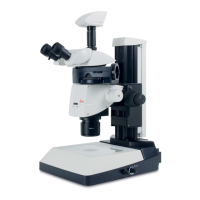
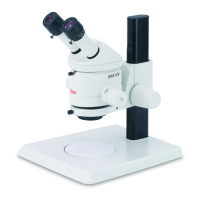
Leica MS5 - Assembly; Stand

Leica MS5
37 pages
Print Icon
To Next Page IconTo Next Page
To Previous Page IconTo Previous Page
Loading...
Assentbly
22
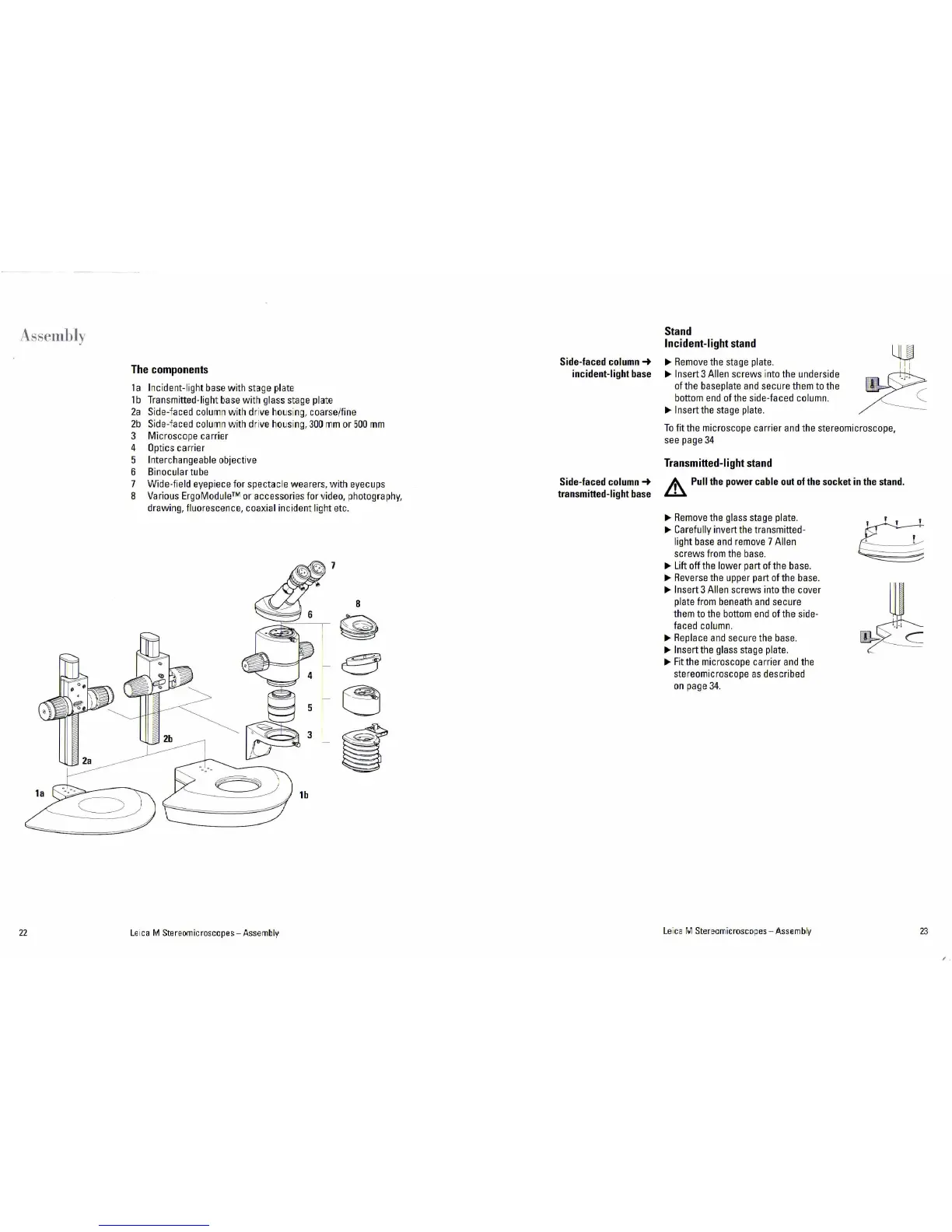
The
components
1 a
Inc
ident-light
base
wi
th
ste~ge
pla
te
1 b
Tra
n
sm
itted-light
base
with g
lass
stage
ple~
t
e
2a
Side-
f
aced
column
with dri
ve
h
ous
i
ng
, coarse/fine
2b
Side-
f
aced
column
with
dr
i
ve
hous
i
ng
,
300
mm
or
500
mm
3 Microscope carrier
4
Op
tics
ca
rr
ier
5
Inte
r
ch
angeable
objective
6
Binocula
r tube
7
8
Wide-fie ld ey
ep
i
ece
for spectacle wearers, with
eyecups
Various
ErgoM
o
duleā„¢
or accessories for
video,
photography,
drawi
ng,
fluorescence, coaxial incident li
ght
etc.
Le
1ca
M Stereomicroscopes- Assembly
Side-faced
column-+
incident-1
ight
base
Side-faced
column
-+
transmitted-light
base
Stand
Incident-light
stan
d
~
Remove
the
st
age
pla
t
e.
~
Insert 3
Al
i
en
screws
into
the und
erside
of
th
e
baseplate
and
secure th
em
to
the
bottom
end
of
the
side
-faced
co
lu
mn
.
~Insert
the
stage
pl
ate.
To fit
the
microscope carrier and
the
ste
reomicroscope,
see
page
34
Transmitted-light
stand
~
Pu
ll
the
power
cable
ou
t
of
the
socket
in
the
stand.
~
Remove
the
gl
ass
stage
pla
t
e.
~
Carefully invert
the
transmitte
d-
light
base
and
remove
7
Alien
screws f
ro
m t
he
base.
~
Lift
off
the
lower
par
t of the
base
.
~
Reve
r
se
the
u
pper
part of
the
base
.
~
Insert 3
Alien
sc
r
ews
into
the
cover
pl
ate
from
beneath
and
secu
re
th
em
to
the
bottom
end
of t
he
si
d
e-
faced
column
.
~Replace
and
secure
the
base.
~
Insert
the
glass
stage
plate.
~F
i
t
t
he
microscope carrier
and
the
stereomicroscope
as
descri
bed
on
page
34
.
Le
i
ca
M Stereomicroscop
es
- Assembly
23

Related product manuals