63
UNITY MOTORHOME APPLIANCE AND EQUIPMENT OPERATION
TV OPERATION
Refer to the TV manual in the Motorhome Information
Kit for detailed operating instructions�
Do NOT watch TV while driving. Do NOT take
your eyes off the road for extended periods of
time or a crash causing injury or death could
result. Do NOT give extended attention to the
in-dash navigation or entertainment system
while driving.
WARNING
DVD OPERATION
All motorhomes are equipped with an entertainment
system
10
for viewing a DVD on the TV. Refer to
the entertainment system operator’s manual in the
Motorhome Information Kit for detailed operating
instructions on operation of the entertainment
system�
NOTE: Entertainment systems
10
automatically
default to the most recently used setting when
switched off and back on. To change settings, make
your selection and press the “ENTER” button
11
� You
must press the “ENTER” button within approximately
3 seconds each time you make a new selection, or
the system defaults back to the most recently used
setting�
10
11
When parked for extended periods, switch off
the entertainment system to avoid draining
the battery.
NOTICE
U24MB FLOOR PLAN
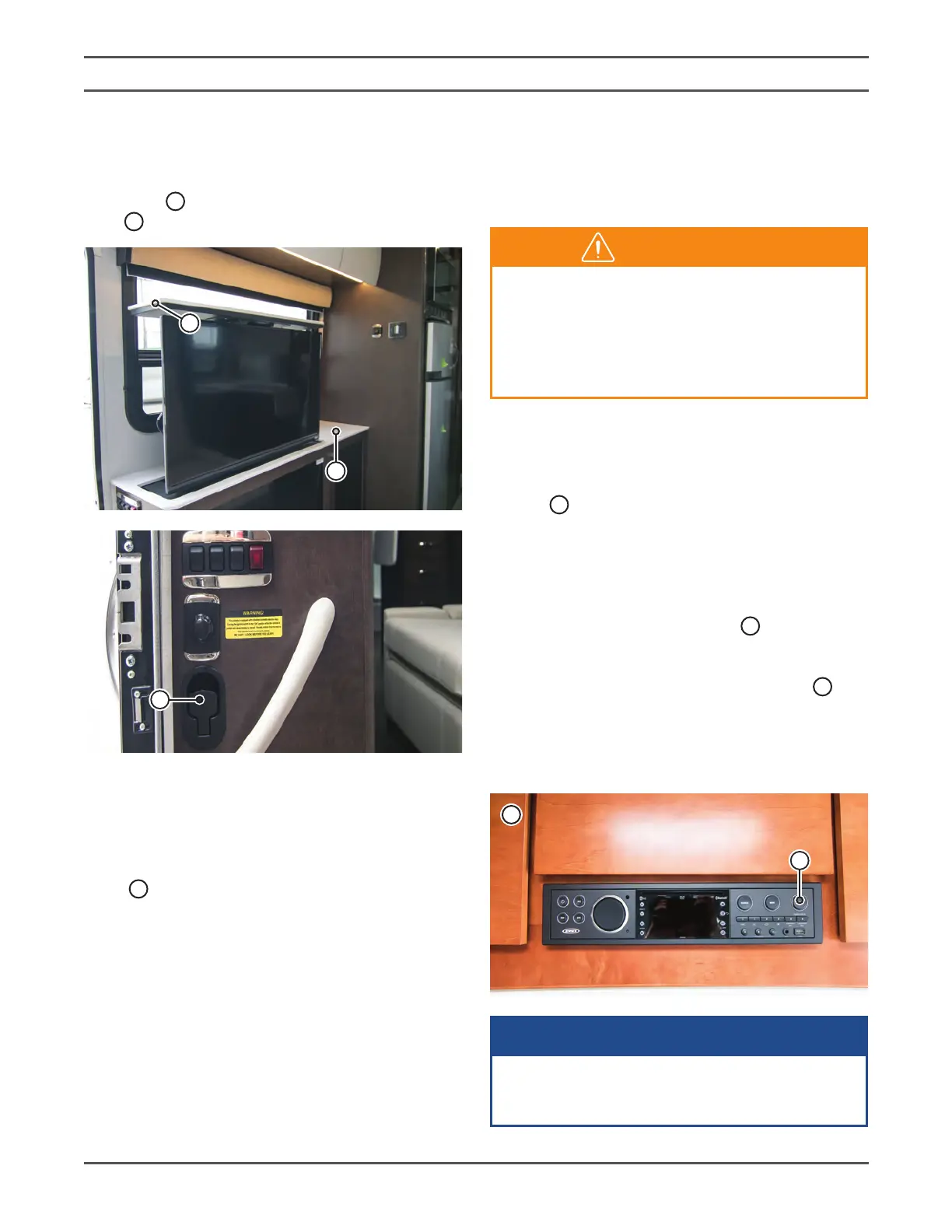
The TV is stowed in the coach passenger side
countertop
7
and is accessed by pulling the release
lever
8
located at the coach entrance�
7
9
8
NOTE: The TV will rise from the cabinet under
spring tension. Ensure the top of the TV cabinet is
clear before opening�
To store, push down on the center of the cover
panel
9
to lower the TV into the cabinet until the TV
assembly latches�
NOTE: Push down only in the center of the cover
panel to prevent damaging the panel.
NOTE: When travelling, ensure the TV is latched in
the stored position�



 To Next Page