to enter player interface.
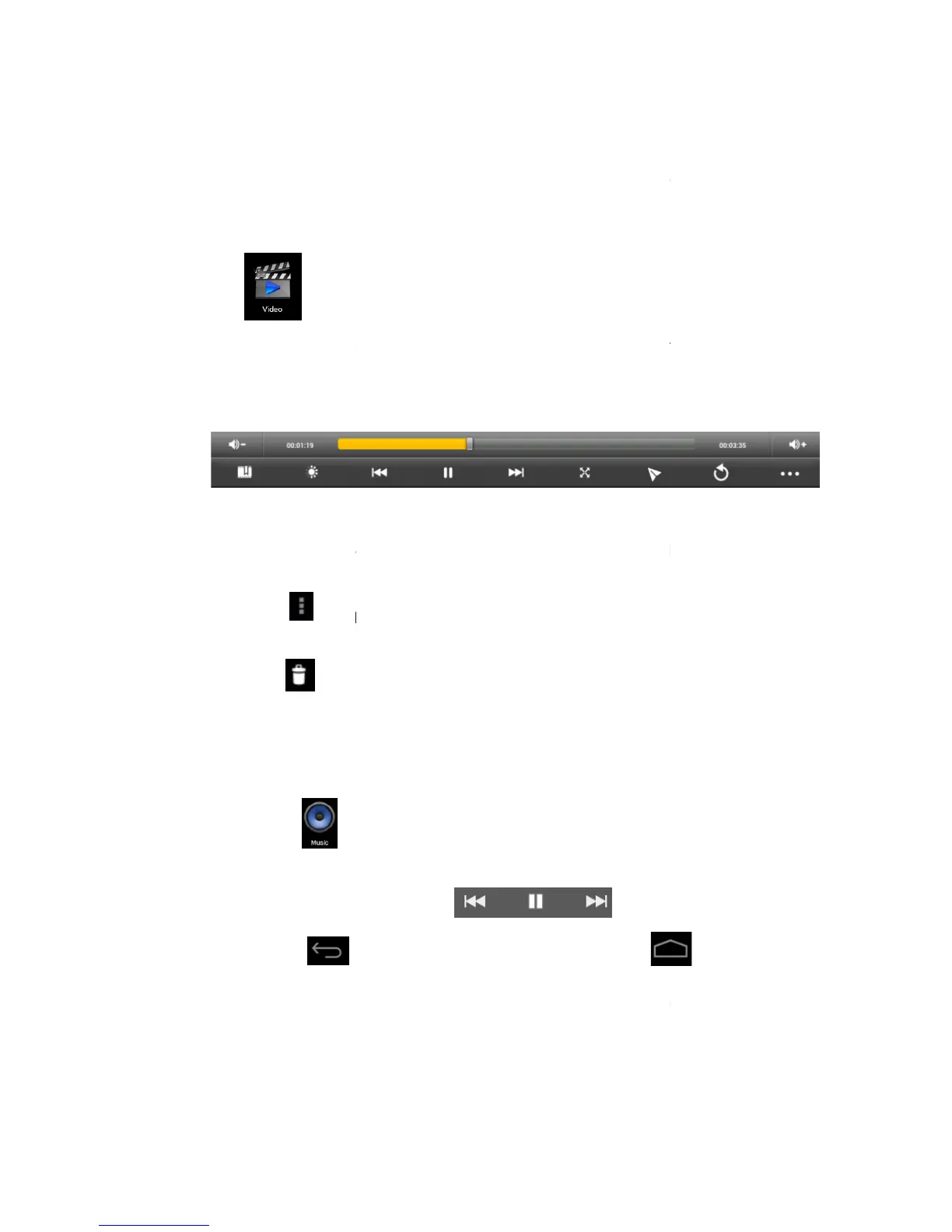
Select a video file to play and the system will enter video playing interface.
on the screen to adjust the video accordingly (volume +/
storage play, brightness +/
menu).
Note: System ver. 4.1
play the video by selecting the desktop playing menu.
more than one video can be played at the same time on the same device.
Select picture to enter Picture viewing
at top right corner to view details of the video, or to select the
functions such as auto viewing, rotating or cutting the pictures.
at top right corner to delete files in the p
to enter player interface.
Select the music you want to play from track/album/artist/playlist.
desktop while keeping the music playing.
You can operate the playing music by using the menu key. The interface is as follow:
AVI, WMV, RM, RMVB, 3GP, MKV, ASF,
to enter player interface.
Select a video file to play and the system will enter video playing interface.
on the screen to adjust the video accordingly (volume +/
storage play, brightness +/
, pause/play, next video, screen size, desktop play, return,
menu video playing mode. You can simply
play the video by selecting the desktop playing menu.
more than one video can be played at the same time on the same device.
Select picture to enter Picture viewing
interface, and slide the screen to view pictures.
at top right corner to view details of the video, or to select the
functions such as auto viewing, rotating or cutting the pictures.
at top right corner to delete files in the p
MP3, WMA, OGG, FLAC, WAV, ACC.
to enter player interface.
Select the music you want to play from track/album/artist/playlist.
to go back to previous interface or click
desktop while keeping the music playing.
You can operate the playing music by using the menu key. The interface is as follow:
Select a video file to play and the system will enter video playing interface.
, pause/play, next video, screen size, desktop play, return,
menu video playing mode. You can simply
more than one video can be played at the same time on the same device.
interface, and slide the screen to view pictures.
at top right corner to view details of the video, or to select the
You can operate the playing music by using the menu key. The interface is as follow:



 To Next Page