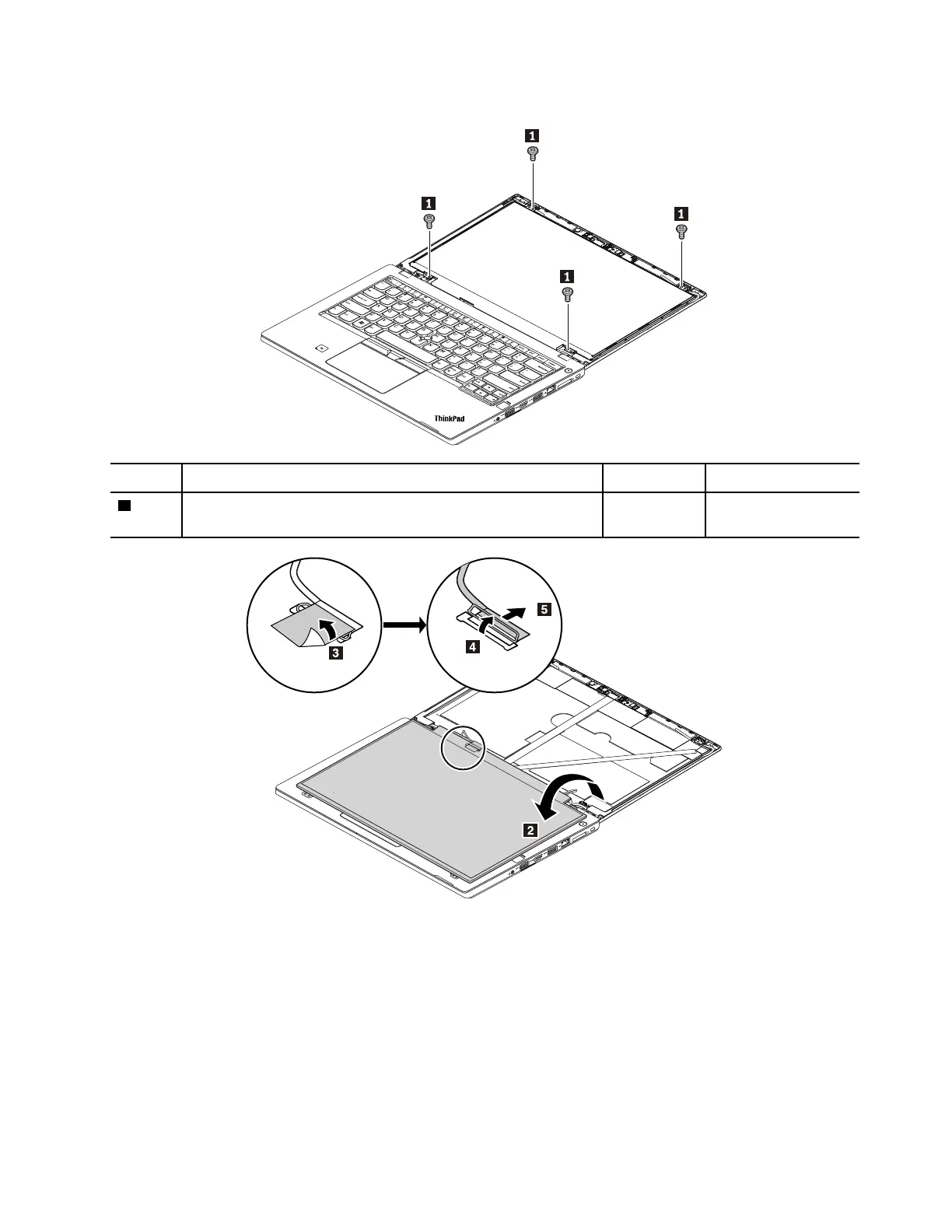
Removal steps of the LCD panel (for models with HD panel, FHD panel, or touch panel)
Step Screw (quantity) Color
Torque
1
M2 × 2.5 mm, small-head, nylon-coated (4) Sliver
0.181 Nm
(1.85 kgf-cm)
When installing: Ensure that the connector of the LCD cable is attached firmly.
Chapter 9. Removing or replacing a FRU 95


 To Next Page