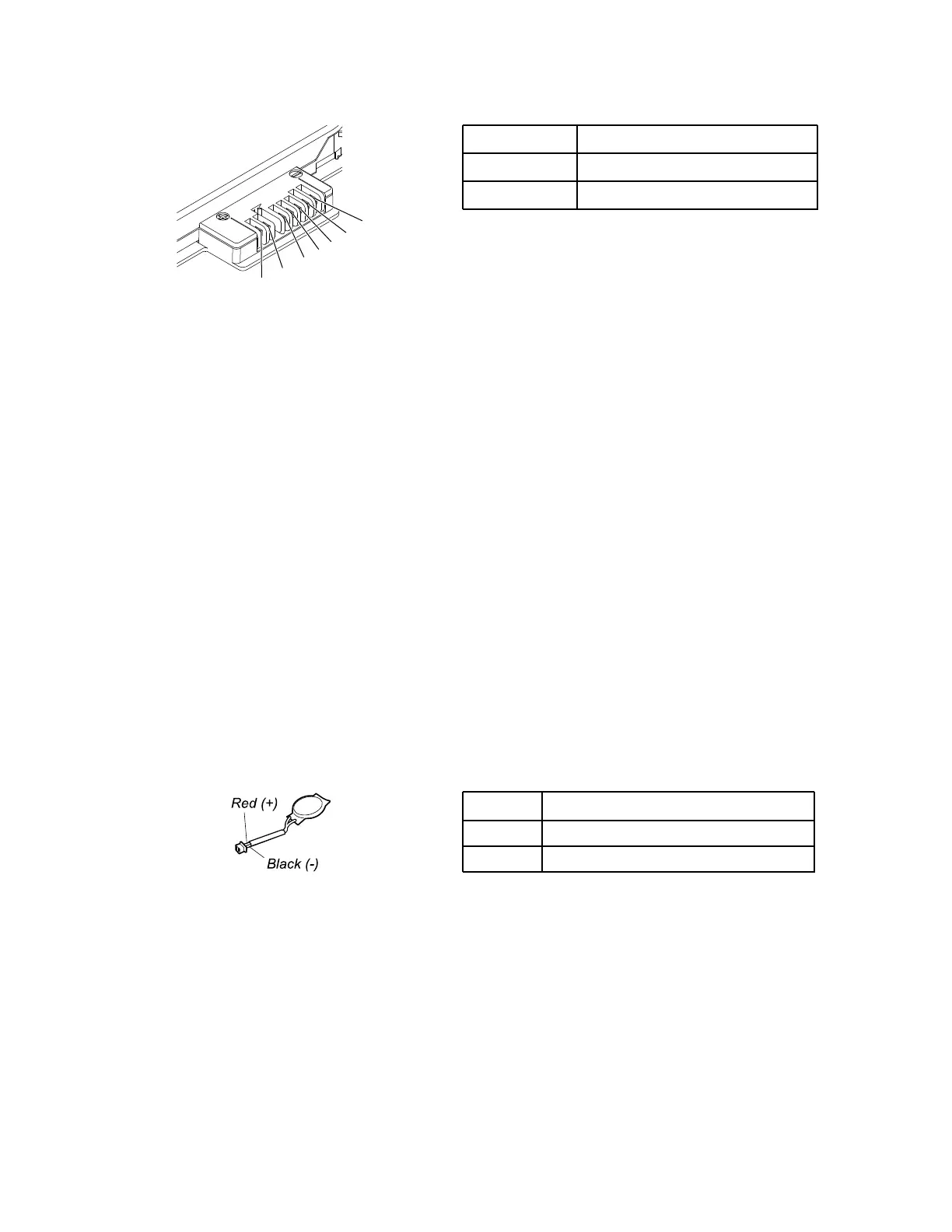
Terminal
Voltage (V dc)
1, 2 + 0 to + 12.6
6, 7
Ground (-)
3. If the voltage is less than +11.0 V dc, the removable battery has been discharged.
If the voltage is still less than +11.0 V dc after recharging, replace the removable battery.
4. If the voltage is more than +11.0 V dc, measure the resistance between battery terminals 5 and 7. The
resistance must be 4 to 30 K Ω. If the resistance is not correct, replace the removable battery. If the
resistance is correct, replace the system board.
Checking the operational charging
To check whether the battery charges properly during operation, do the following:
1. Discharge the battery until the remained battery power is less than 50%.
2. Connect the computer to ac power to charge the battery. If the battery status icon in the Windows
notification area indicates that the battery is not charging, remove the battery and let it return to room
temperature.
3. Reinstall the battery. If the battery is still not charging, replace the battery.
4. Check the battery status icon again. If the same error still exists, replace the system board.
Checking the coin-cell battery
To check the coin-cell battery, do the following:
1. Disable the built-in battery. See “Disabling the built-in battery” on page 64.
2. Remove the coin-cell battery. See “1100 Coin-cell battery” on page 77.
3. Measure the voltage of the coin-cell battery. See the following illustration.
Wire Voltage (V dc)
Red +2.5 to +3.2
Black
Ground
• If the voltage is correct, replace the system board.
• If the voltage is not correct, replace the coin-cell battery.
• If the coin-cell battery discharges quickly after replacement, replace the system board.
30
T480 Hardware Maintenance Manual



 To Next Page