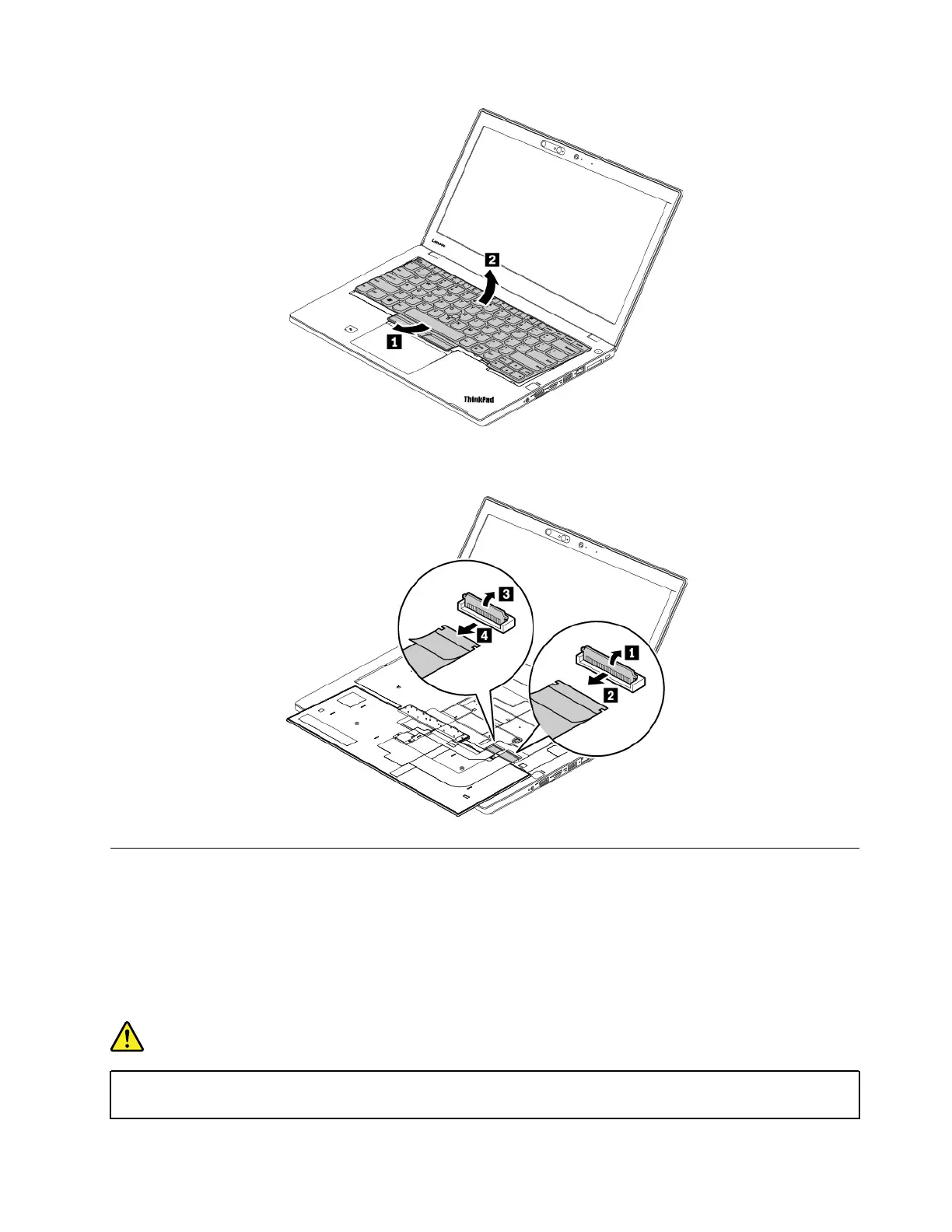
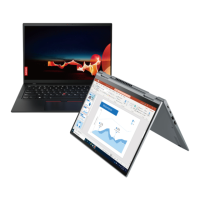
Put the keyboard on the palm rest and detach the connectors. Then remove the keyboard.
1100 Coin-cell battery
Note: Before you start the servicing, disable the built-in battery. See “Disabling the built-in battery” on page
64.
For access, remove these FRUs in order:
• “1010 Removable battery” on page 64
• “1030 Base cover assembly” on page 65
DANGER
Use only the authorized battery specified for your computer. Any other battery could ignite or
explode.
Chapter 9. Removing or replacing a FRU 77



 To Next Page