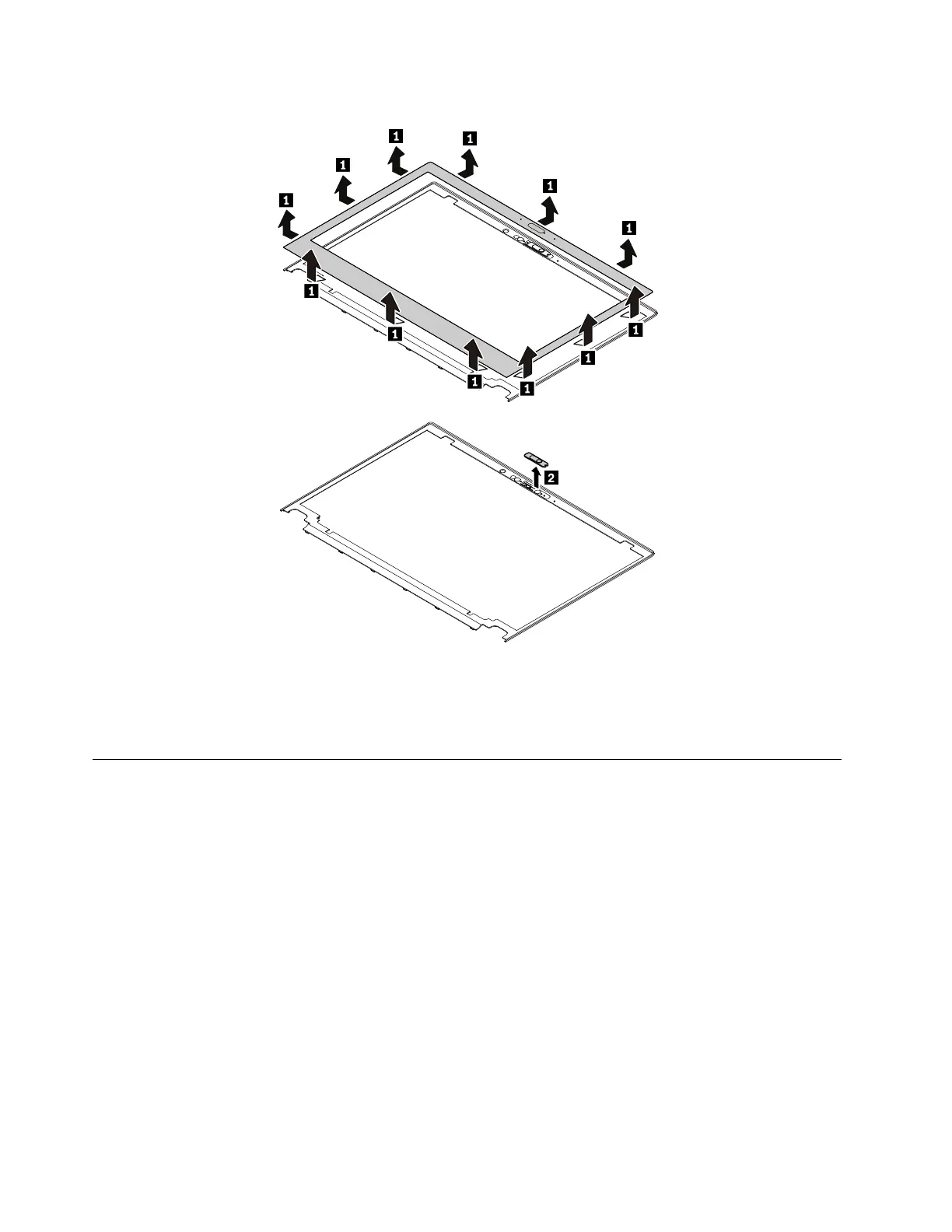
Removal steps of the LCD bezel sheet and the camera shutter
When installing:
• Install a new LCD bezel sheet whenever the old one is removed.
• Ensure that all the latches are attached firmly.
2020 LCD panel
Note: Before you start the servicing, disable the built-in battery. See “Disabling the built-in battery” on page
64.
For access, remove these FRUs in order:
• “1010 Removable battery” on page 64
• “1030 Base cover assembly” on page 65
94
T480 Hardware Maintenance Manual


 To Next Page