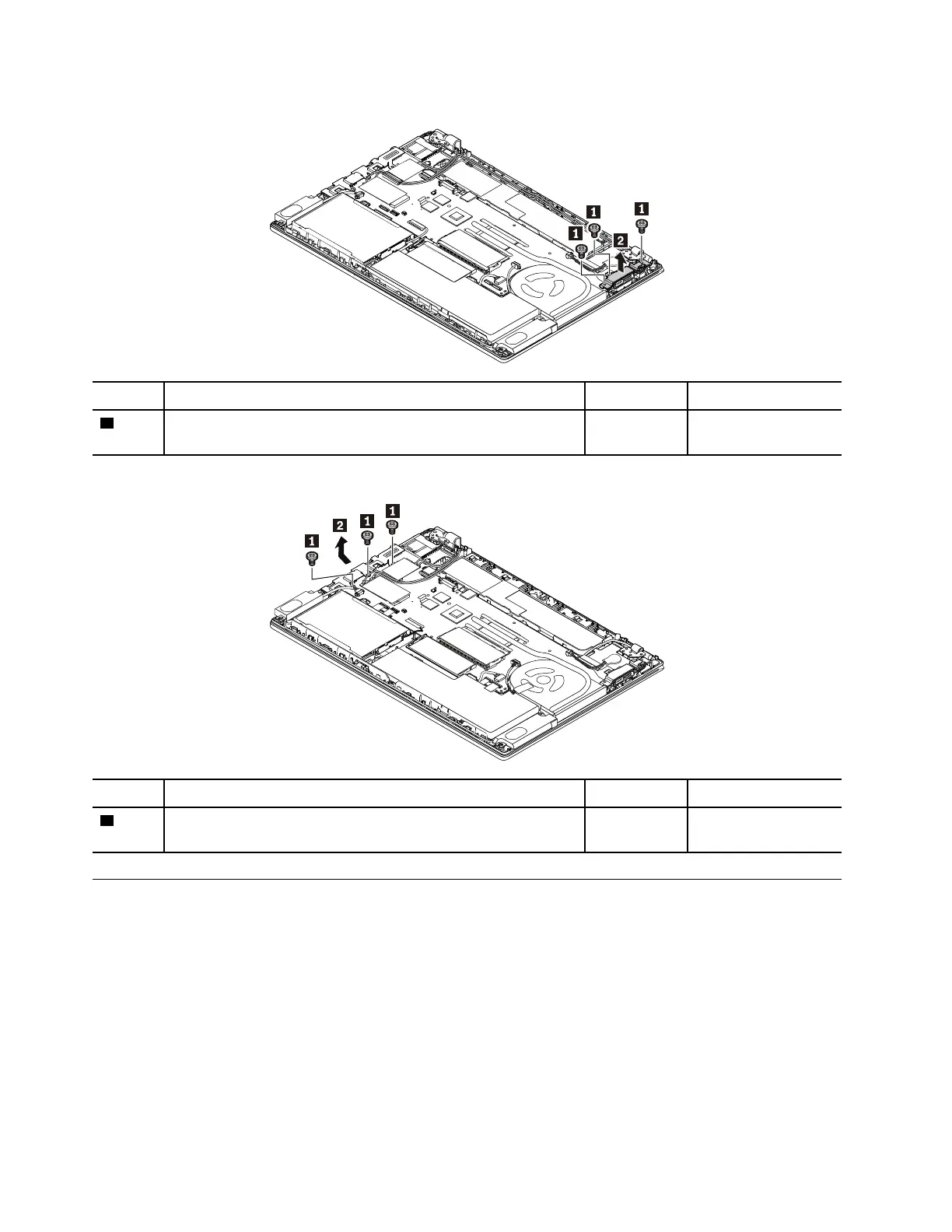
Removal steps of the I/O bracket
Step Screw (quantity) Color
Torque
1
M2 × 4 mm, flat head, nylon-coated (3) Black 0.181 Nm
(1.85 kgf-cm)
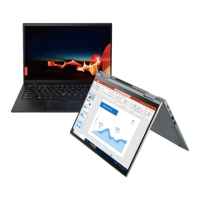
Removal steps of the RJ45 bracket
Step Screw (quantity) Color
Torque
1
M2 × 3.5 mm, flat head, nylon-coated (3) Sliver
0.181 Nm
(1.85 kgf-cm)
1150 Thermal fan assembly
Note: Before you start the servicing, disable the built-in battery. See “Disabling the built-in battery” on page
64.
For access, remove these FRUs in order:
• “1010 Removable battery” on page 64
• “1030 Base cover assembly” on page 65
Removal steps of the thermal fan assembly
Notes:
• Loosen the screws in ascending alphabetical order as illustrated.
82
T480 Hardware Maintenance Manual



 To Next Page