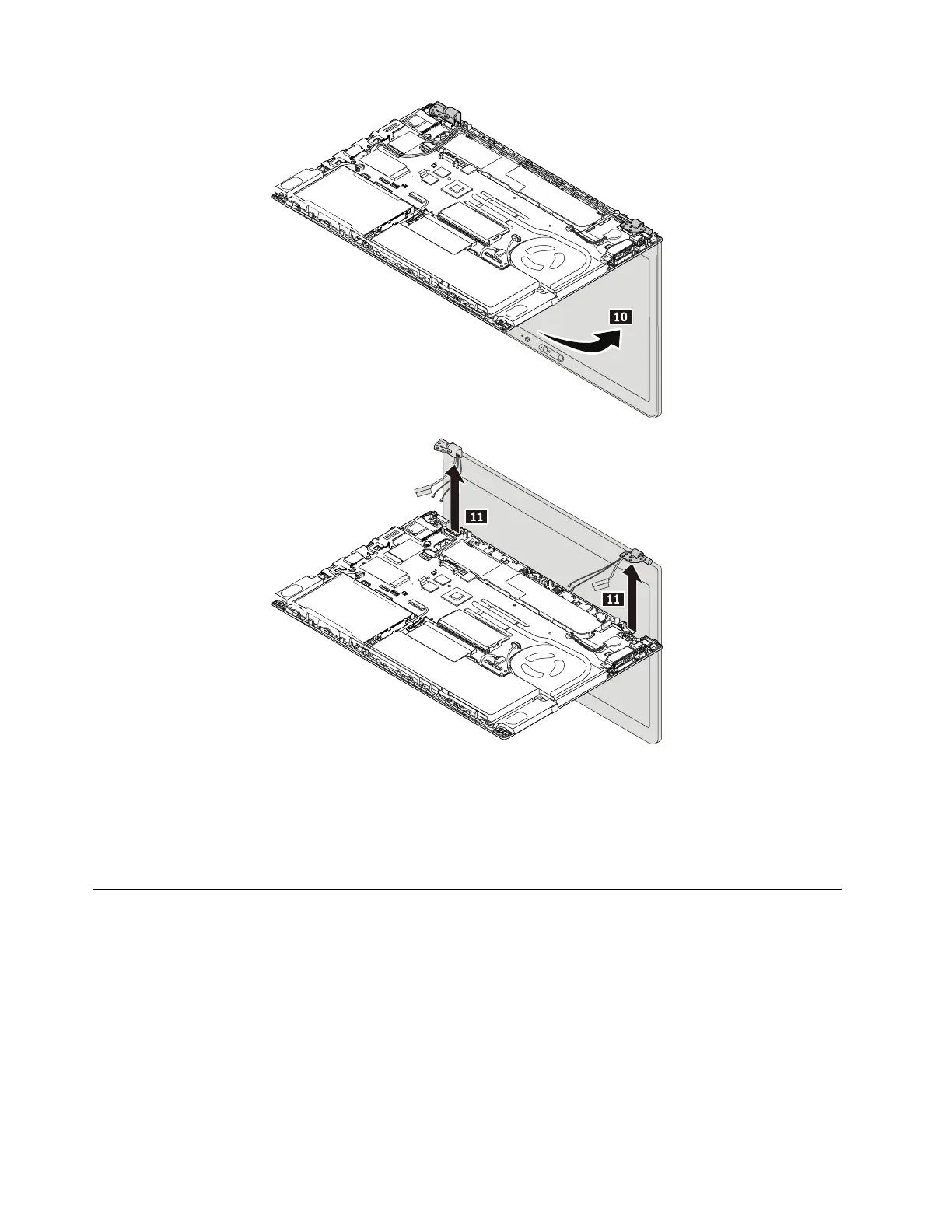
When installing:
Attention: As you route the cables, ensure that they are not subject to any tension. Tension could cause the
cables to be damaged by the cable guides, or a wire to be broken.
• Ensure that the connectors are attached firmly.
1220 Keyboard bezel assembly
Note: Before you start the servicing, disable the built-in battery. See “Disabling the built-in battery” on page
64.
For access, remove these FRUs in order:
• “1010 Removable battery” on page 64
• “1020 Nano-SIM card” on page 65
• “1030 Base cover assembly” on page 65
• “1040 Memory module” on page 68
• “1050 Internal storage drive” on page 69
• “1060 Wireless-WAN card” on page 73 or “1080 M.2 solid-state drive in the Wireless-WAN-card slot” on
page 74
92
T480 Hardware Maintenance Manual


 To Next Page