1Securitykeyhole2Fanlouvers(left)
3Videographicsarray(VGA)connector4USB3.0connectors
5HDMIport
1Securitykeyhole
Purchaseasecuritycablelockthattsthiskeyholetolockyourcomputertoastationaryobjecttoprotect
yourcomputerfromtheft.
2Fanlouvers(left)
Theinternalfanandlouversenableairtocirculateinthecomputerandcoolthecentralprocessor.
Nota:Toavoidimpedingairow,donotplaceanyobstacleinfrontofthefan.
3Videographicsarray(VGA)connector
AttachaVGAcompatiblemonitororprojectortoyourcomputertodisplaythecomputeroutput.
4USB3.0connectors
TheUniversalSerialBus(USB)3.0connectorsareusedforconnectingdevicescompatiblewithaUSB
interface,suchasaUSBprinteroradigitalcamera.
Nota:WhenyouattachaUSBcabletotheconnector,makesurethattheUSBmarkisfacingupward.
Otherwisetheconnectormightbedamaged.
5HDMIport
Yourcomputersupportsthehigh-denitionmultimediainterface(HDMI)port,adigitalaudioandvideo
interfacethatcanconnectacompatibledigitalaudiodeviceorvideomonitor,suchasaHighDenition
Television(HDTV).
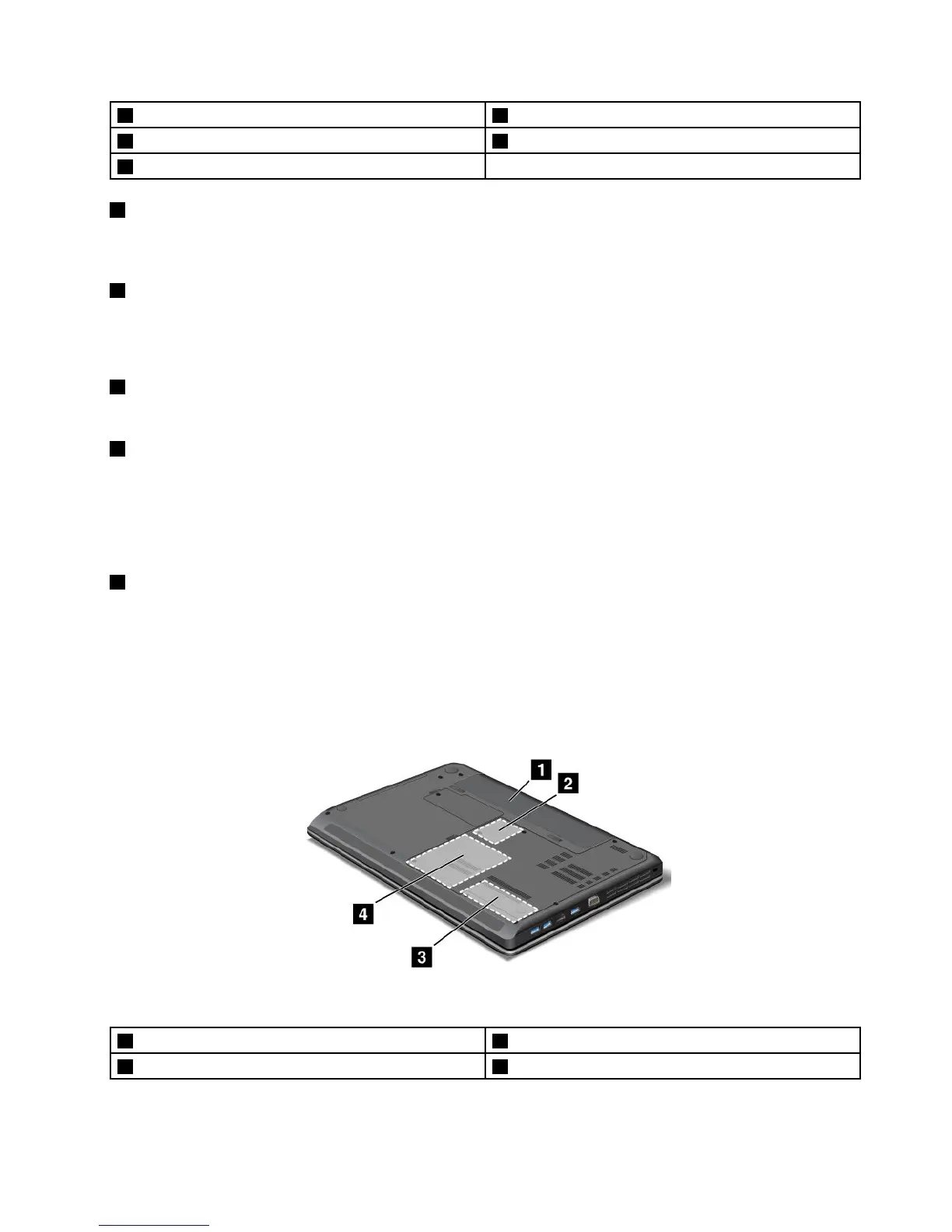
Bottomview
Figura4.LenovoB430bottomview
1Battery
2PCIExpressMiniCardslotforwirelessLANcard
3Memoryupgradeslot4Harddiskdrive
Capítulo1.Productoverview5



 To Next Page