4.T urnthecomputeroveragain.Connecttheacpoweradapterandallcables.
Replacingthethermalfan
Beforeyoustart,printtheseinstructions.
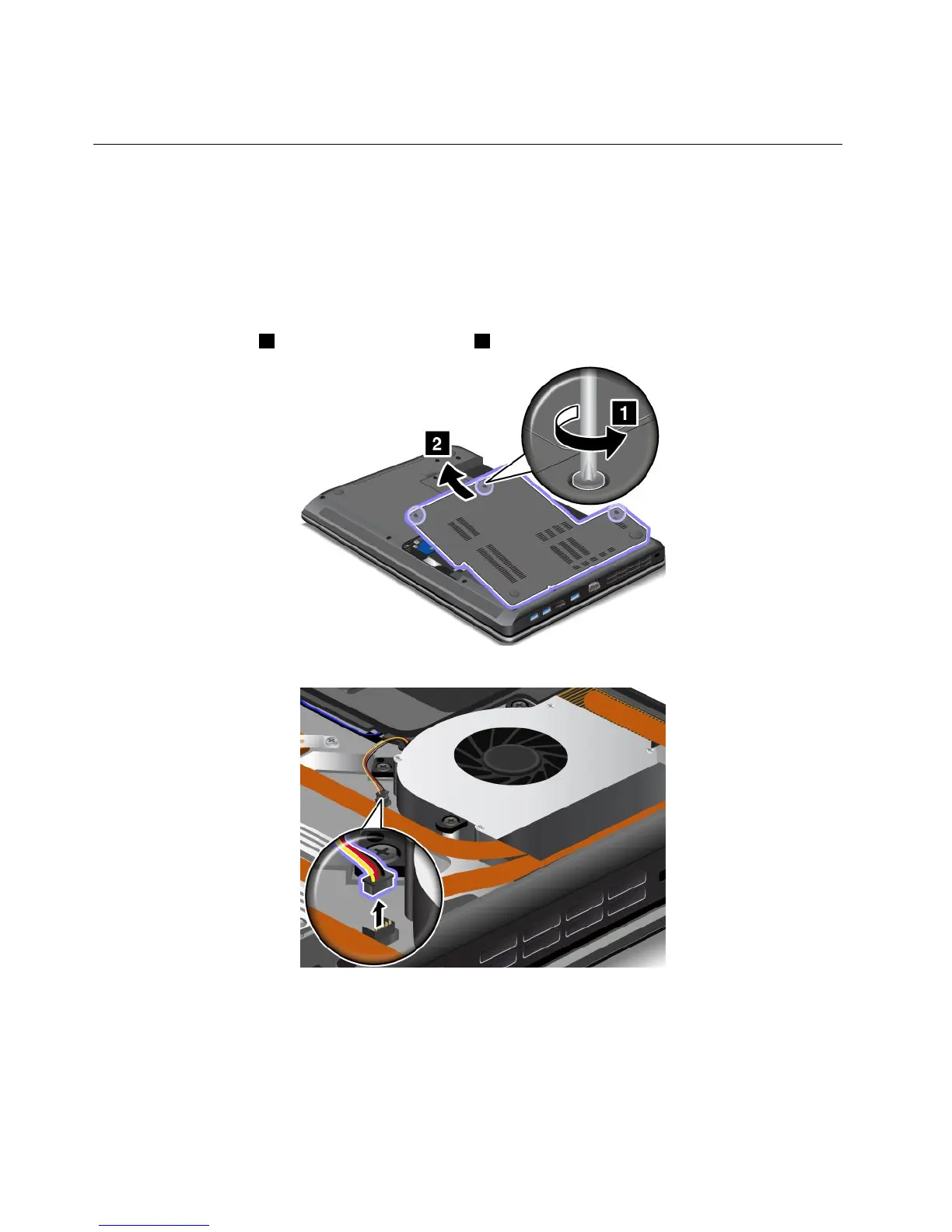
Toremovethethermalfan,dothefollowing:
1.T urnoffthecomputer;thendisconnecttheacpoweradapterandallcablesfromthecomputer.Wait
threetoveminutestoletthecomputercool.
2.Closethecomputerdisplay,andturnthecomputerover.
3.Removethebattery.See“Replacingthebattery”napágina49.
4.Loosenthescrews1,andthenremovethecover2.
5.Detachtheconnector.
68UserGuide



 To Next Page